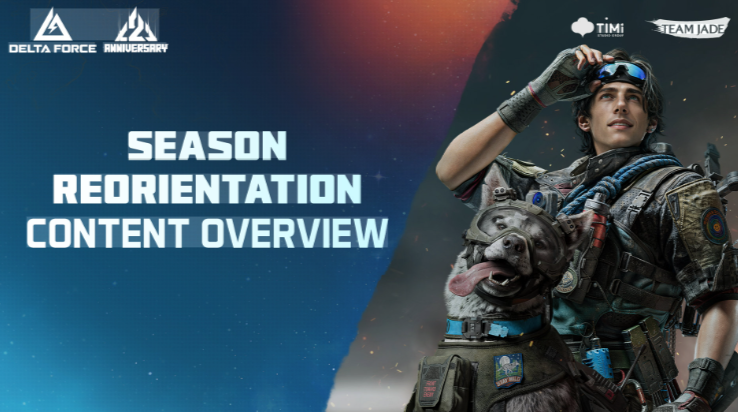

Delta Force's 2nd Anniversary Twitch Drops campaign is confirmed and live, letting players earn four free cosmetics just by watching official streams, plus a fifth item tied to a channel subscription. The core question players are searching for is simple: how much watch time unlocks each reward, and how do you actually claim them? This guide covers the exact milestones, the account linking steps, and the most common reasons drops fail to register. It's built for both new and returning Delta Force players who want every Anniversary item before the campaign closes on September 7, 2026.
What Rewards Are Available?
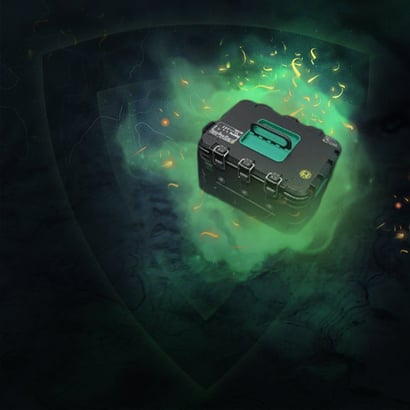
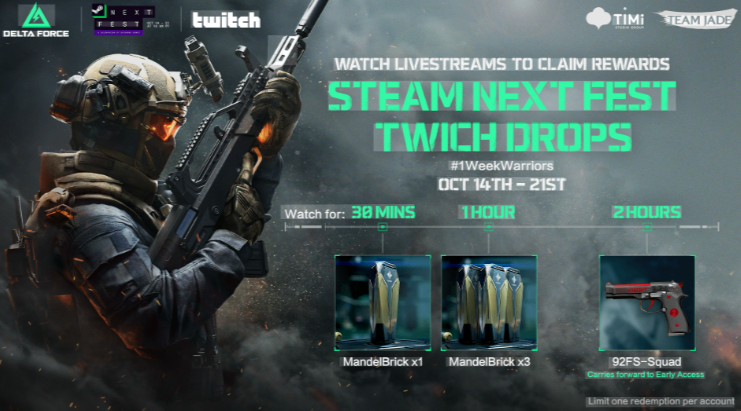
Five items are confirmed for the Anniversary campaign, and four of them unlock purely through cumulative watch time on eligible streams. The fifth, an MP5 skin, requires an active subscription instead of viewing minutes. Watch time stacks across sessions, so players do not need one continuous sitting to reach every milestone. This structure benefits casual viewers who can only tune in for short stretches throughout the week.
How Much Watch Time Do You Need?
The full set of watch-based rewards, including the Delta Force Tekniq Alloy, requires a total of 45 minutes of viewing on a stream tagged "Drops Enabled". Progress is cumulative, meaning a player who watches 15 minutes today and 30 minutes tomorrow still reaches the full unlock. The table below breaks down each confirmed reward and its requirement.
Reward | Type | Requirement |
HOL' UP | Spray Paint | 15 minutes watched |
Moments of Joy | Calling Card | 20 minutes watched |
Holiday | Avatar | 30 minutes watched |
Vector SMG – Playtime | Weapon Skin | 45 minutes watched |
MP5 – Relentless Assault | Weapon Skin | Subscribe to a participating channel |
Reaching the 45-minute mark automatically covers the three earlier milestones, since each threshold builds on the last. This makes the Vector skin the most efficient single-goal option for players who only want to invest in one short session.
How Do You Link Your Twitch Account?
Rewards cannot reach your inventory unless your Twitch account is linked to your Delta Force account before you start watching. This is a one-time setup step, not something repeated for each stream.
First, sign into the official Delta Force account page and select the option to connect Twitch. Second, authorize the connection when Twitch prompts you, which can also be confirmed later under Twitch's Connections settings. Third, find a stream carrying the Drops Enabled tag and begin watching, since progress fills automatically even if the stream plays in the background while you stay logged into Twitch. Returning players who linked accounts for a previous Delta Force drops event should still double-check the connection is still active before this campaign.
How Do You Claim Each Drop?
Once a progress bar fills, a claim notification appears directly in Twitch chat, or the item can be claimed manually from the Drops and Rewards inventory page. Claiming on Twitch is only half the process — launching Delta Force afterward and checking the in-game inventory confirms the item actually transferred. Unclaimed drops expire roughly 24 hours after unlocking, and anything left unclaimed disappears once the campaign itself ends. Players who watch streams sporadically should claim each reward as soon as it appears rather than waiting to collect them all at once.
Why Do Some Drops Fail to Register?
Failed drops almost always trace back to one of three issues: an unlinked Twitch-to-Delta Force connection, being logged out of Twitch while watching, or watching a channel that lacks the Drops Enabled tag. Watching an untagged stream, even for hours, earns zero progress toward any reward. This matters most to players who assume any Delta Force content counts, since only officially tagged streams track watch time.
Is the MP5 Skin Worth Getting?
The MP5 – Relentless Assault skin only unlocks through a subscription to a participating channel, not through watch time. Players who already subscribe to a featured Delta Force streamer get it essentially for free, while others need to weigh the subscription cost against the cosmetic's value.
When Does the Anniversary Campaign End?
The campaign closes on September 7, 2026, and all watching and claiming must happen before that date. Progress and unclaimed items are lost once the event ends, so players should not wait until the final day to start.
Quick Tips
· Link Twitch to your Delta Force account before watching any stream, not after.
· Confirm the Drops Enabled tag is visible on the stream before letting it run.
· Claim each reward within 24 hours to avoid losing it to expiration.
· Watch time stacks, so short daily sessions work as well as one long sitting.
· Check your in-game inventory after claiming to confirm the item actually arrived.
Who Benefits Most?
New players get a fast, low effort way to pick up early cosmetics like the cheap Delta Force Tekniq Alloy without grinding matches. Returning players can use this event to refresh their loadout with free skins tied to the anniversary. Casual viewers benefit most from the cumulative watch time system, since they can collect every reward across several short sessions instead of one long stream.
Players who link their accounts early, confirm the Drops Enabled tag, and claim rewards promptly will collect all five Anniversary items with minimal effort before the September 7 deadline.