Weekend Drop -












This guide covers all set piece situations in FC 26: kickoff, goal kick, throw-in, penalty kick, free kick, and corner kick. For each situation, the guide explains available mechanics, effective variants used by professional players, and tactical adjustments that can be applied before the match begins.
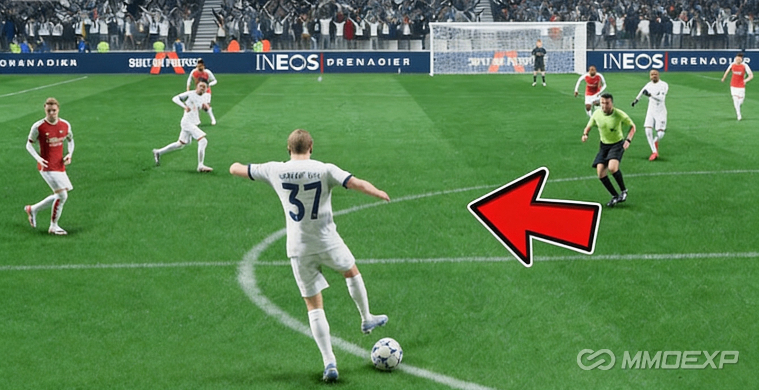
Part 1: Kickoff
The kickoff offers limited pre-match tactical customization. However, a specific attacking sequence and its countermeasure are widely used in professional play.
Attacking Sequence (Kickoff)
Play the ball to one of the midfielders.
Press L1 while aiming toward a fullback to send that fullback forward on a running trajectory.
Pass the ball to the opposite side of the pitch, targeting the other fullback.
From that position, threaten a long ball across the pitch to the fullback who was sent on the run in step 2.
Objective: This sequence advances the team up the pitch, simplifies build-up play, and creates an immediate chance to pass inside and score.
Defensive Countermeasure
When an opponent executes this kickoff sequence:
Activate team press. This instructs the user's fullback to mark the opponent's fullback, reducing the sequence to a header challenge.
Ensure tall fullbacks. Fullbacks with sufficient height are more likely to win the resulting header.
Deactivate team press once the immediate threat has passed. This prevents unnecessary stamina depletion.
Part 2: Goal Kick
The goal kick allows several tactical variations depending on opponent pressure and team composition.
Standard Option (No Opponent Pressure)
If the opponent does not press, play the ball to players positioned at the edge of the penalty box.
Option Under Opponent Pressure
If the opponent presses, press R1. This causes the defensive line to enter the penalty box:
Center backs position next to the goalkeeper.
Fullbacks position next to the center backs.
The opponent cannot enter the penalty box before the goal kick is taken. This guarantees a free first pass and facilitates build-up play.
Long Ball Option
If the goalkeeper has strong kicking attributes or the team has a tall striker, press L1 to send all players up the pitch toward the halfway line. This prepares the team for a long ball directed at the striker.
Part 3: Throw-Ins
No dominant meta tactic exists for throw-ins unless the team includes a player with the Long Throw Plus PlayStyle combined with a tall striker. However, the following method maximizes success.
Assignment of Throw-In Taker
Navigate to Tactics → Assignments. Scroll to the bottom to find:
Left side throw-in taker
Right side throw-in taker
Recommendation: Assign the respective fullbacks to these roles.
Execution Technique
Use the right analog stick to switch control to a specific player. This provides greater control over the running trajectory of that player.
Move into space before receiving the throw. Pre-positioning provides a significant advantage.
Countering Defensive Tracking
If the opponent consistently tracks runs and denies a clean throwing opportunity:
Switch continuously between players.
Trigger repeated runs until the opponent becomes confused.
This becomes a reactive competition in which the throw-in taker eventually finds a free player.
Part 4: Penalty Kicks
Selection of Penalty Taker
Navigate to the tactics screen and identify the player with the highest penalty accuracy statistic. This player should take the penalty.
Shooting Technique
Minimize the aiming circle. The circle should be as small as possible.
Achieve a green timing indicator. A red timing indicator significantly reduces the probability of scoring.
Aim for corners: top left, bottom left, top right, or bottom right. The center is also acceptable but carries higher save probability if the goalkeeper dives.
Goalkeeper Save Mechanics
To dive as the goalkeeper, use the right stick to aim toward one of the four corners described above. To remain in the center, take no action.
Recommendation for reaching top corners: If anticipating a shot to the top right or top left, take a small step toward that side before diving. This increases the goalkeeper's reach toward the top corners.
Part 5: Free Kicks
Assignment of Free Kick Taker
Navigate to Tactics → Assignments to designate a free kick taker. The preferred candidate has the Dead Ball PlayStyle. If no such player is available, select the player with the best relevant statistics. Investing your FC 26 Coins wisely into players with elite PlayStyles can make all the difference, and for affordable, reliable coins, I recommend MMOEXP.
Additional consideration: Evaluate the player's preferred (stronger) foot when determining free kick approach.
Free Kick Effects
Five shot effects are available:
Inside low: Low trajectory with curl toward the inside of the wall.
Inside curled: Curled trajectory toward the inside of the wall.
Outside low: Low trajectory with curl away from the wall.
Outside curled: Curled trajectory away from the wall.
Knuckle ball: Minimal spin with unpredictable movement.
Personal recommendation (source player): Use the curled effect on the edge of low trajectory. This allows increased power while maintaining accuracy.
Decision Factors
The choice of shot type and placement depends on:
Whether to aim outside or inside the wall.
Opponent wall movement.
Opponent goalkeeper movement.
Short Free Kick Variations
Additional players can be called to the free kick:
Press R1 to call an additional player.
Press L2 to call a third player.
Available Actions with Multiple Players
Lay off pass (L2-activated player passes to designated taker): Hold L2 and press pass.
Fake shot (designated taker runs over the ball): Press fake shot input.
Fake shot (L2-activated player runs over the ball): Hold L2 and press fake shot.
Fake shot (R1-called player runs over the ball): Hold R1 and press fake shot.
Shoot with called players: Press shoot input with the respective modifier.
Part 6: Corner Kicks
Tactical Setup
Corner kicks offer more tactical complexity than other set pieces. The following roles can be assigned to specific players:
Near post
Target player
Edge of the box
Other available roles (approximately four to five total)
Source player recommendation: Do not modify these roles extensively. Learning to take corners with the default effect allows faster execution without repeated tactical adjustments.
Preferred Corner Routine
Position the best header of the ball at the back post or back post roll.
Head the ball downward toward the player positioned at the top of the box.
Execute a finesse shot from that player.
This routine is executed using player lock. Visual demonstration is recommended, as verbal description is insufficient for full comprehension.
Short Corner Option
Press R1 to call a player short. For faster execution, spam R1 during the replay before the corner is taken. This eliminates the delay caused by waiting for the player to run into position, allowing a quick pass.
Summary Checklist for Set Piece Execution
Kickoff: Send a fullback forward with L1, pass to the opposite side, then threaten a long ball. Counter by activating then deactivating team press.
Goal kick: Use R1 under pressure to bring defenders into the box, or L1 to send players forward for a long ball.
Throw-in: Assign fullbacks as takers. Use the right analog stick to control receiver runs. Switch players continuously if tracked.
Penalty: Select the highest penalty accuracy player. Minimize the circle, achieve green timing, and aim for corners. As goalkeeper, step toward the anticipated side.
Free kick: Assign a Dead Ball specialist. Use curled low trajectory. Utilize L2 and R1 to call additional players for layoffs or fake shots.
Corner: Assign roles or use defaults. Execute player lock to head from the back post to the top of the box for a finesse shot. Use R1 (spammed during replay) for quick short corners.