Weekend Drop -













Are your ship controls feeling sluggish, or are you struggling to land accurate cannon shots during intense naval battles? The right controller settings can dramatically improve your performance in Skull and Bones, making sailing smoother, aiming more responsive, and combat far more enjoyable. In this guide, we'll cover the best controller settings to maximize accuracy, responsiveness, and overall gameplay. Whether you're a newcomer or a seasoned pirate, these adjustments can help you dominate the Indian Ocean. If you want an even faster progression, consider buying Skull and Bones Items at MMOexp to strengthen your fleet and stay ahead of the competition.
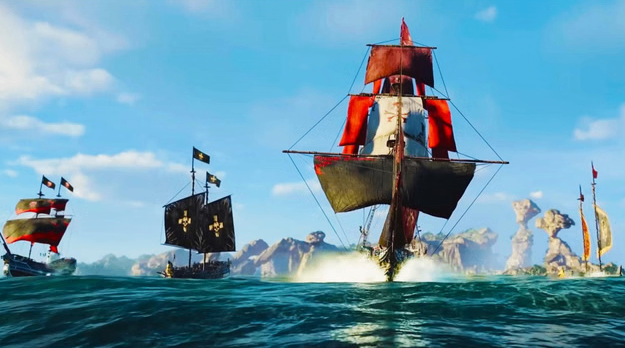
Why Controller Settings Matter More Than You Think
The default controller layout works reasonably well, but fine-tuning a few options can greatly improve your combat efficiency.
Key Takeaways:
·Better aiming leads to more consistent cannon hits.
·Improved camera movement makes tracking enemy ships easier.
·Optimized controls reduce unnecessary input delay.
·Small adjustments can significantly improve PvP and PvE performance.
According to recommended settings, enabling Aim Assist for controller users and adjusting camera orientation can make ship combat feel much smoother.
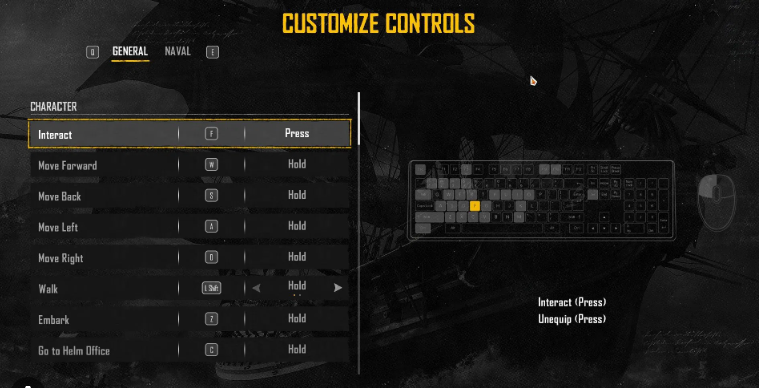
Optimize Aim Assist for Better Naval Combat
One of the first settings controller players should review is Aim Assist.
Aim Assist helps compensate for the slower precision of analog sticks, making it easier to keep your cannons locked onto moving ships. While experienced players may eventually reduce its strength, most players benefit from leaving it enabled.
Key Takeaways:
·Enable Aim Assist for more consistent cannon accuracy.
·Adjust Auto-Lock sensitivity to match your playstyle.
·Experiment with different values until aiming feels natural.
Improve Camera Controls for Smoother Sailing
Camera movement is just as important as aiming during naval battles.
Enabling both Vertical and Horizontal Auto-Orientation allows the camera to naturally follow your captain's movement, reducing the need for constant manual camera adjustments. This creates a more fluid experience while exploring islands or boarding enemy ships.
Key Takeaways:
·Enable Auto-Orientation.
·Reduce unnecessary camera adjustments.
·Enjoy smoother navigation during exploration.
Fine-Tune Controller Sensitivity
Sensitivity is highly personal, but finding the right balance is essential.
A sensitivity that's too high can make aiming difficult, while one that's too low can leave you struggling to react during fast-paced encounters.
Many experienced players recommend lowering vertical sensitivity slightly compared to horizontal sensitivity for more stable aiming. Community discussions also suggest enabling Advanced Camera Settings to unlock more detailed sensitivity adjustments.
Key Takeaways:
·Keep horizontal sensitivity responsive.
·Lower vertical sensitivity for better precision.
·Test settings during combat before settling on your favorite configuration.
Additional Controller Tweaks Worth Enabling
Several smaller settings can improve the overall gameplay experience:
·Turn off unnecessary motion effects if they distract you.
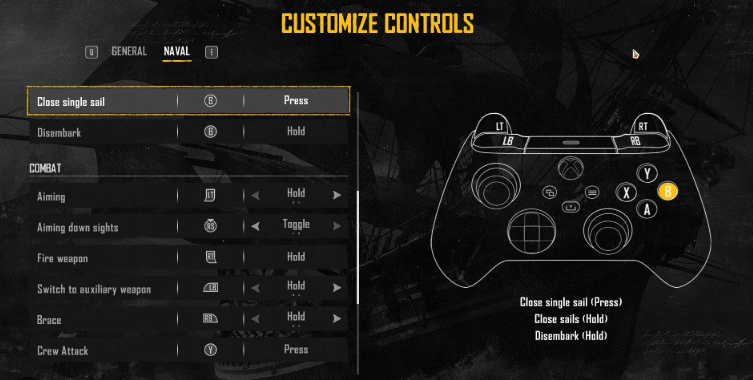
·Customize button layouts for faster access to healing and weapon switching.
·Adjust vibration strength if it interferes with aiming.
·Test different deadzone values if your controller suffers from stick drift.
These changes won't increase damage directly, but they'll help you react faster in difficult encounters.
Upgrade Faster With Better Resources
Even with perfect controller settings, progression still depends on upgrading your fleet.
Having enough Skull and Bones Silver allows you to craft stronger weapons, improve your ships, and unlock better equipment without unnecessary grinding. Efficient resource management is just as important as mechanical skill when tackling endgame content.
Who Should Use These Settings?
This guide is especially valuable for:
·New Players looking for a smoother learning experience.
·PvE Captains wanting more reliable cannon accuracy.
·PvP Players seeking quicker reactions during competitive battles.
·Endgame Pirates optimizing every aspect of their gameplay.
Regardless of your experience level, optimized controller settings provide noticeable improvements.
Helpful Tips
·Spend a few minutes testing each sensitivity adjustment.
·Enable Aim Assist before tackling difficult bosses.
·Keep Auto-Orientation enabled for smoother exploration.
·Practice aiming at moving targets before entering PvP.
·Upgrade your ship regularly to complement improved controller performance.
Final Thoughts
The best controller settings in Skull and Bones are all about creating a smoother, more responsive gameplay experience. Proper Aim Assist, optimized camera movement, and personalized sensitivity settings can dramatically improve both exploration and naval combat. Combined with smart resource management and consistent practice, these adjustments will help you become a far more effective pirate captain.
Whether you're chasing legendary loot, dominating PvP battles, or farming valuable resources, these controller optimizations offer meaningful advantages for every type of player. To accelerate your progress even further, you can buy Skull and Bones Items at MMOexp and quickly strengthen your fleet while collecting more Skull and Bones Silver for future upgrades.
![Infamy Boost : [Infamy to Kingpin1]](https://assets.mmoexp.com/images/202507/d1db7ce0b05afb7d48cf0e4f2a3a7022e0eba069.webp)
![Infamy Boost : [After Kingpin1] 50000EXP](https://assets.mmoexp.com/images/202507/a57a61da7e37435d66288fb98e19af72d91be69e.webp)