









Trading has always been a central part of the Path of Exile experience. From farming maps to selling high-value gear, the in-game economy drives progression and player interaction. With Path of Exile 2 entering, the trading system has received one of its biggest overhauls yet: Auto-trade.
This feature, introduced in the game's third major update, eliminates much of the hassle that players endured in the past while making sure the exchange of items and POE 2 Currency remains fluid, safe, and efficient. If you've grown tired of micromanaging whispers and clunky manual trades, Auto-trade is here to change your endgame experience.
Below is everything you need to know about unlocking, setting up, and using Auto-trade in Path of Exile 2.
How to Enable Auto-Trade in Path of Exile 2
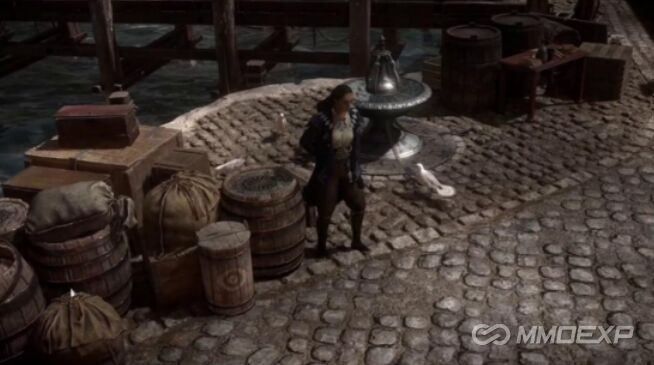
Auto-trade isn't available immediately, you'll need to progress through some early content before unlocking it. The feature is tied to an NPC called Ange, who acts as the dedicated Merchant in Path of Exile 2.
Steps to unlock Auto-trade
1.Complete the Hostile Takeover quest
This mid-game quest is mandatory to recruit Ange. Once completed, Ange will join your camp as a Merchant NPC.
2.Assign Ange as your Merchant NPC
After finishing the quest, you'll be able to interact with Ange for all trading-related activities. She becomes your mediator for Auto-trade, handling listings and distributing profits.
Unlocking Ange marks the point where you can stop worrying about spammy whispers and start letting the system automate trades for you.
How Auto-Trade Works
Once Ange is set up, you can begin using Auto-trade. The process is intuitive and far more convenient than the old system.
Listing Items for Sale
1.Merchant Tabs
Before the update, players relied on Premium Stash Tabs for trade. These have now been converted into Merchant Tabs. If you already owned Premium Tabs through microtransactions, they will automatically become Merchant Tabs. You can also purchase additional Merchant Tabs from the in-game store.
2.Deposit Items with Ange
Place the items you want to sell into Ange's inventory via your Merchant Tab. This can include equipment, crafting materials, or valuable POE 2 Currency.
3.Set the Price
Decide how much you want for the item. You can choose specific POE 2 Currency types as payment, Chaos Orbs, Divine Orbs, or even bulk trades. Once the price is locked, Ange lists the item automatically on the game's servers.
4.Wait for the Sale
The system runs in the background, so you don't need to monitor trade chat or wait in your hideout. When the sale is completed, you'll receive a notification.
5.Collect Your Profits
Return to Ange to claim your currency. This ensures you're always in control of your earnings without manual micromanagement.
Buying Items with Auto-Trade
The process for buyers is just as straightforward.
1.Browse Listings on the Website
As always, you'll search for the POE 2 items or currency you want using the official trade website.
2.Select Secure Item Option
Instead of using the old Whisper system, you'll now see a Secure Item button. Clicking this sends you directly to the seller's hideout.
3.Pay and Complete the Trade
Hand over the required amount of POE 2 Currency, confirm the deal, and the purchased item will be added directly to your stash tab.
This system prevents scams, ensures smoother transactions, and drastically reduces the waiting time between finding an item and actually acquiring it.
Tips for Using Auto-Trade Effectively
Price Smartly: Overpricing items may cause them to sit in your Merchant Tab for days. Keep an eye on market trends to set fair values for both gear and POE 2 Currency.
Diversify Tabs: If you're trading heavily, invest in multiple Merchant Tabs to separate categories like crafting items, maps, and high-value uniques.
Stay Active: Even though trades are automated, logging in frequently to claim currency and update your listings helps keep your shop competitive.
Bundle Low-Value Items: Instead of selling small stacks individually, bundle them together to make them more attractive to buyers.
Final Thoughts
The Auto-trade system in Path of Exile 2 represents a huge quality-of-life improvement. By completing the Hostile Takeover quest, unlocking Ange, and setting up Merchant Tabs, players can easily list items, collect POE 2 Currency, and purchase gear without the outdated hassle of whispers and manual negotiations.
Whether you're a hardcore grinder aiming to flip currency or a casual player looking for an easier way to buy upgrades, Auto-trade ensures that trading in Path of Exile 2 is smoother, safer, and far more enjoyable.
Now is the perfect time to set up your Merchant NPC, list your first items, and watch your stash of POE 2 Currency grow while you dive deeper into the dark, rewarding world of Wraeclast.
MMOexp POE 2 Team