Weekend Drop -













Summary
Faking your death in Murder Mystery 2 (MM2) can turn a dangerous situation into an opportunity to survive or ambush the murderer. The key is to make your character look like a genuinely eliminated player rather than someone deliberately hiding.
Several approaches can work, including /Efly, the Peter Griffin death pose, stationary emotes, hiding beside real dead bodies, and Invisible Me. However, each method has different strengths and weaknesses. Positioning, timing, emote cooldowns, and other players can all determine whether your disguise succeeds. If you want to stand out, buy Murder Mystery 2 Items and get the cosmetics and weapons you need.
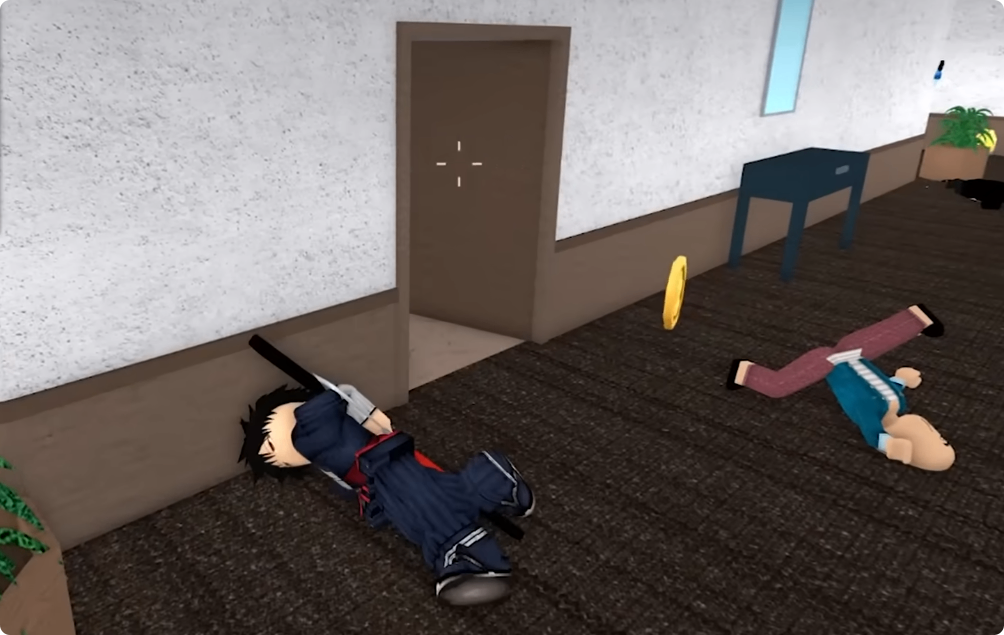
Use /Efly to Create a Fake Death
Choose the Right Location
The /Efly emote can make your character appear to be floating, but using it in an open area makes the disguise easy to recognize.
Instead, look for elevated areas such as rooftops, buildings, boxes, ledges, or other map objects. The goal is to make your character's position look believable from a distance.
A poor position leaves you exposed and gives the murderer an obvious reason to investigate. A well-chosen location can make you look like another eliminated player.
Hide on Elevated Objects
Buildings and boxes can provide better setups than simply flying in the middle of the map.
Move to a high position, find an angle where your character is partially concealed, and activate the emote. If the murderer passes without closely inspecting the area, remain completely still.
The important lesson is that /Efly is only as effective as the position where you use it. The emote creates the appearance, but the map provides the disguise.
Use a Death Pose Beside a Real Body
Match an Actual Dead Player
One of the most convincing techniques is to wait until another player has been eliminated and then position yourself beside their body.
A murderer already expects to find corpses around the map. If your character has a similar pose, you can blend into the scene instead of looking like someone who is hiding.
This works especially well immediately after a kill, when the murderer is moving away from the area and is less likely to inspect the bodies closely.
Stay Still After Activating the Emote
A major problem with death poses is movement.
Some emotes can shift your character, while others have cooldowns that prevent you from immediately activating them again. If you accidentally stand up while the murderer is nearby, your disguise can disappear instantly.
After entering the pose, avoid unnecessary movement and wait until the danger has passed.
Try the Peter Griffin Death Pose
Make the Character Look Like a Corpse
The Peter Griffin death pose can provide a recognizable death-like position, making it useful for blending into an area containing actual dead players.
However, it is not automatically reliable. If the animation moves too much, the murderer can notice that your character does not behave like a normal dead body.
For that reason, use it alongside a real corpse whenever possible rather than relying on the pose by itself.
Use the Environment to Hide Movement
Map objects can make an imperfect animation harder to notice.
Place yourself near boxes, buildings, corners, or other objects that break up the murderer's view. Even if the pose is not completely natural, limited visibility can prevent the murderer from immediately realizing that you are alive.
Use the Sheriff Role for a Fake-Death Ambush
Hide the Gun With Your Character
Fake death becomes especially useful when you are the Sheriff.
After finding a dead player, position yourself beside the body and activate your death pose. If your character model conceals the gun, the murderer may not realize that the Sheriff is still alive.
Instead of chasing the murderer, wait for them to come close enough for a clear shot.
This turns a defensive hiding technique into an ambush.
Protect the Hiding Position
Other players can accidentally ruin the setup by walking or jumping over you. If someone steps directly onto your character, your position can be disrupted and the murderer may notice.
Choose a location away from busy paths and keep enough space between yourself and other players.
A good Sheriff fake death should give you both cover and a clear shooting angle.
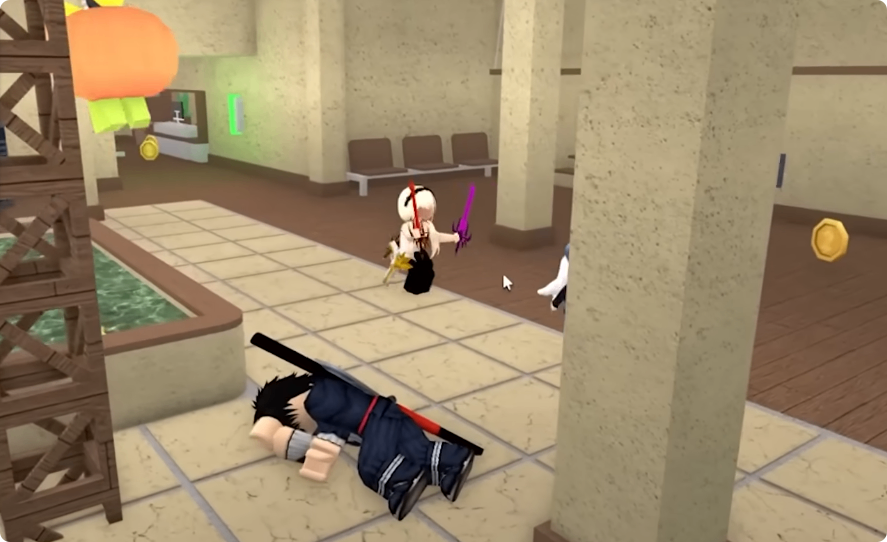
Use Stationary Emotes for Better Realism
Avoid Moving Animations
A real eliminated player does not suddenly stand, jump, or change position. Therefore, stationary emotes are generally more convincing than animations with obvious movement.
After finding a dead body, place yourself in a similar position and activate the stationary pose.
The closer your character resembles the surrounding corpses, the less likely the murderer is to question you.
Watch for Other Players
The murderer is not always your only threat.
Other innocent players may walk over your position, intentionally disturb you, or accidentally reveal that you are still alive, in a crowded area, even a good death pose can fail because someone steps on you.
If the location becomes too busy, relocate when it is safe rather than continuing to risk exposure.
Experiment With Invisible Me
Hide Around Map Objects
Invisible Me can create another way to imitate a dead body while remaining difficult to see.
Tables are particularly useful because they can partially conceal your character. Other players may walk around the object without immediately realizing that someone is hiding there.
You can also experiment with other map props, including small enclosed areas and objects that interrupt the normal camera angle.
Don't Rely on It Completely
Invisible positioning is powerful when it works, but it can be inconsistent.
The character may fail to enter the intended position, reset unexpectedly, or remain partially visible. Other players can also notice unusual movement around the object.
Treat this technique as a high-risk option rather than a guaranteed method.
How to Make Fake Death More Convincing
Wait for Someone to Die
The best time to fake your death is usually after another player has actually been eliminated.
A genuine corpse provides a visual reference and makes your presence less suspicious. Instead of inventing a reason for your character to be lying somewhere, simply blend into an area where death has already occurred.
Choose a Believable Position
Before activating your emote, consider whether the location looks natural.
Good positions include:
Beside an actual dead player
Behind or beside map objects
On elevated structures
Near corners with limited visibility
Away from heavily traveled routes
Avoid standing in an obviously unnatural location just because the emote works there.
Prepare an Escape Route
A fake death is not guaranteed to fool an experienced murderer.
If the murderer starts checking bodies, you need somewhere to escape. Stay near a doorway, staircase, corner, or other route that lets you move away without immediately running directly into the murderer.
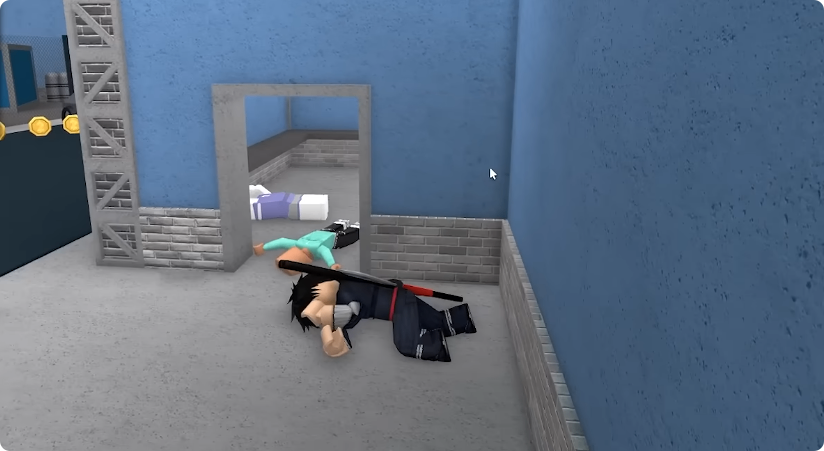
Best Fake Death Methods in MM2
Each method has a different purpose.
/Efly is useful for elevated positions but is weak when used in the open. Peter Griffin and stationary death poses are better for blending in with actual corpses, especially when movement is minimized.
The Sheriff fake-death strategy is one of the strongest setups because it can turn a disguise into a surprise attack. Invisible Me can produce excellent hiding spots around map objects, but it is less consistent.
Overall, the most reliable formula is to wait for a real player to die, position yourself beside the corpse, use a convincing stationary pose, stay completely still, and keep an escape route nearby. The emote gets you into the position, but smart positioning is what makes the murderer believe you are actually dead. To blend in seamlessly, Murder Mystery 2 Items can give you the visual edge you need to stay one step ahead.