Weekend Drop -













Summary: The global countdown to NCSoft's next-generation Unreal Engine 5 MMORPG, Aion 2, has officially begun. With the servers locked in for Founder's Early Access on Wednesday, September 30, 2026 and the global Free-to-Play release on Monday, October 5, 2026, millions of players are preparing to flood the shores of Atreia Reborn.
In a hardcore, high-stakes PvPvE ecosystem where faction dominance dictates endgame rewards, economy, and guild progression, a single mistake in your first three hours can permanently cripple your account's competitive edge.
To ensure you don't waste dozens of hours or real-world money, here are the 5 critical mistakes you must absolutely avoid on launch day.
Mistake 1: Hesitating on Faction Selection (The 55% Lockout Trap)
The most devastating mistake a guild or friend group can make happens before even entering the game world. Aion 2 thrives on the bitter war between two rival factions, and to prevent single-sided "mega-servers," NCSoft has implemented a strict automated server balancing script.
The Mechanic: If one faction reaches 55% of the active registered population on any specific regional server, character creation for that specific faction is instantly and automatically locked on that server. Faction registration will remain frozen until the opposing under-populated faction gathers enough players to balance the ratio.
The Consequence: If your guild intends to play together but half your team delays their login by even 30 minutes, they will be entirely locked out, forcing their community to either split up or abandon the server entirely, wasting their early-access advantage.
How to Avoid: Coordinate your server choices, backup servers, and exact faction choices with your team days before launch. When the servers click live, everyone must rush character creation within the first 15 minutes to bypass the lockout threshold.
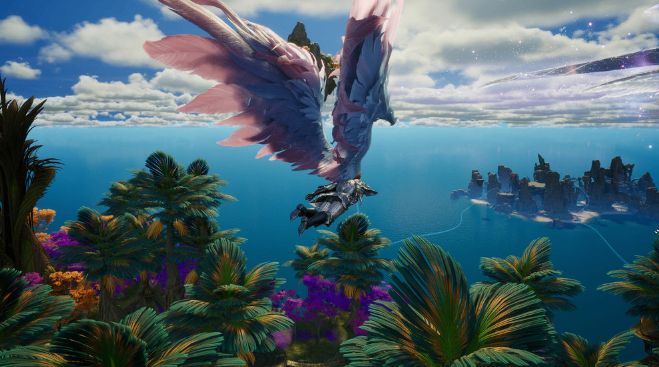
Mistake 2: Burning Early Gold on Weapon Upgrades Instead of Wing Stamina
In Aion 2, your wings are not a cosmetic mount; they are a vital combat and survival stance. New players instinctively dump all their opening quest gold into upgrading their starter weapons to clear PvE mobs faster. This is an algorithmic trap.
The Mechanic: Every character starts with a baseline Flight Timer (Wing Stamina) of 60 seconds. However, performing aerial dodges or attacking from flight consumes this pool at an accelerated 3× rate. Furthermore, getting struck by an enemy player while flying carries a high probability of entering a "Dismount/Stun" state.
The Consequence: If you enter the Level 20+ open-world PvP desert canyons with basic wings, enemy gankers will easily wait for your flight meter to drop, causing you to fall to an instant, un-revivable gravity death.
How to Avoid: Hoard every piece of gold accumulated between Levels 1 and 15. The moment you unlock the capital city, bypass the weapon blacksmith and head straight to the Wing Master NPC. Invest your gold into the Wind Crest passive upgrade tree to reduce aerial dodge costs by 20% and increase flight recovery by 15%. Players who need additional currency for their early progression can also explore Aion 2 Kinah as a resource option.
Mistake 3: Doing SBCs and Menu Crafting While the In-Game Timer is Running
For players accessing the game via the standard 10-Hour EA Play Trial on September 18, or those utilizing limited launch-day premium buffs, wasting time in menus is a massive financial drain.
The Mechanic: The character progression tracking system monitors your game client activity continuously. If you are standing idle in a capital city reading item descriptions, organizing your storage vault, or interacting with the premium crafting matrix, your active booster timers and trial hours continue to drain.
How to Avoid: Maximize your on-screen match time. Do not open your starter reward packs, sort your inventory, or manage your guild listings while logged into the main game client. Instead, use the official NCSoft PURPLE mobile companion app or desktop web app dashboard. These external platforms allow you to trade on the auction market and chat with guildmates without consuming a single minute of your in-game gameplay timer.