summary
Aion 2 offers many hidden quality-of-life features that can improve progression and combat efficiency. From faster inventory management and safer equipment handling to efficient gliding, PvP targeting, animation canceling, marketplace savings, and better siege performance, these ten tips help new players save time, Kinah, and frustration. For players looking to accelerate their progression further, buy Aion 2 Kinah can also provide additional resources for gearing and other in-game expenses.

1. Use Quick Select and Auto Extract
Your inventory can fill quickly while farming dungeons and mobs. Instead of manually selecting every unwanted item, enable Quick Select and Auto Extract.
· Select item rarities you want automatically processed.
· Include gear that cannot be equipped.
· Filter out low-base-item-level equipment if desired.
· Exclude supply-requested gear when necessary.
This dramatically reduces inventory management and makes repeated farming sessions much more efficient.
2. Lock Valuable Equipment
Always lock important gear, accessories, and other valuable items. Aion 2 includes systems involving extraction, dismantling, and other item processing, so accidentally selecting the wrong equipment can be costly.
Locking valuable items takes only a moment and provides an extra layer of protection against accidental destruction or processing.
3. Import Duplicate Items
When managing equipment across your inventory, warehouse, and account storage, use the Import Duplicated Items function.
Rather than moving duplicate materials manually, this feature can bring them together quickly. It is particularly useful when preparing equipment for upgrading, extracting, or other progression systems.
4. Master Efficient Gliding
Gliding is more than simply holding your wings open. After using a glide dash, you can cancel the glide by dismounting while airborne. Your character can retain forward momentum while falling, allowing you to cover considerably more distance.
The timing requires practice, but mastering this technique can make movement around Atreia significantly faster.
5. Enable Target Hostile Players
For PvP, enable Target Hostile Players under Options → Key Settings → General.
This setting helps prevent your targeting from being wasted on neutral players or NPCs during chaotic battles. Assign it to a convenient key, such as the middle mouse button, while keeping your normal target-switching key available.
Better targeting can make the difference between initiating an attack successfully and losing the opening exchange.
6. Check Enemy Combat Power
Before engaging another player, check their Combat Power (CP) when possible. CP does not determine the outcome of every fight, but it provides a useful indication of an opponent's overall gear and progression.
If an enemy dramatically outgears you, avoiding the fight may be the smarter decision. In large PvP areas, keeping your minimap and surrounding information easily visible can also help you assess threats faster.
7. Learn Animation Canceling
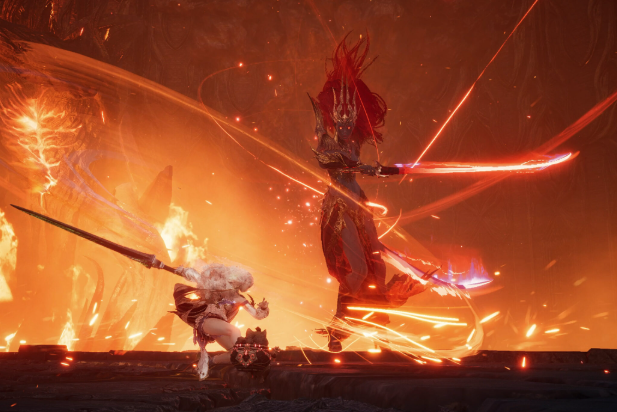
Animation canceling is an important technique for maximizing DPS. Certain skill animations can be shortened by chaining abilities or movement at the correct timing.
Look for the game's visual indicator when practicing. Once your timing improves, your rotations become smoother and your damage output can increase over long encounters.
Players experiencing higher latency may find precise manual timing more difficult. A properly configured macro can help maintain consistent skill sequencing where the game permits it, but players should test their rotations carefully and follow the game's rules.
8. Unequip Belts and Amulets Before Morphing
Before morphing accessories into higher-tier equipment, unequip your belt and amulet.
Importantly, check every active equipment preset. If those accessories remain equipped in another preset, the morphing process may still encounter problems or consume resources inefficiently.
This is a small preparation step, but remembering it before every morph can prevent unnecessary complications.
9. Compare Marketplace Prices Correctly
When purchasing materials from the marketplace, never judge listings solely by their total stack price.
Use the marketplace's price-per-item sorting option and compare the individual unit cost. A larger stack can appear attractive while actually costing more per item.
This matters particularly when you regularly purchase upgrade materials. Small differences in unit prices can become substantial Kinah savings over time.
10. Optimize Graphics for Large-Scale PvP
Sieges and large PvP battles can place enormous demands on your system. To improve performance, enable settings such as Mass Combat Quality and Identical Player Appearance.
These options can reduce visual complexity when dozens or hundreds of characters occupy the same area. The game may look less detailed during massive encounters, but improved frame rates and smoother combat can be far more valuable when positioning, targeting, and reaction speed matter.
Final Thoughts
These ten tips cover some of the Aion 2 systems that are easy to overlook when starting out. Learning them early can make farming faster, protect valuable equipment, improve PvP performance, reduce unnecessary Kinah spending, and make large-scale battles smoother. For players who want to manage their in-game economy more efficiently, cheap Aion 2 Kinah can also be considered when additional resources are needed. Mastering these small advantages before progressing deeper into the game can make your overall Aion 2 experience considerably more efficient.