Weekend Drop -













Summary
This Aion 2 settings guide offers optimized combat, control, loot, key-binding and graphics configurations to boost FPS and eliminate stutters, balancing visual fidelity and smooth gameplay for mid-range and high-end PCs. It covers practical QoL tweaks, PvP target prioritization and outside-menu tips like updating drivers. Stable performance eases gear-upgrading and resource management. Players can buy Aion 2 Kinah to speed up in-game progression alongside these performance optimizations ahead of the global launch.
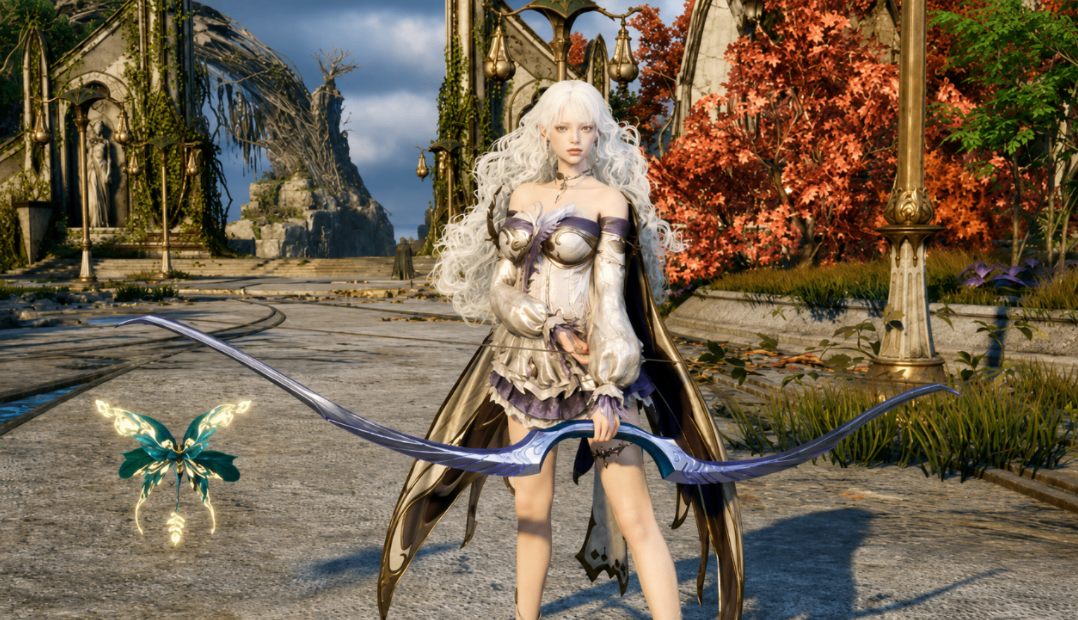
Aion 2 continues to impress players with its beautiful world, fluid combat, and aerial freedom. Many still encounter stutters, frame drops, or uneven performance during intense fights, crowded areas, or long sessions. After extensive testing across different hardware setups, a carefully tuned combination of combat, graphics, and interface settings can deliver a much smoother experience while preserving the game's visual appeal.
These recommendations aim for the best balance between image quality and frame rate. They work well for both mid-range and higher-end systems and prepare players for stress tests, early access, and the full global launch.
Combat and Control Settings for Reliable Gameplay
Start in the Combat section and select Classic control mode. Enable Display Distance to Aim Target and set the size around 120. This keeps the aiming reticle clear without cluttering the screen. Turn on Maintain Aim Target after long-pressing a quick slot for better consistency during skill rotations.
For farming, briefly enable Hostile Target Selectable on Pursue Targets with Skill Activation. Combined with a movement skill, this lets your character automatically close distance to nearby enemies, speeding up clear times significantly. Most of the time, leave this option off to avoid unwanted targeting in PvP.
Keep Auto Target upon Skill Use and Set Main Target upon Attack active. Enable Skill Queue so abilities buffer properly and reduce input lag. Auto Sprint, Auto Flight, and Auto Extraction should stay on for convenience during exploration and resource gathering.
Target Scanning deserves special attention for PvP-focused players. Prioritize Hostile Players first, followed by Players Attacking Me. Set Preferred Search Direction to Front of Camera. This ranking helps you react faster when enemies appear in the Abyss or contested zones.
Looting, Auto-Use, and Quality-of-Life Features
Under Looting, set Obtaining Gear to All so you pick up every useful item. Everything has value either for use or sale.
Auto-Use options save lives and resources. Enable Life Potion with the HP threshold at 60 percent. Configure Buff Auto-Use Conditions to In Combat only. This prevents scrolls and food from being consumed outside of fights, stretching limited supplies further. Replace Auto-Use Items should remain on so the system swaps empty consumables automatically.
Key Bindings That Improve Responsiveness
In Key Settings, move the Separate Defiance or Breakbar key away from Space (try Y). Space often triggers jumps or flight attempts when you are crowd-controlled, which can be frustrating. Assign Sprint to Shift and place your primary macro on the right mouse button. Macros streamline complex rotations when used carefully and without excess.
Bind Target Hostile Players to the middle mouse button. Spamming this key in the Abyss or during sieges lets you lock onto enemies almost instantly. Keep standard interaction and rest keys accessible; resting passively regenerates health when you are low.