Weekend Drop -













Meta Description:
CoD MW4 best settings guide covering controller sensitivity, dead zones, FOV, graphics, movement, audio, HUD and low-latency options for the beta.
Summary:
CoD MW4 rewards fast reactions and clean visibility. These COD MW4 settings focus on competitive aim, movement, FPS, audio and HUD clarity to help players gain an edge.
CoD MW4 Best Settings Guide: Pro Controller, Graphics, Audio and FOV Setup
The right settings can make a major difference in the CoD MW4 beta, especially when every gunfight comes down to centering, reaction speed and visibility. This setup covers controller, movement, graphics, audio and HUD options designed for competitive multiplayer. Players looking to practice efficiently can also explore buy COD MW4 Bot Lobbies.
COD MW4 Controller and Movement Settings
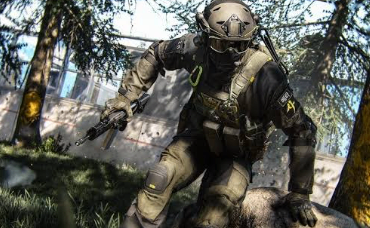
COD MW4 controller settings should prioritize consistency rather than simply pushing sensitivity as high as possible. A sensitivity around 1.6-1.7 provides a strong balance between tracking and fast turns.
Start with Tactical Flipped for the button layout and turn controller vibration off. Lower dead zones can make movement feel considerably more responsive, but they should be adjusted according to your controller to avoid stick drift.
Recommended Controller Setup
| Setting | Recommended Value |
| Button Layout | Tactical Flipped |
| Sensitivity | 1.6–1.7 |
| Controller Vibration | Off |
| Left Stick Min | 1–5 |
| Left Stick Max | 65 |
| Right Stick Min | 1–6 |
| Sensitivity Multiplier | 1.0 |
| Sensitivity Multiplier | 1.0 |
| Transition Timing | Instant |
| Aim Response Curve | Dynamic |
| Tactical Sprint Assist | On |
| Slide/Dive Behavior | Hybrid |
| Slide Maintain Sprint | On |
For aiming, keep the sensitivity multiplier at 1.0, use Instant sensitivity transition timing and select the Dynamic response curve. Avoid constantly changing these options; consistency is more important when building muscle memory.
Movement settings are equally important. Tactical Sprint Assist should be enabled, while Mantle and Corner Slice can be disabled to reduce unwanted animations during fights.
Pro Tip: Start with lower dead zones and increase them gradually if you experience stick drift. The lowest possible setting is not automatically the best setting for every controller.
COD MW4 Graphics, FOV and Audio
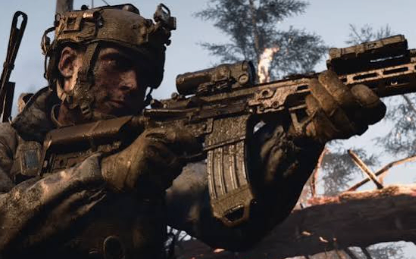
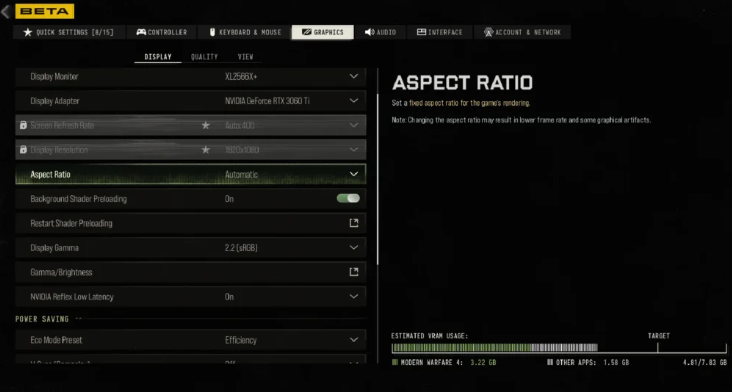
COD MW4 graphics settings should prioritize frame rate and visual clarity over unnecessary visual effects. Fullscreen Exclusive is recommended where available, while low-latency options should be enabled.
For upscaling, DLSS Performance with the Transformer model can provide a useful balance between FPS and image sharpness. Keep motion blur effects disabled, and avoid unnecessarily high-quality settings that consume performance without providing a competitive advantage.
Best Competitive Graphics Setup
Display Mode: Fullscreen Exclusive
Low Latency: On / On + Boost
Upscaling: NVIDIA DLSS
Preset: Performance
Sharpening: 100%
Motion Blur: Off
Depth of Field: Off
Texture Quality: Low/Normal
Shader Quality: Low
FOV: 95-107
First Person Camera Movement: 25%
Inverted Flashbang: On
For multiplayer, 103 FOV is a strong starting point. Players who prefer a wider view can test 107, but extremely high values such as 115 or 120 can make targets appear smaller.
Audio should be competitive rather than cinematic. Set Master Game Volume to 100, Gameplay Music to 0, Effects to 100, and Dialogue around 60-70. An appropriate audio mix can make footsteps and other gameplay cues easier to identify.
HUD and Interface Settings for Competitive Play
Small interface adjustments can improve reaction time. Pull the HUD bounds inward so the minimap and ammunition information sit closer to the center of the screen.
Set the crosshair to Static and use a highly visible color such as white or blue. HUD widget shake should be disabled to reduce unnecessary visual movement.
The color customization filter can also be adjusted to make important elements stand out more clearly. These changes won't improve raw aim, but they can make enemy positions and UI information easier to process during hectic fights.
Quick Settings Checklist
For better aim:
Use 1.6-1.7 sensitivity.
Select Dynamic aim response.
Keep transition timing on Instant.
Tune dead zones to your controller.
Turn vibration off.
For better movement:
Enable Tactical Sprint Assist.
Use Hybrid slide/dive behavior.
Enable Slide Maintain Sprint.
Disable unnecessary mantle assists.
For better performance:
Use Fullscreen Exclusive.
Enable low-latency mode.
Disable motion blur.
Keep demanding visual effects low.
Start around 103 FOV.
Final Verdict
This CoD MW4 setup is built around three priorities: responsive movement, consistent aim and maximum visual clarity. The most important changes are sensitivity, dead zones, FOV, low-latency settings and audio effects. Once these are dialed in, avoid constantly changing them and give yourself time to build muscle memory. For players preparing for multiplayer practice, COD MW4 Bot Lobbies can also be considered.
TL;DR
Use 1.6-1.7 sensitivity, Dynamic aim response, low dead zones, Tactical Sprint Assist and around 103 FOV as a competitive starting point. Keep motion blur off, prioritize FPS and set effects volume high enough to clearly hear gameplay cues.
Which CoD MW4 setting makes the biggest difference to your gameplay-sensitivity, FOV, dead zones or graphics?