Weekend Drop -
















World of Warcraft: Forever early name reservation begins October 27, with Korea and Taiwan opening October 28.
The reservation window runs through November 3 in the English announcement, while Blizzard's Taiwan announcement lists November 4 as the local end date. Check your regional schedule before trying to enter.
Quick Answer
North America: WoW Forever name reservation opens October 27 at 1:00 p.m. PDT.
Eligibility: the Skyborne Heroic Pack, Skyborne Epic Pack or Warcraft Forever Collection must be attached to the WoW account you use. Reservation itself does not require an active subscription or game time.
Limit: three characters total across all rulesets.
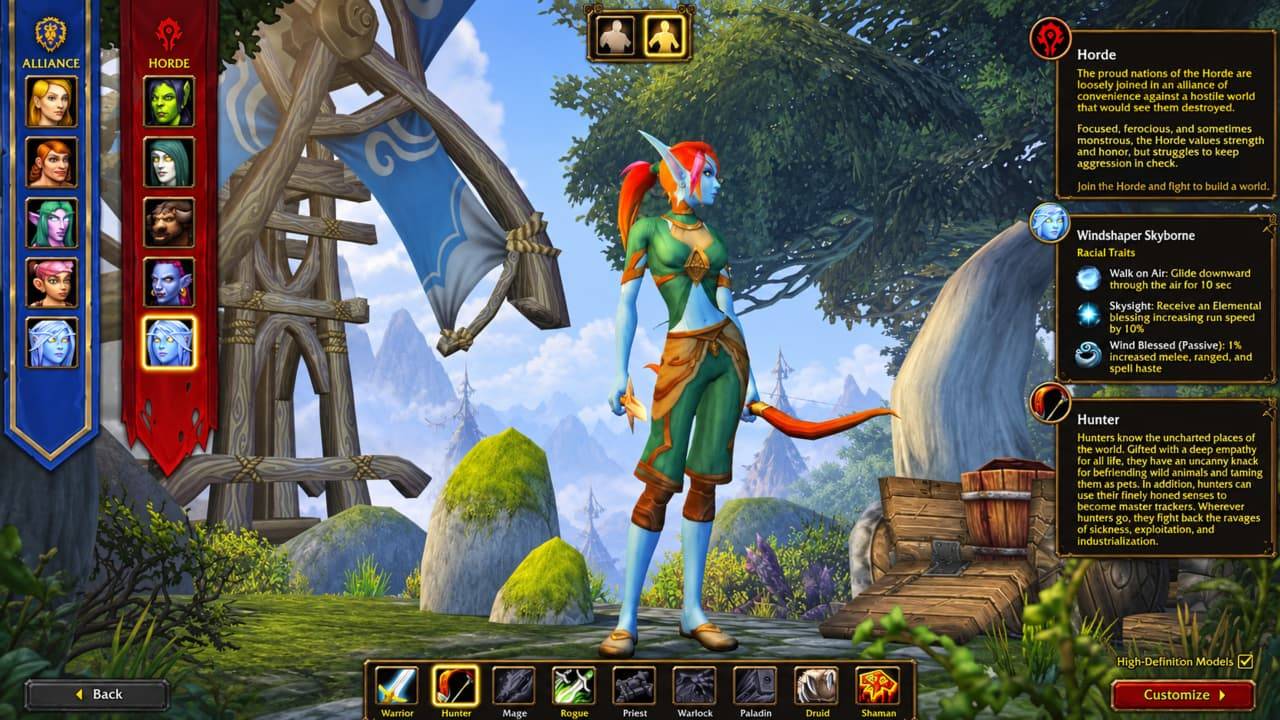
Entry: in Battle.net, select World of Warcraft, then Game Version, then World of Warcraft: Forever. Install or update that client and create your character when your region opens.
Before creating a character, agree on your ruleset and faction with friends and prepare backup full names. The sections below cover eligibility details, all regional times and the choices to check before committing your main.
Name Reservation Times and Requirements
WoW Forever early reservation is included with the Skyborne Heroic Pack, Skyborne Epic Pack and Warcraft Forever Collection. Blizzard's eligibility footnote also identifies the Digital Upgrade and Collector's Edition. The benefit belongs to the specific WoW account associated with it, so check that account if you maintain several under one Battle.net login.
An active subscription or game time is not required for the reservation phase, according to Blizzard Customer Support's September 29 clarification. Having a subscription alone does not grant the qualifying edition benefit.
Region | Reservation Opens |
Europe | October 27, 18:00 CET |
North America | October 27, 1:00 p.m. PDT |
Korea | October 28, 07:00 KST |
Taiwan | October 28, 07:00 CST |
Use the entry for your region when setting a reminder. These are separate regional openings, so the North American time should not serve as a global countdown. Follow your region's published end date; neither announcement gives an exact closing hour. Leave time to resolve access problems.
Reserve Your Character Name
Use the WoW Forever game client to create the character:
Open Battle.net, let the launcher update and select World of Warcraft.
Open Game Version above Play and select World of Warcraft: Forever.
Install or update the selected client, then select Play.
Confirm your ruleset and faction match your friends' choices, then create the character with your chosen full name.
Check the character list for the name and ruleset you intended.
The three-character reservation allowance is shared across all rulesets. For example, allocating two slots to PvP leaves one for another ruleset. This cap applies only during early reservation. Put your main first, then allocate the remaining slots to characters you actually plan to use.
Prepare Backup Full Names
WoW Forever uses a two-part name, with the complete combination unique within a region. Another player using your preferred first name does not automatically prevent you from using it with a different second name.
Prepare a preferred combination and several alternatives before entering character creation. If preserving your old first name matters most, vary the second part first. Friends using a shared family-style name should choose different first names.
Reservations are first come, first served, and preferred names are not guaranteed. Blizzard's naming policies apply to both parts together, so splitting a restricted word between fields does not make it acceptable. Try another combination or the in-game name generator if yours is unavailable or rejected.
Choose Your Ruleset and Faction
Before reserving a WoW Forever character, agree on a region, ruleset and faction with anyone you intend to join. Friends need the same ruleset and faction to group for quests, dungeons and raids. Cross-ruleset grouping is unsupported, and Horde and Alliance cannot group together.
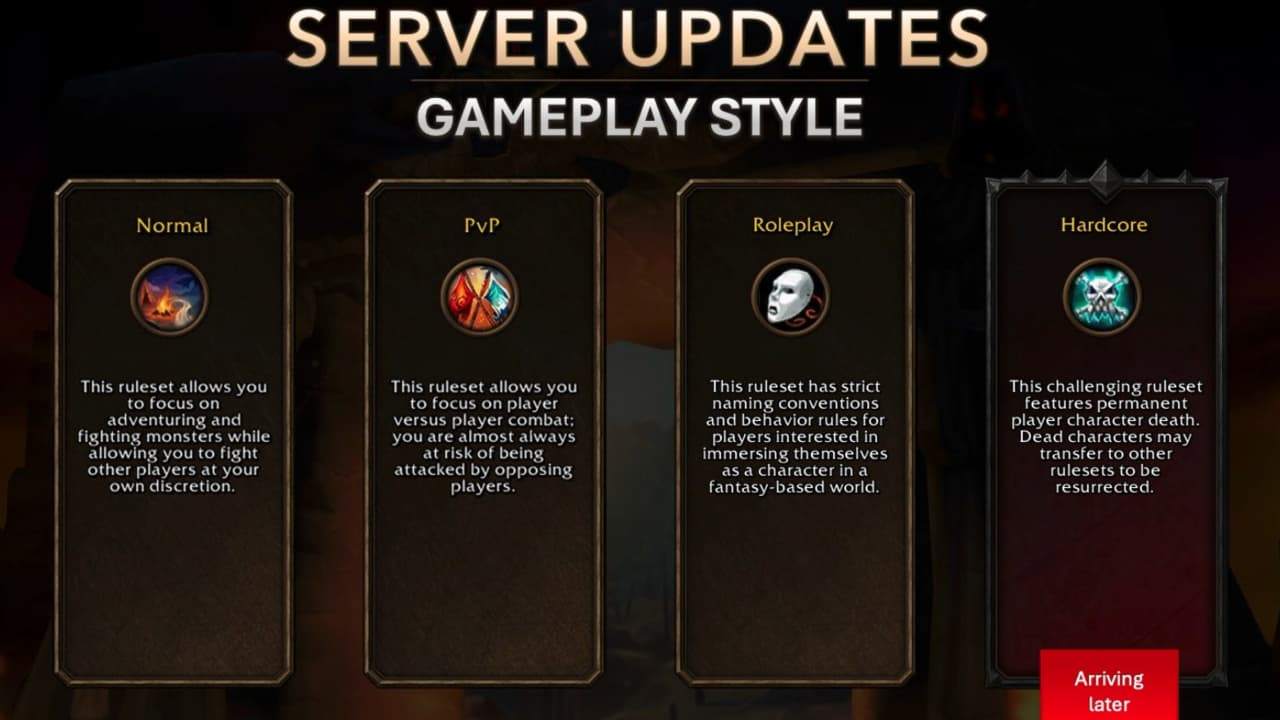
Normal suits players who want to choose when to engage in PvP. PvP adds open-world conflict, while Roleplaying serves players seeking that community. Your ruleset choice also shapes how you approach leveling, professions and WoW Forever Gold farming once the game launches. Hardcore arrives after launch. Changing rulesets generally requires creating another character, so check the group's choice before committing your main.
On the PvP ruleset, you can create characters for only one faction. Population balancing can also temporarily restrict new character creation for a faction. Do not assume that securing a name guarantees unrestricted faction access later.
Blizzard confirmed Roleplay-PvP for launch in its October 22 update and said it planned to offer it during name reservation. Confirm the option in the client before choosing another ruleset; Blizzard described reservation availability as a plan. Do not automatically apply every PvP restriction to RP-PvP without checking its published rules.
Fix Reservation Access Problems
Your Eligibility Does Not Appear
Check which WoW account holds the qualifying edition and compare it with the account you selected to enter WoW Forever. An entitlement on one WoW account does not establish eligibility for another. Confirm the edition includes early reservation; an active subscription alone does not provide that benefit.
The Client Will Not Let You In
Check your regional opening time and selected game version before treating unavailable access as an account problem. If those and your eligible account are correct, record the exact error message and contact Blizzard Support. These checks identify mismatches; they do not guarantee a fix for a service interruption.
Your Full Name Is Unavailable
Try one of your prepared alternatives, starting with a different second name if you want to keep the first. If a combination is rejected, check both parts against Blizzard's naming policies rather than assuming another player claimed it.
Avoid deleting a character to pass its name to another account. Blizzard has not specified a safe name-release interval or guaranteed that the other account can claim it. Keep the character while you investigate any change you are considering.
Once your character is reserved, you can start planning your leveling route, professions and early WoW Forever Gold priorities before launch.
Prepare for Launch after Reserving
Standard WoW Forever launch access is included with a World of Warcraft subscription or game time, so check that separately from reservation eligibility. Before your first session, select the correct game version in Battle.net and let any remaining updates finish; Blizzard also recommends updating graphics drivers. Confirm your reserved character's full name, ruleset and faction before joining your group.