Weekend Drop -














Use the WoW Forever Stress Test to check essential controls and addons, save your setup, and verify that it survives a restart. Export and back up before restarting: September Beta players reported settings resetting between sessions. That does not confirm the same bug in the stress-test build, and backups cannot guarantee launch-client compatibility.
Anyone with a WoW account can join free, without a subscription, Game Time, invitation, or Beta access. The test opens October 21, with October 22 local starts in Korea and Taiwan, and should last a few hours.
Characters, names, and guilds will be wiped. World of Warcraft: Forever launches November 4 at 3:00 p.m. PST (23:00 UTC), which is November 5 in some regions.
10-Minute Stress Test Checklist
Use this as a suggested ten-minute plan once you are in WoW Forever. Installation, queues, troubleshooting, file copying, and waiting to log back in can take longer.
l Before the test: Install and update the WoW Forever Stress Test client in Battle.net. Do not assume your Retail or Beta installation is sufficient.
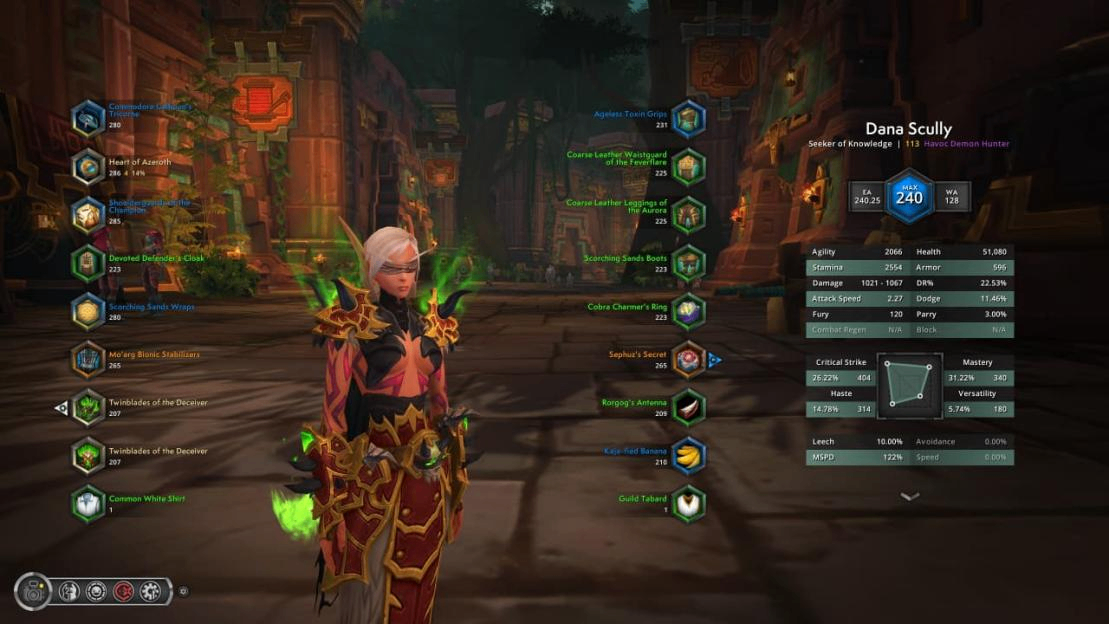
l Minutes 0 to 2: Check addons. Confirm essentials appear in the AddOns list. Disable anything producing errors; leave optional addons for later.
l Minutes 2 to 4: Set controls. Bind your main attack and targeting controls. Try a macro only if you already use one and know the required ability.
l Minutes 4 to 7: Play one short loop. Fight an enemy, loot, open the map and bags, and interact with a quest NPC. With a friend, also try an invitation, message, and trade. If you earn enough WoW Forever Gold during the test, make one small vendor purchase to check that basic transactions work correctly.
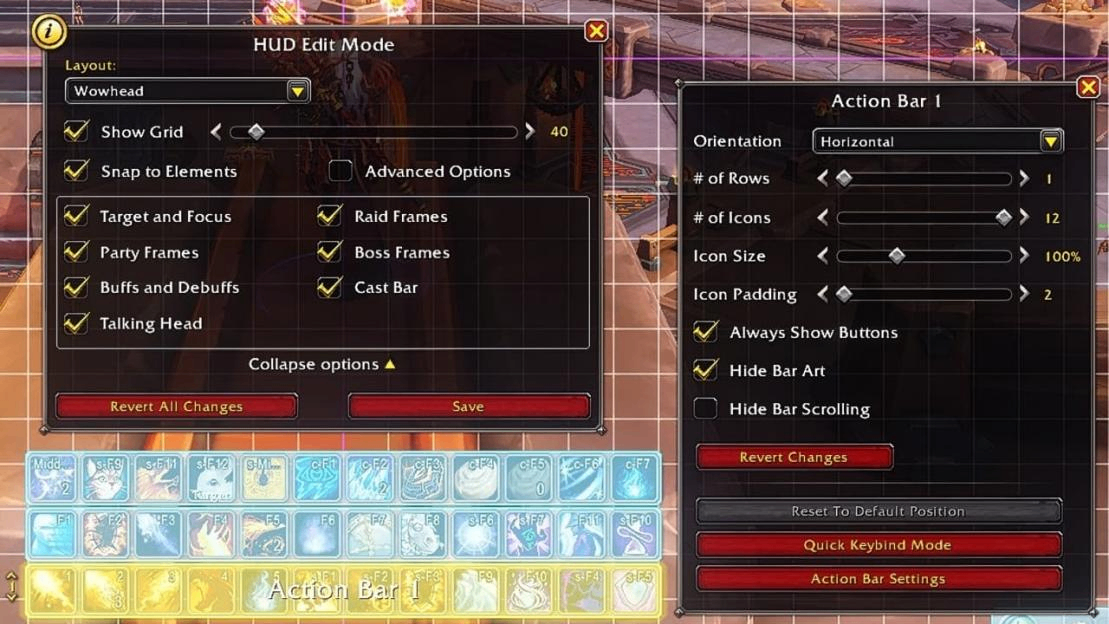
l Minutes 7 to 10: Save references. Export your Edit Mode layout, copy any macro text, and screenshot bindings and bars.
l Before restarting: Back up. Exit normally, confirm the client has closed, then copy its WTF and Interface/AddOns folders outside the installation.
l After restarting: Verify. Check the same character's bindings, layout, and addon settings. If they reset, retain the backup and use a minimal interface.
First time playing WoW? The minimum is working movement, targeting, one attack, and a readable interface. Skip addon installation and macro creation if you do not need them; save a screenshot and check that your basic setup survives restarting.
Prepare Your Client before the Test
In Battle.net, select World of Warcraft, open Game Version above Play, and choose World of Warcraft: Forever Stress Test under In Development. Install and update that version ahead of time. Having Retail or the Forever Beta installed does not replace this check. You need a Battle.net account with a WoW game account attached.
For October 21, Europe starts at 19:00 CEST and the Americas and Oceania at 2:00 p.m. PDT. Korea starts October 22 at 06:00 KST. Check your region before arranging a session with friends, and agree on the same available test realm before creating characters.
Prepare a short addon list, your important macro text, and a screenshot of familiar bindings. Check graphics drivers and available storage before the event. Once inside, aim for a working combat bar and readable interface before spending time on cosmetic adjustments.
Test Addons, Macros, and UI Settings
Check Addon Compatibility
Choose files whose authors explicitly list WoW Forever support. A familiar addon name or a working Retail installation does not establish compatibility with this client.
Find the selected stress-test installation through Battle.net's installation settings. Within that version's folder, open `Interface/AddOns`. Avoid assuming that the Beta folder is also the stress-test folder.
For a manual installation, the addon folder should sit directly inside AddOns, with its `.toc` file inside it: `Interface/AddOns/ExampleAddon/ExampleAddon.toc`. An extra wrapper such as `ExampleAddon-release/ExampleAddon/` can prevent detection. Restart the client after adding a new addon folder, then check the in-game AddOns list.
If errors appear, disable third-party addons and repeat the same action. Re-enable them individually, including required dependencies, until the problem returns. Leave the suspect addon disabled for the remaining test and record its version.
Verify Settings after Restarting
September Beta players reported addon settings resetting between sessions. That history justifies a persistence check; it does not establish that the October 21 client still has the defect.
1. Set your main attack, targeting, and movement bindings. Check for conflicts with keys you still need for movement.
2. Create a simple macro using an ability your character already knows. Test it against the same ability used directly from the action bar.
3. Change one obvious addon setting and save your UI layout.
4. Copy the macro text, export the layout, and take screenshots before leaving.
5. Exit normally, back up the local settings as described below, then restart and inspect the same character.
Only mark settings as retained after checking them again. If they reset, preserve the earlier backup, record what changed, and continue with a minimal interface. Rebuilding an elaborate setup repeatedly can consume the test window. A successful restart also cannot prove compatibility with the future launch client.
Export Your Edit Mode Layout
In Edit Mode, select your saved layout, open its dropdown, and choose Share, then Copy to Clipboard. Paste the string into a local text file. Save macro text separately and screenshot bindings and action bars; the layout string is not a complete export of
Save Your Setup before the Wipe
Preserve Local Configuration
After exiting normally and confirming the client has closed, copy these folders from the stress-test installation to a dated backup outside the game directory:
l `WTF`: local configuration and saved addon data, with account and character subfolders where applicable.
l `Interface/AddOns`: installed addon files, useful as a record of names and versions.
Keep your layout export, macro text, and screenshots alongside the backup. Use a new dated copy after a successful test; retain the earlier working copy if settings later reset. Copying addon files alone does not preserve their saved configuration.
At launch, install current Forever-compatible addons first. Save the launch client's initial configuration before attempting any restoration. Try supported layout and addon-profile imports individually, then recheck bindings and macros.
If an import breaks the interface, return to the saved launch configuration and rebuild that part from your screenshots. Keep the test backup intact; copying the entire WTF folder over a new client is not a guaranteed migration method.
Leave Character Progress Behind
The complete wipe removes test characters and their progress, including levels, equipment, inventory, and any WoW Forever Gold earned during the event. Test names and guilds are removed too. Local exports preserve a reference for your setup; they cannot preserve character progress or secure a launch name.
Check Server Stability and Performance
Compare a quiet spot with a nearby crowded area in WoW Forever. Record your graphics preset, addon state, FPS, and displayed latency before changing anything.
What You Notice | What to Check Next |
Camera movement stutters and FPS falls | Lower one graphics setting and repeat the same view. |
Camera stays smooth but actions respond late | Check latency and whether chat or nearby players also pause. |
Both symptoms can occur together; neither proves the cause on its own. Change one setting at a time. For UI errors, repeat the action with third-party addons disabled. For login trouble, record the message and check service announcements before changing local settings.
When testing trades with a friend, try exchanging a low-value item or a small amount of WoW Forever Gold, then check whether the transaction completes correctly. Use those ordinary actions for the test. Controller users should also check targeting, looting, and bar visibility after relogging.
Some earlier gamepad issues have documented Beta fixes; older reports do not establish current defects. If a crash repeats, save its code, build, location, and last action, then stop reproducing it once you have useful evidence.
Use Your Limited Time Well
Choose a goal you can finish with a fresh Forever character. Access interruptions may leave less playtime than expected, and early combat cannot show how a complete high-level build performs.
Player Type | First Priorities | Skip for This Session |
New player | Movement and targeting; one quest loop; readable map and inventory | Comparing every class or planning endgame equipment |
Returning player | Familiar bindings; essential macros; addon persistence | Recreating every old UI detail before checking compatibility |
Group or guild | Same-realm coordination; invitations and chat; a simple trade | Treating a test guild or character name as reserved |
If time is running short, save your configuration before starting another quest. If login access is unstable, prioritize the core controls you can check during the current session and keep a restart check on your unfinished list.
Prepare for the November 4 Launch
Turn your notes into a short list: working addon versions, comfortable graphics settings, controls to recreate, and unresolved errors. Recheck each item against the launch client before investing time in further customization.
Base your class choice on the low-level gameplay you actually experienced, while leaving room to reassess later abilities.
Early Name Reservation runs October 27 through November 3 for accounts with the Skyborne Heroic Pack, Skyborne Epic Pack, or Warcraft Forever Collection. This eligibility is separate from free stress-test access. Names are first come, first served and are not guaranteed.
Use the test to note training costs and basic supplies your character needs, then revisit your launch-day spending priorities once prices become clear. Before November 4, retain the backups, update your addon list, and write down any configuration checks you could not complete during the test.