Weekend Drop -













NCSoft restricted 10,000 AION 2 accounts on October 12, 2026, targeting botting, unauthorized programs, real-money trading and abnormal trades.
If your account is affected, check the restriction notice for the reason and duration. Some penalties are temporary, while others permanently restrict access to NCSoft games and services.
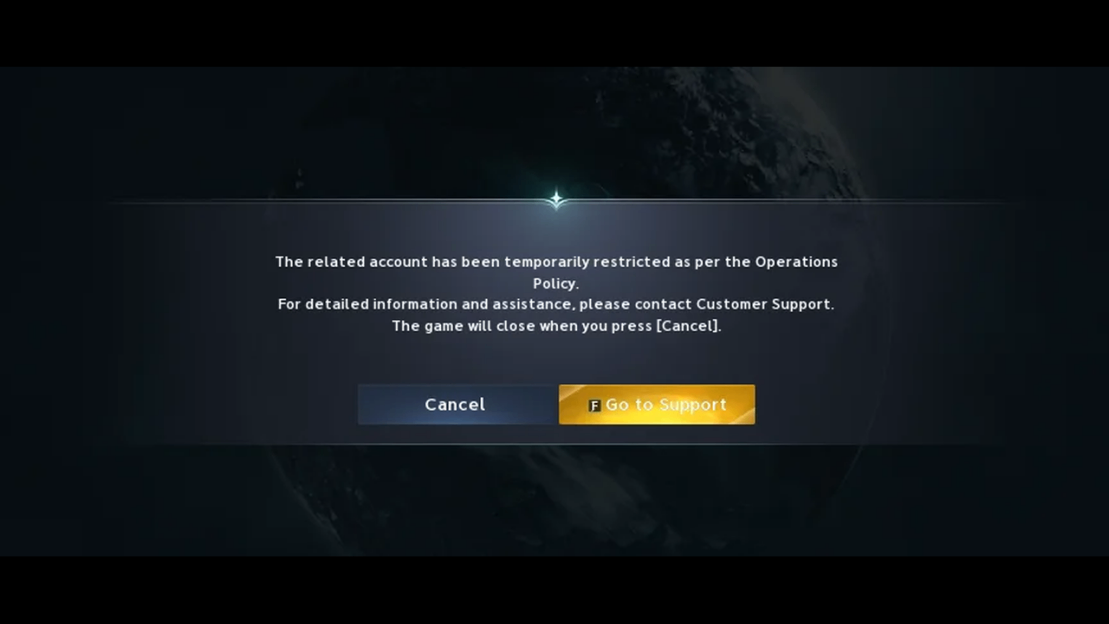
If you believe the penalty is wrong, save the notice and submit an appeal to AION 2 Global Customer Support within 15 days of the sanction date. A temporary security lock follows a separate recovery process: contact support for account verification and instructions to restore access.
Why Is Your AION 2 Account Restricted?
For an AION 2 account restricted message, save the notice and check the reason and duration. Dispute a sanction through official support within 15 days of its date. For a security lock, ask about access restoration. If the type is unclear, ask support to confirm it.
Botting, Unauthorized Programs and RMT
The enforcement announcement targets macros, bots and other unauthorized programs, organized activity consistent with gold farming or RMT, and abnormal trades involving AION 2 Kina. A restriction notice does not necessarily identify which of these categories applies to you.
Describe any automation used accurately. For recent trades, record the items, times and circumstances so support can review the relevant activity.
Chat and Conduct Violations
Account penalties can also follow inappropriate language or other conduct violations. Chat spam has separate chat restrictions. These categories are outside the stated reasons for the 10,000-account action, but they are worth checking in your own sanction notice.
Can Normal Grinding Trigger a Ban?
NCSoft says normal play, including long grinding sessions, is unaffected. Farming AION 2 Kinah through ordinary manual gameplay does not, by itself, establish botting. If you were playing manually, describe the activity before the restriction when requesting review.
Account Bans and Security Locks
Match your AION 2 message and available functions to these troubleshooting categories:
What You Encounter | What to Check | Next Action |
Login displays a sanction notice | Penalty category, date and any end date. | Save the notice and appeal if you dispute it. |
Message identifies an account security risk | Whether support requests account verification. | Contact support for verification and access restoration. |
Support identifies an investigation restriction | The policy allows temporary restrictions during investigation. | Ask what status and next steps apply to your account. |
You can play but cannot gather | Whether one node or all gathering is affected. | Record the warning and report the affected activity. |
A CAPTCHA appears | The displayed instructions and result. | Complete it manually; record any later restriction. |
You disconnect or cannot connect, with no sanction notice | Maintenance or a service incident affecting your server. | Check official service updates before opening a ban appeal. |
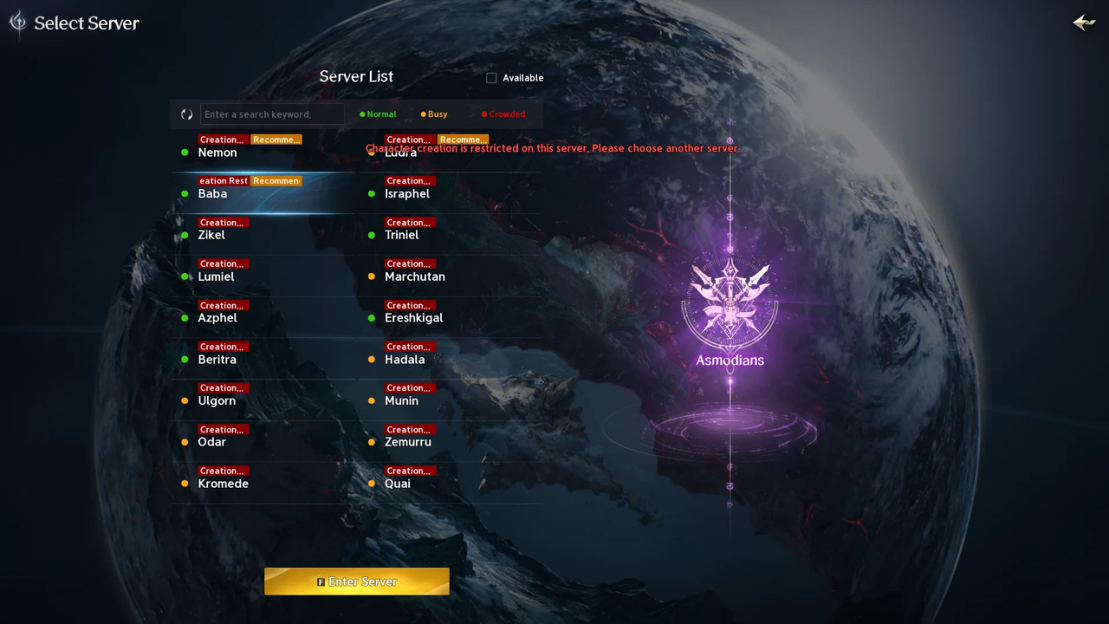
Character Creation Restricted | Whether your selected server allows new characters. | Check server creation notices; this message alone does not establish an account ban. |
Characters or Founder's Pack access appear missing | Server selection and the account used to sign in. | Record your login method and ask support about account linking. |
Could Your Account Be Compromised?
If a security lock suggests unauthorized access, review any available login records or security alerts. Secure your linked email, change your password through official account management where available, and enable supported extra verification.
Report suspected theft promptly: the policy gives 15 days from the incident date, including that day, for account-theft reports and damage investigations. This differs from the sanction appeal deadline. Tell support about missing items or unfamiliar activity; securing the account does not automatically remove the lock.
No Ban Message at Login?
If you cannot log in but see no restriction notice, check AION 2's official service announcements before assuming your account was banned. Maintenance and server outages can temporarily prevent access.
Confirm whether the issue affects your server, then try again after service resumes. If the problem continues, save the exact error message and contact support through the official inquiry page.
For Character Creation Restricted, check whether new characters are blocked on that server. If characters or Founder's Pack access appear missing after changing login methods, confirm the account and server you previously used.
Players report account-linking problems with these symptoms. Preserve the account details for support; avoid experimenting with unlinking accounts or deleting them to recover access.
How to Appeal an AION 2 Ban
Step 1: Save the Notice
Prepare a timeline for your AION 2 ban appeal. Keep the original screenshot, error code and time zone for the recorded timestamps.
Include:
l The restriction date and time, plus your last successful login.
l Your server and character name, with the account information requested by the official form.
l The complete restriction text and any stated end date.
l What you were doing immediately beforehand, including relevant trades or gathering warnings.
l For any recent AION 2 Kinah trades, note the amount, time, and whether the transaction used an official in-game system.
l Screenshots of the restriction and any earlier verification prompt.
Label uncertain timestamps as approximate. Keep passwords and authentication codes out of the written account of events.
Step 2: Submit an Official Inquiry
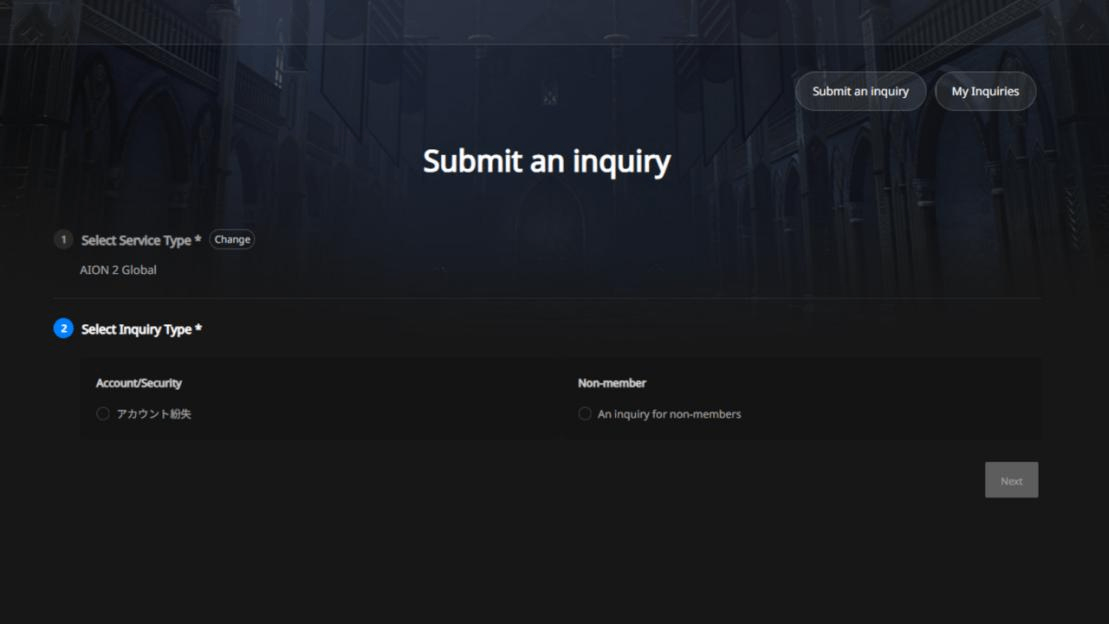
Open AION 2 Global Submit an Inquiry. Choose Submit an inquiry and sign in with the account concerned when possible. Select AION 2 Global, not the separate Aion service. The entry lists Account/Security and Account Inquiries; follow the live form's categories and fields.
If sign-in fails, open PLAYNC Customer Support and look for Non-login Inquiry. Some inquiries require login; if the form cannot handle your case, explain the sign-in problem and ask how to proceed.
Attach your evidence, submit the inquiry and retain its reference number or confirmation. Use My Inquiries to track the case where accessible.
Step 3: Meet the Appeal Deadline
Submit sanction appeals within 15 days of the sanction date. If your notice gives no reason, request review promptly and ask support to identify the sanction.
You can adapt this message:
> Please review the restriction on my account. My character is [name] on [server]. The restriction appeared on [date, time and time zone], and my last successful login was [time]. The message reads [exact wording]. Immediately beforehand, I was [brief factual description]. I believe the restriction is incorrect because [specific reason]. Please confirm the restriction type, its stated reason and any steps required to restore access. I have attached the relevant screenshots.
Use only details that apply to your case. NCSoft says requests are reviewed individually; submitting an appeal does not guarantee restoration.
Gathering Restrictions and CAPTCHA Checks
Why Does AION 2 Restrict Gathering after CAPTCHA?
Some AION 2 players report being unable to gather after completing a CAPTCHA, but NCSoft has not published a universal trigger rule explaining these cases.
An October 8 report describes this sequence; other players, including subscribers, also report verification prompts or gathering restrictions.
Reports include recurring warnings and restrictions affecting individual nodes. Check which activity your own message blocks, then follow the steps below.
Still Blocked after Passing CAPTCHA?
If you completed CAPTCHA but still cannot gather, first establish the scope of the problem:
1. Record whether the warning concerns one resource node, gathering generally, or access to the account itself. Describe what happened during ordinary play; do not keep forcing a blocked action to test the system.
2. Save CAPTCHA result and restriction message separately. Include the exact wording, timestamp and any displayed countdown.
3. If the warning provides a waiting period, follow it. If the block persists or returns, add both occurrences to your timeline and contact official support through the inquiry entry above.
4. Ask which activity is restricted and what is required to restore it. Do not use scripts or automated challenge tools to bypass the block.
Passing a CAPTCHA does not tell you when a subsequent gathering restriction ends. Use the instructions in your warning; there is no confirmed universal gathering timer or trigger count to apply to every case.
How Long Does a Ban Last?
The AION 2 Operation Policy lists the following sanctions. Security locks are shown separately because they are protective measures.
Category | Listed Sanction or Recovery Time |
Gold Farming / Bot Operations | Integrated Account Ban |
Use of Unauthorized Programs | Integrated Account Ban |
Real-Money Trading (RMT) | First offense: 30 days; second offense: 90 days |
Inappropriate Language | First offense: 1 day after 3 warnings; later offenses: 3, 7 and 30 days |
Chat Spam | Chat/message restrictions, starting at 60 minutes; repeat offenses have longer durations |
Temporary Security Lock | Not a sanction; no uniform unlock duration stated |
An Integrated Account Ban means permanent suspension across the company's games and related services. Severity and combined violations can affect the sanction imposed.
Your notice and support response determine what applies. Temporary penalties have specified durations; security locks need separate handling, so the sanction table cannot predict their unlock time.
For a security lock, contact support about verification. The reviewed notices give no standard support response or restoration time, so retain your inquiry confirmation while waiting.
Account Restriction FAQ
Can Players Be Restricted by Mistake?
Players report suspected mistakes; individual cases need review. NCSoft accepts review requests. If you dispute a sanction, submit your notice, timeline and evidence through official support within the appeal deadline.
Can Mouse Macros or Razer Synapse Get You Banned?
Remapping a key changes its assignment; a repeating macro automates inputs. AION 2 targets unauthorized automation, but NCSoft has not identified Razer Synapse as an automatic ban trigger or approved every remapping feature.
Describe the exact function to support. A built-in game control does not establish permission for third-party automation.
What If Support Has Not Replied?
Check My Inquiries and occasionally check whether account access has returned; a pending reply does not tell you whether a temporary penalty has ended. Keep the appeal confirmation even if you can log in again.
Add new evidence to the existing case where possible, avoid duplicate requests, and follow any verification instructions. There is no standard 24-hour unlock guarantee.