






AION 2 server transfers are scheduled to open on October 14, 2026. Until then, treat server selection, cross-server grouping and character migration as three different operations. Picking another world is not a shortcut for moving an existing character.
This guide covers destination checks, playing with friends, PvP matchmaking, paid rewards and the records to keep before moving a developed character. If you need extra funds to smooth out the transfer process, you can also buy Aion 2 Kina from trusted sellers.
1. AION 2 Server Transfer Rules at a Glance
| Question | Announced Global rule |
|---|---|
| When does the service open? | October 14, 2026; an exact opening time is not stated. |
| What does it cost? | Initially free; the end of that offer and subsequent pricing are not stated. |
| Can I change faction? | No. Transfers are within the same faction. |
| Can an Early Access character enter a launch server? | No. Early Access transfers are restricted to Early Access servers. |
| Are cooldowns, minimum levels and item-transfer rules available? | Not specified in the announcement reviewed for this guide. |
These are announced restrictions, not a guarantee that every otherwise suitable destination will accept transfers.
2. Identify the Destination Before You Plan the Move
The official selection order is Region → Faction → Server. Each world hosts one faction.Add the server's Early Access or launch status to your group's planning record:
Service: AION 2 Global
Region: [copy the exact client label]
Faction: [Elyos / Asmodian]
Server: [exact world name]
Server group: [Early Access / commercial launch]
Group contact and usual play hours: [name + time zone]
Send this record to your friends or Legion recruiter rather than asking only, “Which server?” Confirm the destination with the person who will actually invite you, not an old recruitment post.
Two common mistakes:
- A Founder’s Pack purchase is not a substitute for checking the character's actual server.
- Seeing a world in character creation does not establish that it accepts incoming transfers. Check the migration destination list when the service opens.
For a cross-region move, wait for an explicitly supported route. The reviewed announcement does not establish one.
3. Server Pairing Is Not a Transfer Route
An Elyos world is matched with an Asmodian world for cross-faction encounters, including the Abyss and Spacetime Rifts. NC uses Siel ↔ Israphel as its example. That describes the opposing players you encounter, not a route for moving your character.
The pairings are temporary and may be updated for balance. For a PvP-focused move, assess the destination's own faction community: active shot-callers, your play-hour overlap and available group roles. Do not commit solely because its current opponent looks weaker.
For example, a Cleric joining an Abyss group should ask who handles target calls, how support players are assigned and when the group actually forms. A recruitment message saying “active PvP” does not answer those questions.
4. Transfer, Start Again, or Use Cross-Server PvE?
NC confirms that instanced content, including dungeons, supports cross-server play. Before restarting a character merely to run dungeons with friends, test whether your intended group can form and enter the same content. That statement alone does not establish unrestricted grouping across every region or faction.
| Your actual goal | Recommended first action |
|---|---|
| Run dungeons with friends | Test your intended party and instance before committing to a move. |
| Join a specific Legion or regular home-world group | Confirm the exact destination and obtain a real invitation plan. |
| Reduce time spent waiting to log in | Compare access during your actual play hours, not one quiet afternoon. |
| Play a different faction or class | Evaluate a fresh character separately; migration should not be your assumed conversion method. |
| Join a competitive Abyss group | Check roster needs, voice communication and activity hours before judging the server's reputation. |
For a dungeon static, ask four concrete questions: Which difficulty are we targeting? What class or role is missing? Who has the required access unlocked? What time will the full party be online?
For an established main, compare restart cost honestly. Record the progress you would need to rebuild: level, usable gear, skill setup, unlocks and claimed rewards. A fresh character may solve the social problem sooner, but it is a new progression project—not a migration workaround.
Do not delete your main to “prepare.” The October 5 update reduced character-deletion waiting time to 24 hours and the minimum deletion level to 1; those are deletion rules, not transfer requirements.
5. Check Membership and Founder’s Rewards Separately
Three purchase categories require different treatment. Do not assume that an account-wide cosmetic announcement also covers membership time or consumable rewards.
| Category | Published position | What to do before moving or restarting |
|---|---|---|
| Special Quai Membership | Benefits apply to characters on the server where purchased, not other servers. | Save the purchase record and remaining duration. Check the final transfer terms before assuming the benefit follows. |
| Eligible Founder’s Pack cosmetics | NC announced an account-wide, all-server change, with implementation details to follow. | Check the follow-up notice rather than buying a second pack to recover a cosmetic. |
| Founder’s membership and reward chests | The 30-day membership, Daeva’s Campaign Supply Chest, Daeva’s Styling Chest and their contents are excluded from that cosmetic expansion. | Treat these as one-time rewards under their existing rules, not a second set granted by changing servers. |
The cosmetic announcement includes the Vanguard of Atreia title and pack-dependent appearances, including the Ultimate pack's Black Dragon pet and Blazing Sun wings. It promises broader access once implemented; it does not say to reclaim all pack contents on every character.
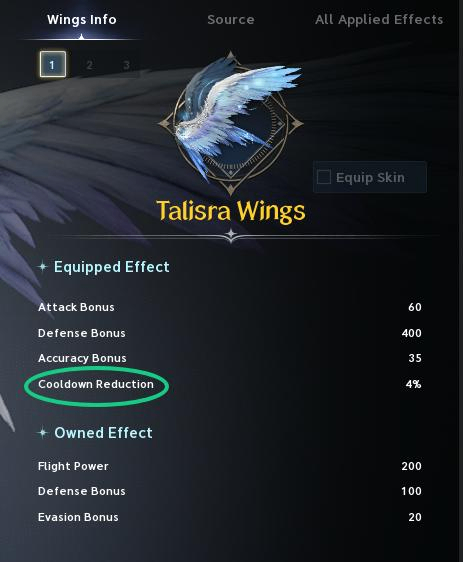
For a developed character, save screenshots of both the reward itself and its purchase or claim history. That gives support a clearer record than “my pack disappeared.”
6. Build a Pre-Transfer Record
Use this as an editorial preparation checklist, not as a claim that every listed category transfers or must be cleared. The full Global carry-over rules are not established by the initial notice.
| Record | Capture before moving | Compare after the move |
|---|---|---|
| Character identity | Name, class, level, region, faction and source world | Correct character and destination |
| Equipped build | Gear details, enhancement values, affixes and skill setup | Same items and intended configuration |
| Items and currency | Bag/storage screenshots and displayed balances | Quantities, balances and missing entries |
| Unsettled transactions | Listings, pending proceeds, mail and transaction references where applicable | Whether each item or payment was resolved as specified |
| Purchases and rewards | Membership duration, receipts, cosmetic access and claim history | Entitlements against the applicable rules |
| Social arrangements | Legion contact, party roster and planned play time | Ability to reconnect with the intended group |
Capture the Current Setup, Not Just an Item List
Use your current Global character for your own before-and-after records. The interface examples here show record-keeping distinctions; they are not transfer screens or Global stat recommendations.
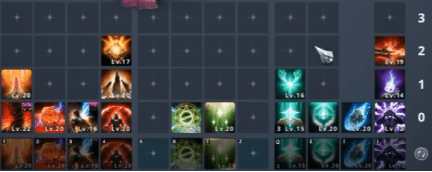
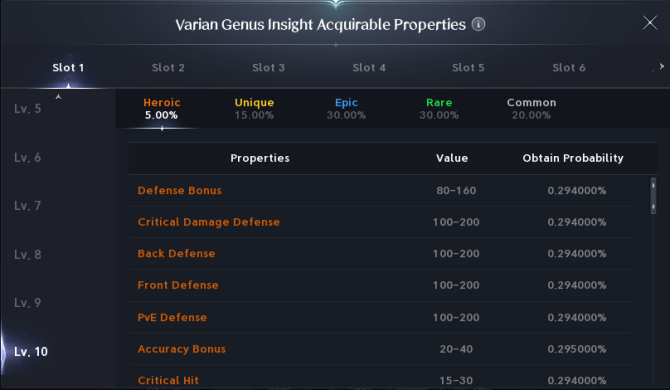
Do not pre-emptively liquidate gear, empty storage or leave a Legion because a KR guide says to. Perform those actions only when the Global service's own requirements call for them.
Likewise, do not buy inventory for a planned destination-market sale before confirming the applicable item and currency rules. “Free transfer” describes the announced service price, not a promise about every asset category.
7. What to Do When Transfers Open
1. Read the opening notice. Check eligibility, available destinations, the free-offer window, any cooldown and the treatment of your recorded assets. Use the Global instructions rather than a regional video walkthrough.
2. Inspect the actual offer. Match the source character and destination to your group record. Review the displayed charge, restrictions and any name-conflict notice. Stop if the route or cost differs from what you intended.
3. Complete only the listed prerequisites. Resolve the specific conditions presented by the service. Do not invent extra steps or assume an alternate character is required.
4. Save the confirmation. Keep the reference number, source and destination, and submission time with its time zone. Follow the stated processing instructions rather than repeatedly submitting during a pending operation.
5. Audit before resuming progression. Compare the records in Section 6 before trading, upgrading equipment or claiming more rewards. Report a discrepancy with before-and-after evidence so later activity does not obscure it.
This is a verification workflow. The initial announcement does not provide a verified Global menu path, ticket purchase sequence or complete transfer interface.
8. Troubleshooting: Solve the Right Problem
| What you see | First check |
|---|---|
| Your character is missing after changing launcher | Verify the account and selected world before treating it as a failed transfer. |
| Your friend's world is not available | Compare the full destination record, then inspect the offered migration routes. |
| A created character exists on another world | Creating it did not move your original character or its progression. |
| Rewards appear on the wrong account | Check account linkage and claim history before repurchasing. |
| A submitted move has an unexpected result | Preserve its confirmation and your before/after records; contact official support. |
Steam and PURPLE share Global servers and content. Accessing the same character and progress through both requires linked accounts; changing launcher is not a server transfer.
For Twitch Drops delivered to the wrong account, the official FAQ directs players to My Page → Manage Login on the NC website to verify linkage. For transfer-related discrepancies, use NC Customer Support with the relevant records—never your password.
Can a Korean or Taiwanese character move to Global? No progress carry-over between those services and Global is provided in the launch FAQ. Do not apply the Global transfer announcement to a KR/TW character.
The practical priority: agree on the destination, establish that the move solves your actual group problem, protect your records, and confirm the offered route before committing. If you want to speed up your progress on the new server, you can also look into Aion 2 Boosting services. For a reliable option, MMOEXP is a recommended marketplace where you can safely purchase boosting and other in-game services.