Weekend Drop -













Summary
In Aion 2, Soul Binds are, alongside the pet wheel, the most build-defining system in the game. The same piece of gear can make your character vastly stronger or weaker depending on the quality of its Soul Bind stats.
This guide will teach you exactly how to understand Soul Bind stats, transfer them efficiently, roll the stats you want at the lowest cost, know when to stop, and how to wisely Aion 2 Kina buy to fund the entire process without wasting your currency.
1. First, Understand: What Is the Best Stat for Each Slot?
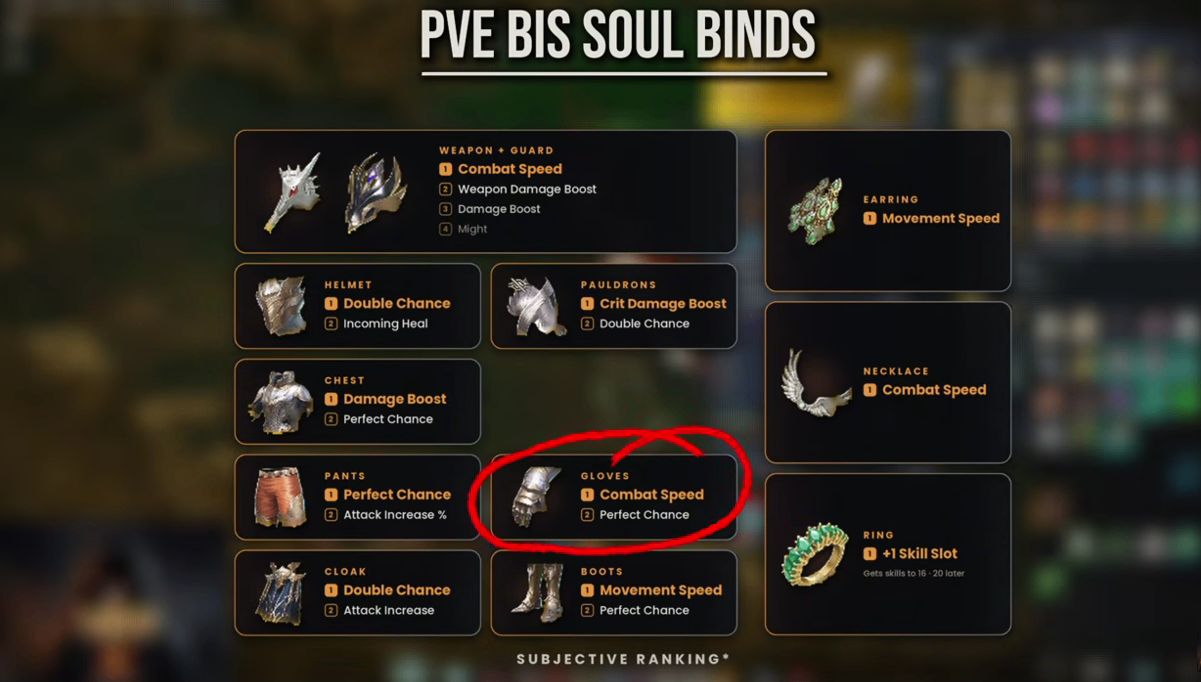
Every piece of gear has a "Reset" tab in the Soul Bind interface where you can see all the stats that can roll on that item.
Key principle:
Every piece of gear has at least one "Best in Slot" stat. That is what you chase first.
Best Single-Line Stats by Slot
Slot | Best Stat |
Polearm | Crit Damage Boost |
Gloves | Combat Speed |
Cloak | Attack Increase / Crit Damage Tolerance |
Rings | Extra Skill Levels |
Necklace | Combat Speed |
Advanced: Build-Defining Decisions
Once you have that one best-in-slot line, the next step is build-defining choices:
Are you going offense or defense?
Are you stacking passives?
There is no single perfect set for every class
But the baseline is: every gear piece should have that one best-in-slot line.
2. Two Ways to Reroll Stats: Which Is Worth It?
Method One: Direct Reroll (Not Recommended)
In the Soul Bind interface → Sync → you can consume yellow gear to randomly change one stat into another.
Problems:
Chance for a perfect stat is only 1.1%
Extremely low probability, extremely high cost
Absolutely do not do this
Method Two: Transfer System (Highly Recommended)
Core idea: Roll good stats on a low-level yellow item first, then transfer the whole thing to your high-level gear.
Why it's better:
Binding one yellow item gives you 4 chances to roll the best stat
Once you get a good roll, transfer it over
Compared to rerolling line by line, this saves massive amounts of money and time
3. How to Use the Transfer System
Prerequisites
The target gear (what you're transferring into) must be higher level than the source
Example: 36 cannot transfer to 36, must be at least 37
You need a Transfer Stone
Found in the Substance Mall by searching "transfer"
Each Transfer Stone requires sacrificing one yellow item
Step-by-Step Process
Go to Enhance → Transfer
Select the target gear (the one you want to keep)
Select the source gear (the one with good stats)
Confirm the transfer
Important Warning
Enhancement level also transfers over
Example: Source is +7, target becomes +7
Likewise, +13 becomes +13
4. Save Money by Enhancing Low-Level Gear First
This is a trick experienced players are already using.
The Principle
Low-level gear costs fewer enhancement stones and less kinah to enhance
You can enhance low-level gear to +15 first, then transfer it over
This makes your high-level gear instantly +15
Cost Comparison
Item | Low-Level Gear +15 | High-Level Gear +15 |
Enhancement Stones | Fewer | More |
Kinah | ~800,000 | Far more than 800,000 |
Success Rate | Last rolls at 20–25% | Even lower |
Conclusion: Enhancing low-level gear to +15 isn't cheap, but it's far more cost-effective than enhancing high-level gear directly.
5. How to Allocate Yellow Gear
Gear Worth Transferring
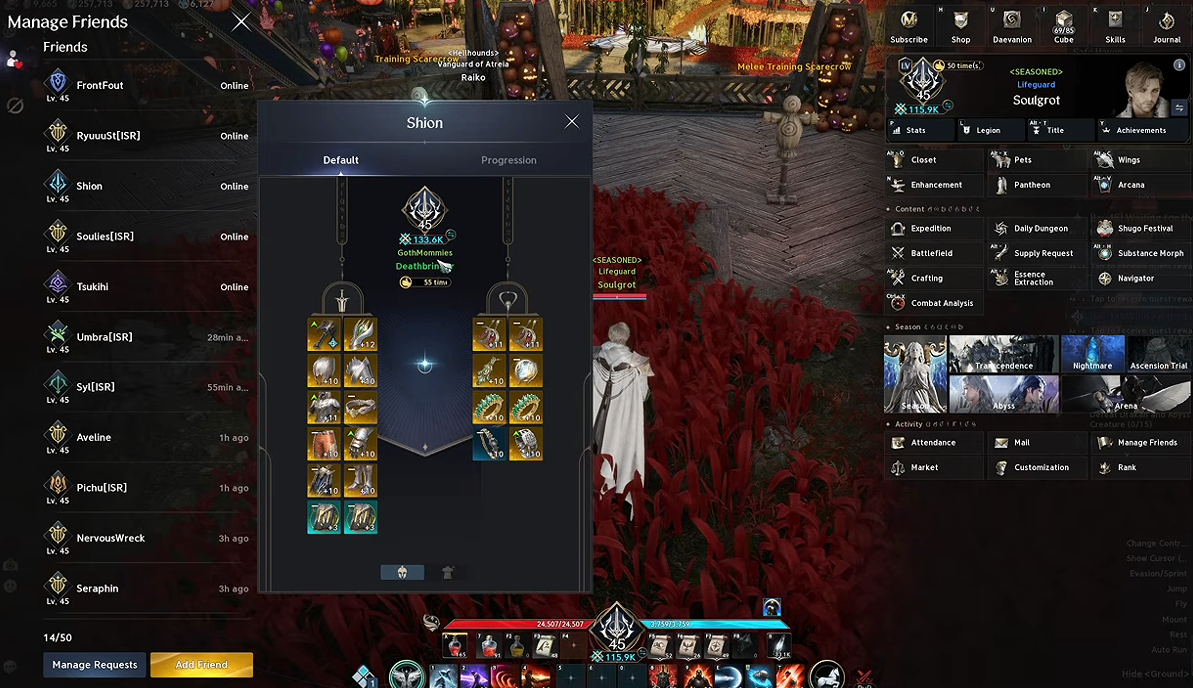
Yellow gear from Shugo events, open world drops, or the market
Good stat rolls → transfer to high-level gear
Slots That Cannot Transfer: Accessories
Key limitation:
Accessories (rings, necklaces, earrings) cannot drop from open world or Shugo
They only come from dungeons, crafting, or field bosses (extremely rare)
Transfer system does not work on them
How to Roll Accessories
Use the leftover yellow gear that rolled bad stats to reroll accessories:
Rings → Extra skills
Necklace → Combat speed
Rerolling accessories is expensive, but it's the only way.
6. When Should You Stop?
Don't Reroll Single Lines Right Now
Currently not recommended to reroll individual stat lines with yellow gear because:
Each reroll costs around 900,000–1,500,000 kinah
Each reroll has only about a 2% chance of the desired stat
Extremely poor value
It Will Get Better
Hard mode dungeons are coming
Hard mode will drop Sync Stones
Sync Stones can reroll Soul Binds, and they drop in large quantities
Yellow gear prices will drop dramatically as a result
What to Prioritize Now
Perfect your Arcana cards (use energy and order energy for transcendence)
Ensure every gear piece is at the current max item level (86, like Horn Den)
Wait for hard mode
7. Final Steps: Locking In and Enhancing
Only after you are 100% sure you won't change your Soul Binds anymore should you do these final two steps.
Step One: Increase Sync Rate
In the Sync tab, use books to increase the sync rate
Higher sync rate = stronger Soul Bind effects
Also slightly increases combat power
Note: If you still have 1–3 stats that aren't ideal, do not do this yet.
Step Two: Use Philosopher's Stones
Once sync rate reaches 100%
Weapons use 2 Philosopher's Stones to add an extra Soul Bind slot
Example: A crafted weapon with 5 slots → becomes 6 slots
Critical Warning
The extra slot from Philosopher's Stones does NOT transfer!
Replacing the weapon or using the transfer system → the slot is lost
The crafting menu explicitly warns you
Same applies to armor and accessories
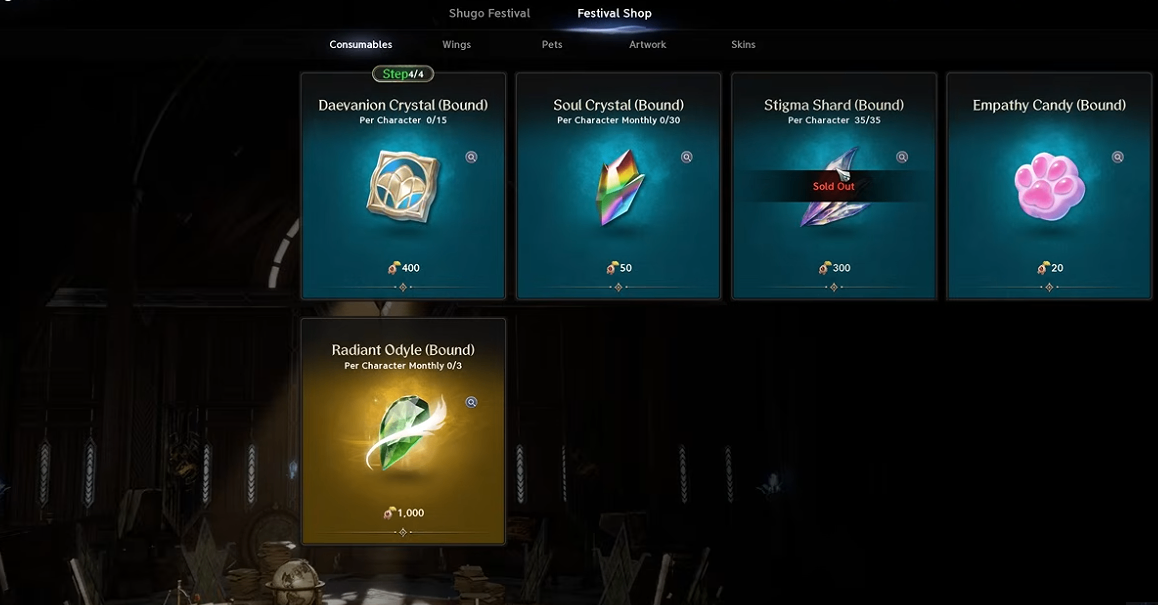
How to get them: Season shop, 30,000 season points per stone
Recommendation: Only use Philosopher's Stones when you are absolutely certain you won't replace that gear.
Summary: Soul Bind Optimization Roadmap
Stage | Action |
Step 1 | Confirm the best stat for every gear piece |
Step 2 | Roll yellow gear and use the transfer system to get best stats |
Step 3 | Enhance low-level gear to +15 before transferring to save money |
Step 4 | Use leftover yellows to reroll accessories for skills and combat speed |
Step 5 | Don't reroll single lines now—wait for hard mode |
Step 6 | Once certain, increase sync rate |
Step 7 | Use Philosopher's Stones last, knowing the slot won't transfer |
Core principles: Transfer first, reroll later; confirm first, lock in later; Philosopher's Stones last.