Weekend Drop -
















Summary
Team Builder is one of the biggest customization features in College Football 27, allowing players to create an entirely new football program with custom logos, uniforms, stadiums, rosters, and team identity. Once your team is finished, you can import it into the game and use it in Dynasty Mode or other supported modes.
This guide walks through the complete Team Builder process, from creating your school on EA's website to customizing every detail and downloading your finished team in-game. Whether you're building a realistic college program or a fictional powerhouse, these steps will help you get started quickly. To unlock more options, buy CUT 27 Coins and upgrade your roster.
Access the Team Builder Website
Sign Out of the Game First
Before opening Team Builder, exit College Football 27 on your console or PC. Logging into the game and the Team Builder website with the same account simultaneously may cause synchronization issues.
Log In to Your EA Account
Visit the official Team Builder website and sign in using the EA account linked to your PlayStation or Xbox profile. After logging in, select Create to start building a new team from scratch.
Set Up Your School Information
Enter Your Team Details
Begin by filling out the basic information for your school, including:
Team name
Nickname
City
State
Commentary nickname
Choosing a commentary nickname from the available list allows in-game announcers to refer to your team naturally during matches.
Select Colors and Branding
Choose your primary and secondary team colors, apparel brand, and fonts. Team Builder includes preset color palettes inspired by existing schools, making it easier to match official team colors or create a unique identity.
You can also choose between Nike, Adidas, and Under Armour as your team's apparel provider.
Upload Custom Logos
Prepare Transparent PNG Images
For the best results, create logos with transparent backgrounds in PNG format. This allows your logos to blend seamlessly onto helmets, jerseys, and stadium graphics.
Several free image editors can remove backgrounds and export transparent PNG files if you don't have professional design software.
Assign Multiple Logos
Each team can upload multiple logos, including:
Primary logo
Secondary logo
Alternate logo
These graphics can be reused throughout your uniforms, helmets, stadium, and field design.
Design Your Uniforms
Customize Helmets
The helmet editor allows you to modify nearly every visual element, including:
Base color
Finish (Matte, Glossy, Chrome)
Helmet stripes
Side logos
Helmet numbers
Face mask
Chin strap
Front and rear bumpers
Every layer can be resized, rotated, repositioned, and recolored for complete customization.
Create Home and Away Jerseys
After completing your helmet, move on to your uniforms.
You can customize:
Jersey colors
Sleeve designs
Collar styles
Number fonts
Number spacing
Shoulder numbers
Team logos
Pants
Socks
Many players finish their home uniform first before creating an alternate away version with different colors.
Add Custom Graphics
Beyond standard logos, Team Builder supports additional image layers. Creative players can design shoulder graphics, unique jersey accents, or custom branding to give their team a distinctive look.
Build Your Stadium
Choose a Stadium Layout
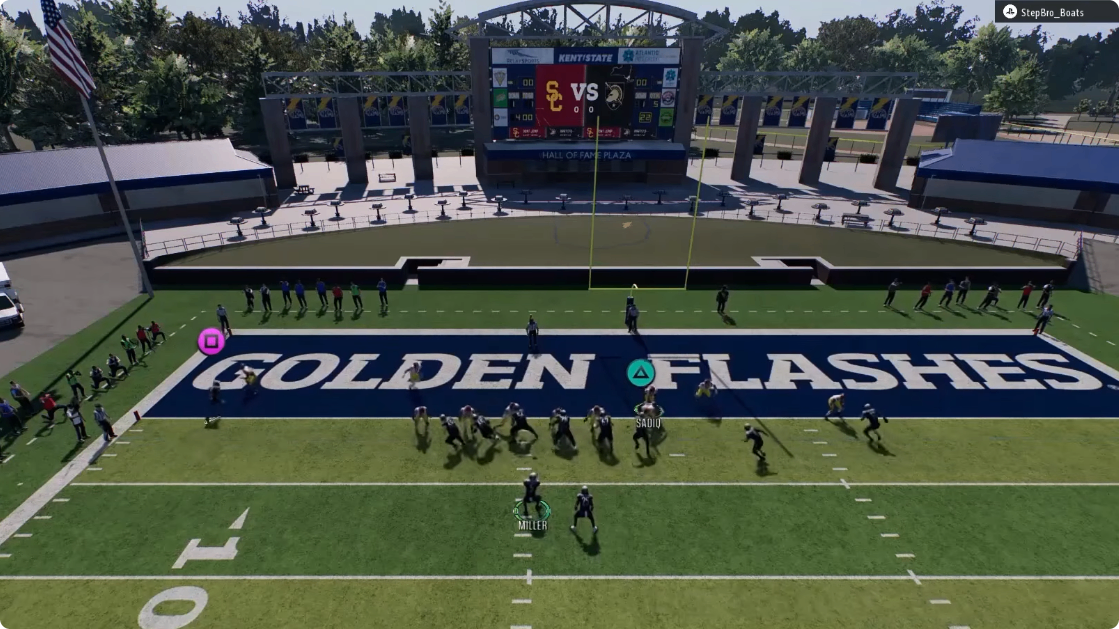
Team Builder offers several custom and generic stadium templates. Select the layout that best fits your school's identity before making additional changes.
Customize Stadium Features
You can personalize numerous stadium elements, including:
Background scenery
Jumbotron style
Goalposts
Wall graphics
Stadium tarps
Crowd colors
Crowd patterns
Crowd patterns can also include conditional triggers, such as special color themes for rivalry games or night games.
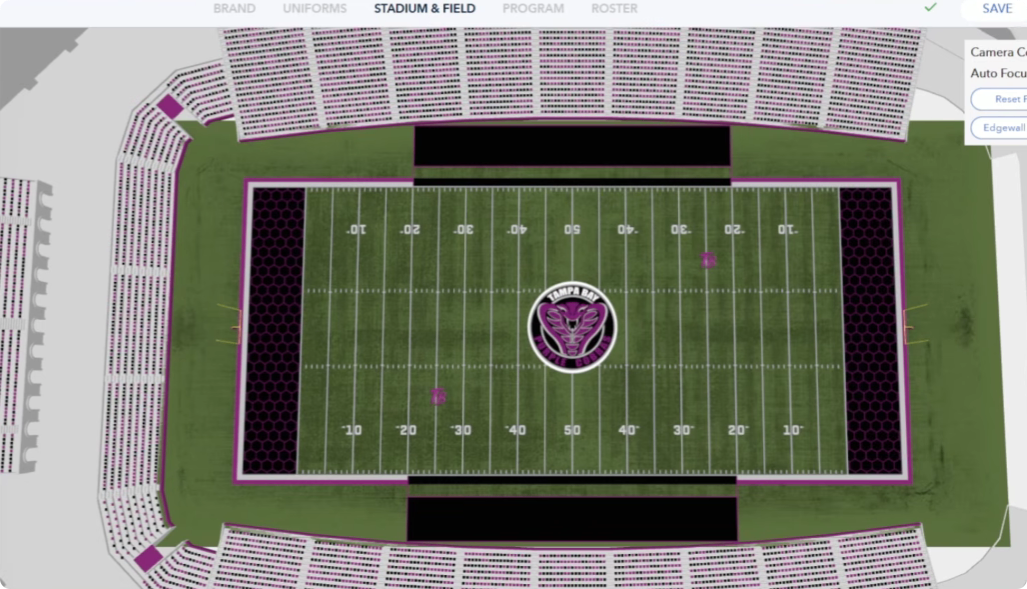
Customize the Playing Field
Edit Field Graphics
The field editor lets you personalize almost every surface element, including:
Field logos
Midfield logo
End zones
Yard numbers
Sideline borders
Goal line colors
Custom images can also be used for end zones and other field markings, allowing for a much more authentic stadium presentation.
Choose Grass or Turf
Select either natural grass or artificial turf and adjust field colors to match your school's overall branding.
Configure Your Football Program
Select Playbooks
Choose offensive and defensive playbooks that match your preferred playstyle. These settings determine how your custom school performs when you begin a Dynasty.
Define Program Identity
Team Builder also lets you customize your school's background by selecting:
Program type
Founding year
Recruiting pipeline
Athletic director expectations
Team rival
These settings help shape the personality of your program and add immersion during Dynasty Mode.
Edit Your Roster
Customize Every Player
Every player on your roster can be edited, including:
Name
Position
Height
Weight
Appearance
Ratings
Abilities
Development traits
You can create a completely realistic roster or build an elite powerhouse filled with future stars.
Save Frequently
Because the Team Builder website may occasionally experience bugs or server issues, save your progress regularly to avoid losing your work.
Submit and Import Your Team
Publish Your Team
After completing every section, select Save, then click Submit. The website will process your logos, uniforms, stadium, and roster before publishing your team.
Download Your Team In-Game
Launch College Football 27 and open the Team Management or Downloads menu. Search using your EA username or your team name to find the published roster.
If your team doesn't appear immediately, wait a few minutes and try again, as new uploads may take some time to become available.
Tips for a Better Team Builder Experience
Prepare Assets Before You Start
Having your logos, team colors, and design ideas ready before opening Team Builder makes the creation process much faster.
Keep Your Design Consistent
Use the same color palette, fonts, and logo style across uniforms, helmets, and stadium elements to create a professional-looking football program.
Expect Minor Bugs
Because Team Builder is an online feature, occasional loading problems or publishing delays can occur, especially after updates. Saving your work frequently and retrying uploads later usually resolves these issues.
Final Thoughts
College Football 27's Team Builder offers players an impressive level of customization, allowing you to design every aspect of your football program, from uniforms and stadiums to playbooks and player rosters. By preparing your assets in advance, using consistent branding, and following the publishing process carefully, you can quickly create a unique team and bring it into Dynasty Mode for a completely personalized college football experience. With CUT 27 Coins, you can unlock premium customization options and roster upgrades too.