Summary: Tired of riding the same plain spectral steed through the Lands Between? Want to swap your trusty horse for a heavy-armored boss warhorse or even a miniature ancient dragon-all without getting banned?
While FromSoftware famously maintains a strict no-microtransactions policy and hasn't released any official mount DLC, the PC modding community has stepped in to save the day. If you have logged hundreds of hours and are ready for a fresh look, this zero-barrier, foolproof guide will help you safely customize Torrent into the ultimate ride in just five minutes!
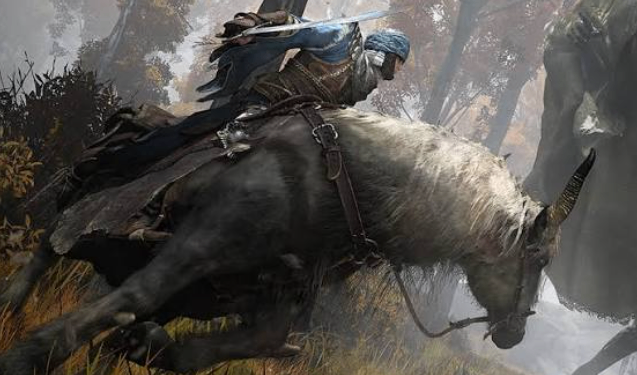
Zero-Ban Safety Guidelines: Bypassing the Anti-Cheat
Before you transform your horse into a mythical beast, let's talk safety. Getting banned from Elden Ring's online servers is a nightmare, but you can achieve 100% safety by following these essential guidelines.
PC & Offline Only
All visual mount replacements are strictly for offline use on PC.
The Golden Rule
Before installing anything, switch your Steam client to Offline Mode.
Use the Right Tools
By utilizing a trusted anti-cheat toggler and Mod Engine 2, you can inject custom appearance files without permanently modifying your original game files. This completely eliminates the risk of an automated account ban.
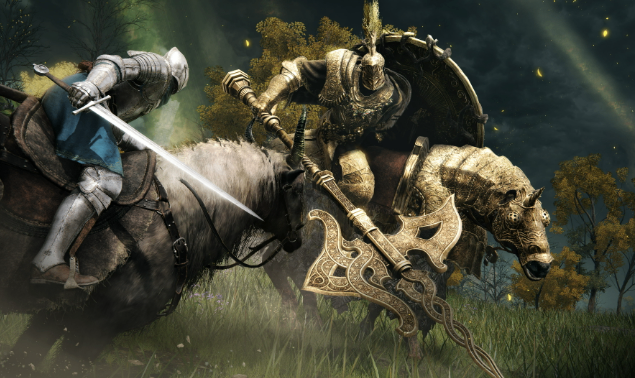
Top 4 Mount Mods for the Ultimate Dark Fantasy Look
Not sure which appearance to choose? Skip the endless searching on mod forums. These four community-favorite downloads blend perfectly into the grim world of Elden Ring.
The Tree Sentinel Armor Mod
Replaces Torrent's basic leather saddle with the gleaming, heavy gold barding worn by the Tree Sentinels. This instantly doubles your aura when riding in heavy armor.
The Night's Cavalry Warhorse
Swaps your spirit horse for a terrifying obsidian stallion shrouded in a dark, swirling mist. It is the perfect aesthetic choice for midnight open-world hunting.
The Draconic Torrent Mod
Want to truly turn heads? This mod replaces Torrent with a scaled, beautifully textured miniature ancient dragon.
The Ancestral Spirit Stag
Transforms your mount into a glowing, ethereal stag. It looks absolutely breathtaking when jumping through the Mountaintops of the Giants or the Consecrated Snowfield.
The 5-Minute, Foolproof Installation Guide
Even if you have never installed a mod in your life, you can pull this off on your very first try.
Just follow these simple steps:
Step 1
Download and set up Mod Engine 2 on your PC.
Step 2
Head over to a trusted site like Nexus Mods and download your chosen mount file.
Step 3
Extract the downloaded folder to locate the model assets (usually found inside a folder named parts or chr).
Step 4
Copy those files and paste them directly into the corresponding mod/parts directory inside your Mod Engine 2 folder.
Step 5
Launch the game using Mod Engine 2's custom launcher executable. As soon as you open your map and whistle, your epic new ride will appear.
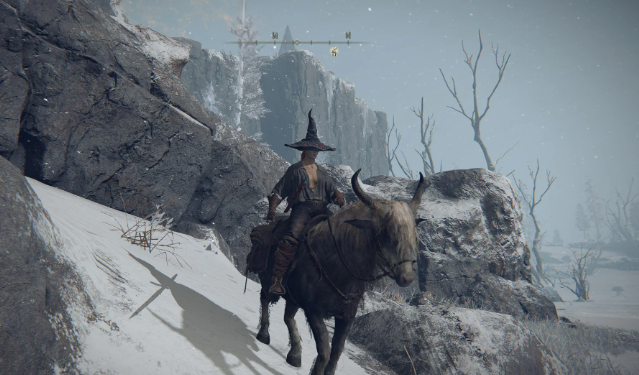
Final Pro-Tips for Changing Your Ride
For Absolute Beginners
Start with the Tree Sentinel Armor mod. It is a pure cosmetic replacement that is incredibly easy to install while retaining Torrent's original physics perfectly.
For Immersion Chasers
Choose the Night's Cavalry Warhorse or Ancestral Spirit Stag mods. Both fit seamlessly into Elden Ring's dark fantasy atmosphere and lore.
For the Wild at Heart
Go with the Draconic Torrent mod. Roaming across the Lands Between on the back of a dragon completely reinvents the feeling of open-world exploration. If you're starting a fresh playthrough, having enough Elden Ring Runes to level up your character can make the journey even smoother while you enjoy your new mount.
The Golden Reminder
Never, under any circumstances, log into the official online servers with these files active.
Keep it offline, stay safe, and enjoy ruling the Lands Between in style!