Weekend Drop -













Summary
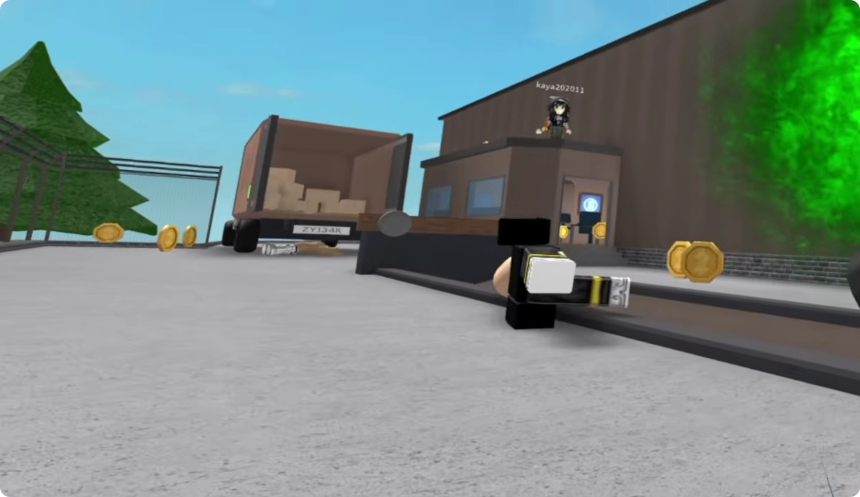
Murder Mystery 2 is already a fast-paced Roblox game, but playing it in VR completely changes the experience. Instead of controlling your avatar from a traditional third-person or first-person perspective, you can physically look around the map and interact with the world through a VR headset.
The result is immersive, chaotic, and sometimes difficult to control. If you are trying MM2 in VR for the first time, understanding the controls, movement, combat, trading, and motion sickness issues will make the experience much easier. To skip the grind for weapons, buy Murder Mystery 2 Items and stay competitive while you master the VR mechanics.
How to Play MM2 in VR
To experience MM2 in VR, you need a compatible VR headset and a Roblox setup that supports VR gameplay.
Once you enter Murder Mystery 2, the game world becomes much more immersive. Maps such as Mansion, Yacht, and other familiar locations feel dramatically different because you can physically look around instead of relying entirely on a flat screen.
Get Familiar With the VR Controls
Your first few rounds should be treated as practice.
Before trying to play aggressively, learn how to:
Move around the map
Turn your character
Look around independently
Access your inventory
Open the chat
Equip weapons
Interact with objects
Pick up or use the Sheriff weapon
Enter and leave different areas
VR controls can feel significantly slower or less intuitive than normal mouse-and-keyboard controls. Give yourself several rounds to adjust.
Choose Maps That Are Easy to Navigate
Map awareness becomes especially important in VR because your field of view and movement feel different.
Mansion
Mansion is a useful practice map because its layout gives you multiple rooms and corridors to learn.
Use your first few rounds to identify:
Main hallways
Open rooms
Hiding areas
Escape routes
Common combat locations
Learning these routes will make it easier to react when the Murderer appears.
Yacht and Interactive Maps
Larger maps can be particularly entertaining in VR because environmental details become much more noticeable.
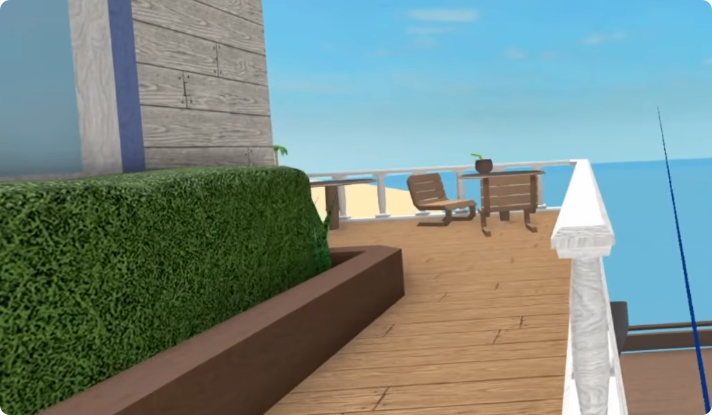
The Yacht, for example, contains areas that can feel surprisingly immersive when viewed through a headset. You can explore the interior, look at the scenery, and interact with parts of the environment.
However, larger maps can also make navigation more difficult, especially if your turning controls are slow.
How to Play Each Role in VR
Your strategy should change depending on whether you are Innocent, Sheriff, or Murderer.
Playing as Innocent
The Innocent role is actually a good starting point for learning VR.
You do not need to engage in combat immediately. Instead:
1. Stay aware of nearby players.
2. Watch for suspicious movement.
3. Keep escape routes available.
4. Learn the map layout.
5. Avoid getting trapped in corners.
6. Stay close enough to react if the Sheriff needs help.
Because VR can make turning and movement slower, positioning is especially important.
Do not place yourself somewhere with only one escape route unless you know exactly how to get out.
Playing as Sheriff
Sheriff can be considerably harder in VR.
Your primary objective is to identify and eliminate the Murderer while avoiding an unnecessary miss.
Before attempting difficult shots, practice aiming and understanding how your VR controls translate into your character's movement.
Keep some distance from suspicious players when possible. If the Murderer is close enough to attack immediately, you may not have enough time to adjust your position.
If you miss the first shot, do not panic. Create distance and reposition rather than standing still.
Playing as Murderer
Murderer can be especially challenging for a new VR player.
The biggest issue is movement awareness. You need to track nearby players while also managing your own positioning.
Use corners and obstacles to break line of sight, and avoid exposing yourself unnecessarily.
Since VR players may have difficulty turning quickly, approaching from an unexpected direction can be more effective than chasing someone through an open hallway.
Improve Your VR Movement
Movement is one of the biggest challenges when transitioning from normal MM2 gameplay to VR.
Adjust Your Turning Sensitivity
If your VR setup allows you to change turning or snap-turn sensitivity, experiment with different settings.
Slow turning can make the game feel extremely awkward because you may need several movements to look behind yourself.
A more responsive turning configuration can make it easier to:
Track the Murderer
Escape attacks
Follow players
Aim as Sheriff
Navigate tight spaces
Spend time finding a setting that feels comfortable rather than immediately using the default configuration.
Manage Motion Sickness
MM2 can be surprisingly uncomfortable in VR because the game combines movement, turning, and rapid visual changes.
If you begin feeling dizzy or nauseous, stop playing and take a break.
Reduce Unnecessary Movement
You do not need to constantly run around the map.
When you are safe, standing still and physically looking around can reduce the amount of artificial movement on screen.
Avoid forcing yourself to continue playing when motion sickness starts. VR comfort should take priority over completing a round.
Trading in MM2 VR
Trading is another feature that becomes interesting in VR.
The trading interface may initially feel unfamiliar because you are interacting with menus while inside the 3D environment.
Make Safe Trades
The basic trading rules remain the same:
Check every item before accepting.
Verify the other player's offer.
Do not rush because someone is pressuring you.
Confirm the final trade before accepting.
Never trust claims that an item will be added later.
VR does not change the value of your items, so use the same trading precautions you would use during normal MM2 gameplay.
Customize Your Inventory
Your inventory can also be managed while playing in VR.
If you have a preferred weapon set, equip it before starting your next serious round. This avoids wasting time navigating menus after the match begins.
For example, players with a favorite weapon set can quickly switch from their default equipment to their preferred knife and gun combination before entering another match.
Best Tips for New MM2 VR Players
If this is your first time playing Murder Mystery 2 in VR, focus on adaptation rather than winning immediately.
Follow These Rules
1. Practice movement first.
Learn how turning, walking, and looking work before worrying about your role.
2. Learn the maps.
Knowing escape routes is even more important when VR movement feels unfamiliar.
3. Stay mobile.
Standing in exposed areas makes you an easy target.
4. Keep distance as Sheriff.
Give yourself enough time to react and aim.
5. Avoid unnecessary fights.
As an Innocent, surviving is more valuable than chasing suspicious players.
6. Take VR breaks.
Motion sickness can quickly ruin the experience.
7. Do not rush trades.
The VR interface may make trading slower, so double-check everything.
Is MM2 Worth Playing in VR?
VR does not necessarily make MM2 easier. In fact, the slower turning and unfamiliar controls can make basic gameplay considerably harder.
However, it completely changes the way the game feels.
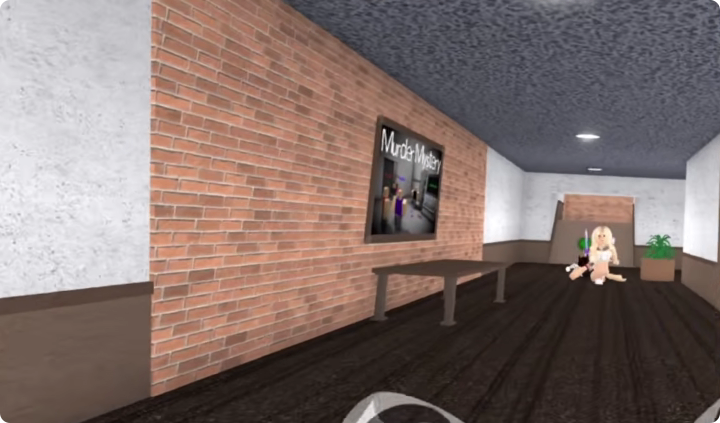
Maps become more immersive, environmental details are easier to appreciate, and simply looking around the lobby or exploring locations can feel like being inside the Roblox world.
For competitive players, traditional controls may remain more efficient. For players who want a new and entertaining way to experience Murder Mystery 2, VR offers a unique alternative.
Ultimately, the best way to approach MM2 VR is to treat your first few sessions as an experiment. Learn the controls, adjust your movement settings, understand the maps, and gradually work your way toward playing Sheriff and Murderer effectively. And if you want to skip the grind for a better loadout, trading for Murder Mystery 2 Items can give you the weapons you need to enjoy the experience from the start.