Summary:
College Football 27 has changed significantly through updates, making the right settings more important than ever. From revamped passing and defensive assists to coaching adjustments, these updated settings can help improve control, consistency, College Football 27 Coins, and overall gameplay.
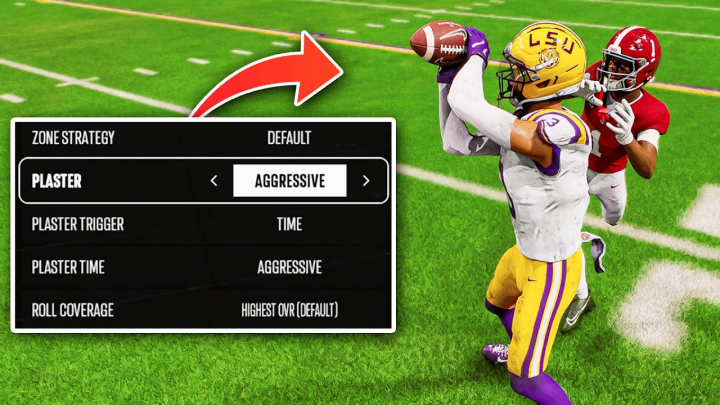
Why Your College Football 27 Settings Matter
College Football 27 has received multiple gameplay changes since launch, meaning settings that worked well earlier in the year may no longer be ideal. The right configuration can improve passing control, defensive reactions, tackling, coverage, and blocking while reducing accidental inputs.
You do not need to copy every setting used by elite players. In fact, many advanced settings are designed for players with extremely strong stick skills. For most users, the goal should be finding settings that provide useful assistance without taking too much control away from the player.
Best Passing Settings in College Football 27
Passing is one of the most important settings categories in College Football 27. The two major options are Revamped Passing and Placement & Accuracy.
For most players, Revamped Passing is the easiest option to use consistently. It provides useful ball trajectories and allows players to lead receivers effectively with the left stick without requiring complicated additional inputs.
A strong starting configuration is:
Passing Type: Revamped
Pass Lead Increase: Small
Reticle Speed: Around 15
Placement & Accuracy can still be appealing for highly skilled players who want maximum control over free-form passing. However, it requires more practice and precision. For the average player, Revamped Passing offers a more accessible balance between control and consistency.
Timing-Based Catching Settings
Timing-Based Catching has changed considerably throughout the game's updates. It was extremely powerful earlier in the cycle before adjustments reduced its effectiveness.
For players willing to learn the mechanic, keeping it enabled can provide additional control over important catches. A setting around 5 yards is a practical starting point because it avoids requiring players to time extremely short routes such as quick flats and screens.
The same principle can be applied defensively. Short-distance interactions happen too quickly for timing mechanics to be especially useful, while longer plays provide more time to react.
Defensive Gameplay Helpers
Several gameplay helpers can significantly affect defensive performance.
Defensive Ball Hawk should generally remain enabled. It helps create better opportunities for interception animations and can also improve AI reactions when you are not controlling the defender directly.
Defensive Heat Seeker Assist is more dependent on skill level. Players who struggle with open-field tackling can benefit from keeping it enabled and increasing the window. More experienced users who already have excellent stick control may prefer turning it off because the assistance can slightly influence their movement.
Defensive Switch Assist follows a similar principle. Less experienced players can benefit from the assistance because it helps maintain the correct direction after switching defenders. Advanced players may prefer disabling it for maximum manual control.
For most players, these assists are useful because they reduce unnecessary defensive mistakes.
Switch Stick and Controlled Player Settings
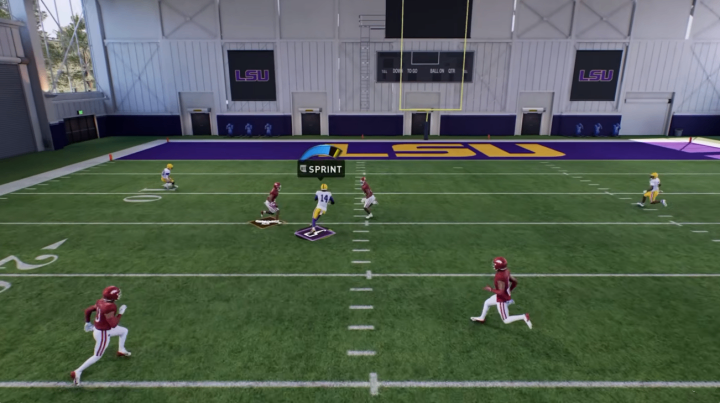
Set Switch Stick Delay to Slight. This helps prevent accidental defender switches while still allowing you to use switch-stick mechanics when needed.
Another overlooked setting is Controlled Player Art. Turning it on provides visual information about your defensive responsibility, including zone areas and run-fit assignments.
This can be especially useful for players learning defensive schemes. Instead of guessing where your controlled defender should be, the game provides a visual reminder of the area you are responsible for protecting.
Coin Toss and Accessibility Settings
For the coin toss, selecting Kick as your first choice allows you to receive the ball at the beginning of the second half. This gives you more information about the game situation before starting the third quarter.
For the second option, selecting Against Wind can create a useful field-position advantage because the wind will be at your back later in the game.
Accessibility settings are more personal. Enlarge On-Field Graphics can make receiver icons and catching indicators easier to see. If you struggle with visibility, enabling it is worth testing.
You can also enable Force Off Motion Blur if you find motion blur distracting.
Turn Off Accidental Camera Changes
One simple but useful adjustment is Camera Toggle.
If you accidentally press the directional pad during a critical play, your camera can suddenly change and disrupt your view. Turning camera toggle off prevents these accidental changes.
Choose your preferred offensive and defensive camera before the game and keep it fixed. This creates a more consistent visual experience throughout the match.
Best College Football 27 Coaching Adjustments
Coaching adjustments contain some of the most important settings in the game.
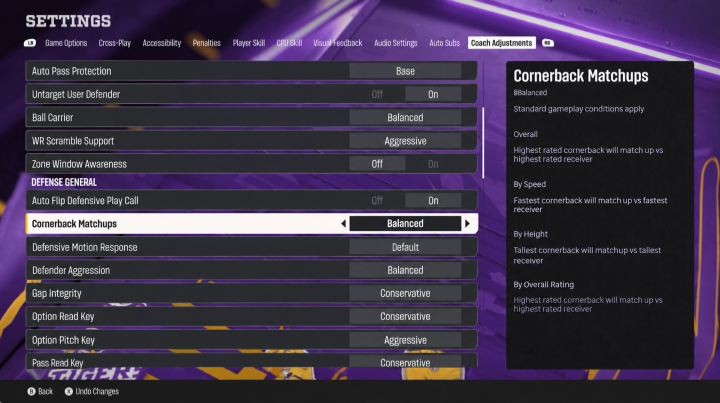
For Auto Base Protection, Base is a strong option for most players. Some plays contain built-in protection slides that can create vulnerabilities when you send the running back out on a route. Base protection removes some of that complexity and creates a more predictable blocking structure.
Untarget User Defender should generally be enabled. This prevents the offensive line from overreacting to a user-controlled defender simply standing near the line of scrimmage. It can help reduce situations where opponents manipulate blocking assignments with defensive formations.
However, if an opponent recognizes the adjustment and manually attacks the line, you can change the setting during the game.
For Wide Receiver Scramble Support, Aggressive is useful when plays break down and the quarterback begins scrambling. Receivers will attempt to find open space rather than remaining completely locked into their original routes.
Zone Window Awareness can be left off if you prefer predictable receiver routes. While the setting can help receivers react to open zones, predictable movement can make passing decisions easier.
Defensive Alignment and Coverage Settings
Auto Flip Defensive Play Call should remain enabled. This helps align defensive personnel with the offensive formation and can reduce unnecessary mismatches.
For Cornerback Matchups, Balance is a reliable choice. Other options such as Speed or Overall can occasionally create strange alignment situations depending on the formation and defensive scheme.
Safety settings are also important. A Safety Depth of 9 provides a useful balance between protecting against deep passes and supporting the run.
For Safety Width, Pinch can bring safeties closer to the action. This can help against the running game while also providing additional protection against certain seam concepts.
Option and RPO Defense
The option settings deserve special attention.
For Option Read Key, Conservative is a strong choice because it prioritizes stopping the quarterback keeper. If the opponent hands the ball to the running back, defenders can often rally toward the ball more easily.
For Pitch Key, the choice depends on your defensive skill. Aggressive can help the AI focus on the pitch player, while Conservative gives you more responsibility to manually defend the running back.
For RPO Read Key and Pass Key, Conservative settings can help defend against common RPO concepts, particularly quick throws to the outside.
Plaster Settings and Scrambling Quarterbacks
Plaster settings become particularly important against quarterbacks who frequently scramble.
A useful configuration is:
Plaster: Conservative
Plaster Trigger: Time
Plaster Time: Aggressive
This setup allows defenders to maintain coverage while still reacting to a developing play. It can be useful against opponents who extend plays outside the pocket and wait for receivers to break open.
Final Thoughts
The best College Football 27 settings are not necessarily the settings used by the highest-level players. Your ideal setup depends on your passing ability, defensive stick skills, preferred schemes, and experience.
For most players, Revamped Passing, useful defensive assists, Controlled Player Art, Base Protection, balanced cornerback matchups, cheap College Football 27 Coins, and carefully configured option defense provide a strong foundation. Advanced players can gradually remove assists as their stick skills improve.
The biggest lesson is to revisit your settings after major gameplay updates. College Football 27 continues to evolve, and settings that were effective earlier in the cycle may behave differently after patches. Testing these adjustments in practice mode before taking them into competitive games is the safest way to determine which configuration fits your playstyle.