






Summary
Custom crosshairs are one of the best quality-of-life upgrades for Roblox Murder Mystery 2 players in 2026. Unlike risky game mods or exploits, this browser-based crosshair method is completely safe, will not trigger account restrictions, and delivers consistent aiming accuracy for casual and competitive MM2 matches. This guide covers the full installation process, customization features, in-game benefits, and key player tips to optimize your crosshair setup for better MM2 performance while making the most of your Murder Mystery 2 Items.
1. Why Custom Crosshairs Improve MM2 Gameplay
Murder Mystery 2 relies heavily on precise tracking and quick reaction shots. The default Roblox crosshair is basic and lacks customization, making it hard to track targets during fast-paced multiplayer matches.
A custom crosshair fixes this issue by offering personalized sizing, styling, and visibility options. It improves target focus, reduces visual distraction, and helps players land more accurate shots as sheriff or defensive survivor.
The biggest advantage of this 2026 crosshair method is its safety. This browser extension-based setup does not modify Roblox game files, inject scripts, or alter in-game mechanics. It avoids all common ban triggers and poses zero risk of account suspension or restriction.
Long-term usage confirms stable compatibility with official Roblox browser clients, making it a reliable daily-use tool for all MM2 player skill levels.
2. Step-by-Step Safe Crosshair Installation Process
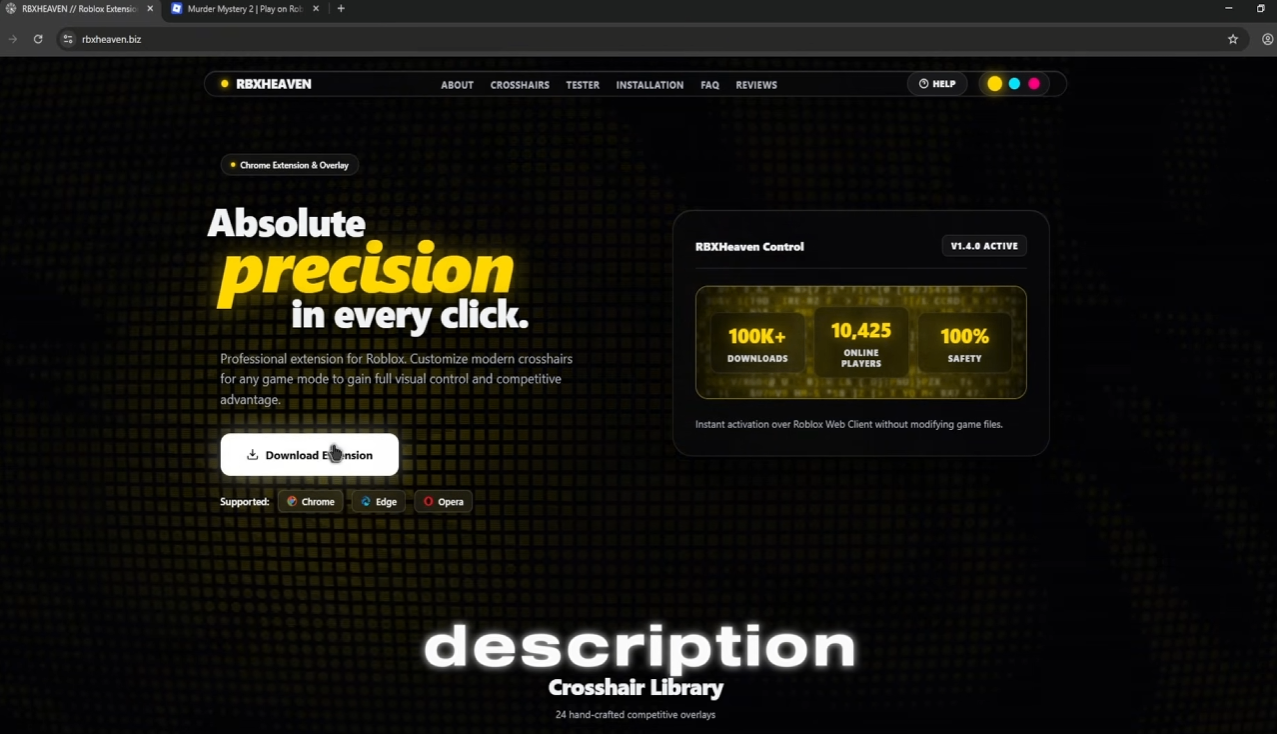
The 2026 Roblox custom crosshair setup uses a simple browser extension installation workflow, requiring no advanced technical skills. The entire process takes under two minutes to complete.
First, download the official crosshair extension file from the trusted web source. Store the downloaded file in an easily accessible folder on your desktop for quick access during installation.
Next, open your browser’s extension management page. Locate the developer mode toggle in the upper-right corner and enable it. Developer mode allows manual installation of third-party extension files for custom browser modifications.
Drag and drop the downloaded crosshair extension file directly into the open extension management window. The browser will automatically install and activate the new extension without additional setup steps.
Open the official Roblox website and refresh the page using the F5 key. This refresh syncs the newly installed extension with the browser Roblox client and activates the default crosshair overlay.
3. Full Crosshair Customization Features
Once installed, the extension unlocks a full suite of customization tools to tailor the crosshair to personal preference and gameplay style.
Click the active extension icon while on the Roblox webpage to open the customization menu. Players can browse a wide library of pre-made crosshair styles, including decorative and minimalist designs suitable for competitive play.
Size adjustment tools let players shrink or expand the crosshair to fit their screen size and aiming preference. Smaller crosshairs offer precise pinpoint accuracy for long-range shots, while larger options improve visibility in chaotic close-quarters MM2 encounters.
Users can also toggle browser-only crosshair visibility. Disabling desktop browser overlay ensures the crosshair only appears within Roblox gameplay windows, eliminating unnecessary screen obstruction during regular browsing.
After finalizing settings, launch Murder Mystery 2 directly from the Roblox browser client. The custom crosshair will overlay seamlessly on all in-game screens with zero lag or visual glitches.
4. Safety & Fair Play Verification
Many Roblox players avoid third-party tools due to fear of violating platform terms of service. This browser crosshair extension is completely compliant and safe for 2026 MM2 gameplay.
Unlike game mods, script injectors, or exploit tools, this overlay only adds a visual browser layer. It does not modify game code, adjust player stats, automate actions, or create unfair competitive advantages.
Extended community testing confirms no account bans, restrictions, or warnings for continuous crosshair usage. It qualifies as a legitimate quality-of-life visual tool rather than a cheating utility.
5. Player Recommendations for Optimal MM2 Usage
Competitive MM2 players should prioritize small, high-contrast crosshair styles for maximum accuracy. Avoid overly decorative designs during ranked matches, as complex visuals can distract from fast target tracking.
Casual players can experiment with creative skins such as themed decorative crosshairs for personalized, fun gameplay. The flexible customization system supports both competitive and casual playstyles.
Always refresh the Roblox browser client after adjusting crosshair settings to ensure changes apply in-game. Keep the extension updated to maintain full compatibility with 2026 Roblox browser patches.
6. Final Verdict
The 2026 custom browser crosshair setup is the best safe quality-of-life upgrade for Murder Mystery 2 players. It delivers improved aiming precision, full visual customization, and complete account safety without breaking fair play rules.
With a simple installation process, zero performance impact, and versatile customization options, this crosshair tool elevates every MM2 match. It is a must-use utility for players looking to improve consistency and enjoyment in Roblox’s most popular mystery shooter game. For players who also want to enhance their collection and customize their overall experience, buying Murder Mystery 2 Items can be a convenient consideration alongside this aiming-focused setup.