• English USD
  • 0
  • Log In Sign Up
    Sign up to get Coupon with a maximum discount of $120
Sign up to get Coupon with a
Shopping Cart
SECURE CHECKOUT orContinue Shopping
List of Contents

PoE 2 0.5 Tips and Tricks: Best QoL Features for Leveling, Trading, and Endgame

Amélie Laurent

Amélie Laurent

Created: August 12,2026 | Path Of Exile 2 |618 views
Path of Exile 2 has many useful features that are easy to overlook. From advanced trade searches and Path of Building checks to faster Atlas navigation, instance resets, movement settings, and hidden progression rewards, these tools can make everyday gameplay much easier. This guide covers some of the most useful Path of Exile 2 tips and tricks and explains how to use them efficiently.
Summary

Path of Exile 2 has many useful features that are easy to overlook. From advanced trade searches and Path of Building checks to faster Atlas navigation, instance resets, movement settings, and hidden progression rewards, these tools can make everyday gameplay much easier. To make the most of your time, buy POE2 Currency and gear up efficiently as you explore the game.

This guide covers some of the most useful Path of Exile 2 tips and tricks and explains how to use them efficiently.

 poe2

Improve Your Trading Workflow

Trading is one of the most important parts of Path of Exile 2's endgame economy, but the official trade interface includes several features that can save considerable time.

Search Items by Their Stats

When you find an item and want to search for similar gear, hold Alt + Shift and click the item. This automatically sends its stats to the trade search.

The default search can sometimes be overly specific, so remove unnecessary modifiers and keep only the stats that actually matter for your build.

This is particularly useful when comparing rare equipment or checking whether an unusual item is worth selling.

Use Filter by Item Stats

For unique items with wide stat ranges, the Filter by Item Stats function is especially useful.

Search for the unique you want, select the stat-filter option, and adjust individual values to find a version with the exact rolls you need. This makes it much easier to compare different copies of the same unique rather than simply searching by item name.

Check Potential Upgrades in Path of Building

The trade site also allows you to copy an item directly to your clipboard.

After copying an item, open Path of Building and paste it into the Items section. You can then compare the potential upgrade against your current equipment and determine whether the new item actually improves your character's damage or defenses.

This is much more reliable than judging an upgrade simply by looking at the item's tooltip.

Search Prices Using Familiar Currency

Some players list popular items using currencies they rarely use. Instead of manually converting every price, adjust the trade site's buyout currency filter.

For example, you can search specifically in Divine Orbs or Chaos Orbs if those are the currencies you use most often. This makes price comparisons much easier and can also help you identify unusual listings.


Make Movement Faster and Safer

Movement becomes increasingly important as you progress through Path of Exile 2. A few settings can make sprinting and dodging much more convenient.

Enable Keep Sprinting While Moving

By default, sprinting requires you to hold the dodge-roll button after initiating the movement.

You can change this behavior in:

Options → Game → Movement → Keep Sprinting While Moving

With this setting enabled, your character continues sprinting after you release the dodge button.

This can make traveling through maps and other areas much smoother.

However, be careful. Automatic continued sprinting can also cause accidental deaths if you are playing aggressively or moving near dangerous enemies.

Create a Separate Dodge Button

Hardcore players may want more control over movement.

Path of Exile 2 provides separate input options for dodge and sprint. Assigning a dedicated dodge-only button lets you roll without accidentally triggering sprinting.

This is especially useful when positioning precisely around bosses or dangerous attacks.


Farm Campaign Areas Efficiently

You do not always need to move forward immediately when leveling a character. Sometimes repeatedly clearing a strong campaign zone can provide useful experience or item drops.

Reset an Area With the Instance Manager

After clearing an area, return to its entrance or waypoint.

Hold Ctrl while clicking the location to open the instance manager, then create a new instance. The new instance refreshes monsters, rare enemies, and bosses.

This provides a simple way to repeatedly farm an efficient campaign zone when you need additional experience or gear.

Use this selectively, however. Spending too much time farming low-level content can slow overall progression.

 

Optimize Your Mini-Map

The mini-map can become difficult to read, especially when its transparency and size are not configured for your screen.

Adjust Transparency and Zoom

Open:

Options → UI

From there, adjust the map transparency and zoom level to suit your preference.

You can also use the number pad to change the map size and the cursor keys to reposition it. Pressing Tab again can recenter the map.

A properly configured mini-map makes it easier to locate unexplored paths and find the last remaining monsters in a map.

Use Light Radius for Map Visibility

Light Radius is more useful than it initially appears.

Besides increasing the visible area around your character, it also increases the amount of the mini-map revealed around you. This makes the stat surprisingly useful during the campaign, particularly in darker areas.

 poe2

Navigate the Endgame Faster

Once you reach the endgame, efficient navigation can save a surprising amount of time.

Use Atlas Bookmarks

You can right-click locations on the Atlas to create bookmarks. These allow you to mark important areas and quickly return to them later.

Completed bookmarks can be removed, while the bookmark interface lets you jump directly to saved locations. The Atlas edge display can also show your marked locations, making navigation considerably easier.

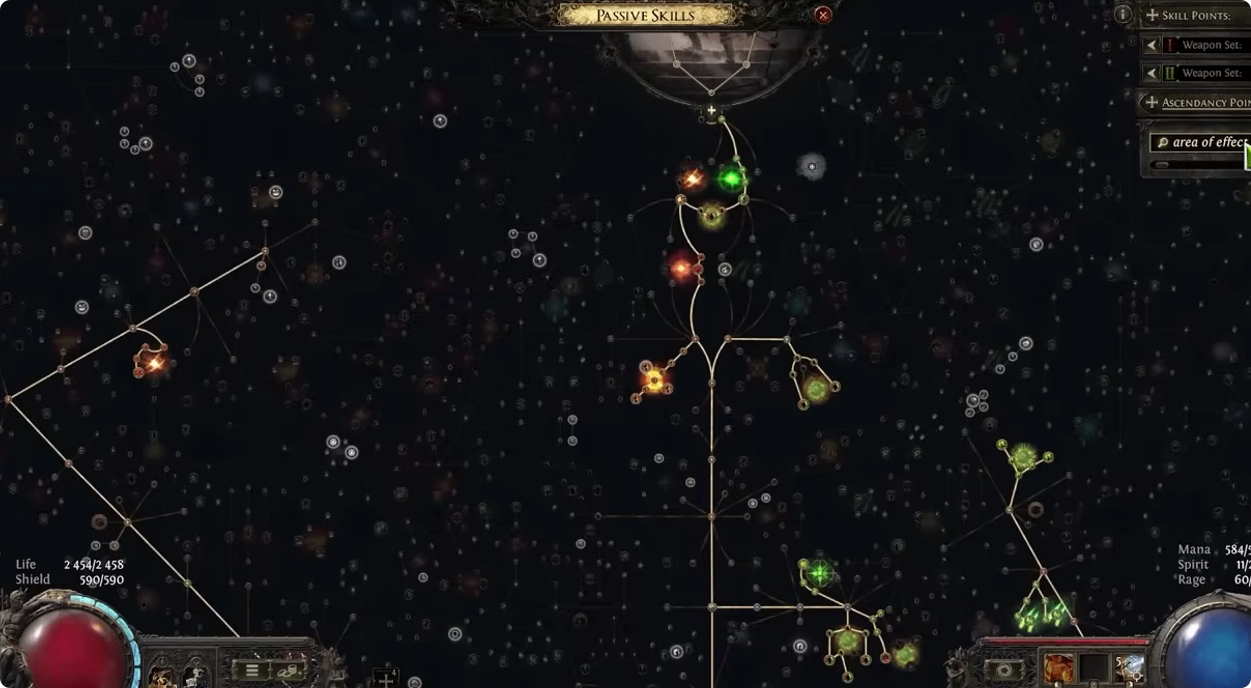
Search the Atlas Tree

Instead of manually looking through the entire Atlas passive tree, press Ctrl + F and search for the mechanic or passive you need.

For example, searching for "Delirium" immediately takes you to relevant locations on the tree. This is much faster when you're planning or modifying an endgame farming setup.

Open Endgame Hubs Quickly

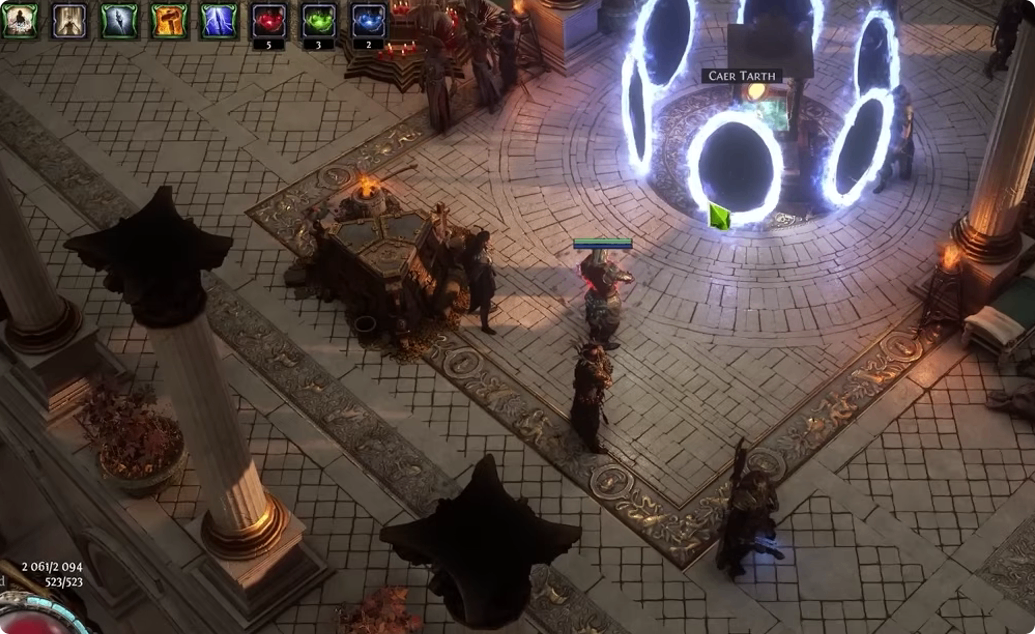
When you want to travel to an endgame hub, you can Ctrl-click the destination to immediately open a portal instead of manually selecting the location and then choosing Traverse.


Use Chat Commands for Everyday Tasks

Path of Exile 2 includes several useful chat commands.

Press Enter and type /help to view available commands.

Commands such as /played, /age, /deaths, and /kills provide useful character statistics, while /dnd can disable incoming messages when you do not want interruptions.

The /reset_xp command can also help when measuring experience gains during testing.

Return to Your Hideout Quickly

Typing:

/hideout

in chat immediately sends your character back to the hideout.

This is one of the simplest shortcuts to incorporate into your normal endgame routine.


Claim Hidden Progression Rewards

Some Path of Exile 2 rewards are easy to miss because they are not part of the normal progression path.

Collect the Martyr's Power Passive Point

If the server's first character to reach Level 100 sacrifices their character, other players can receive an additional passive point through the Mote of the Martyr's Power.

Travel to the Site of the Chosen, located behind the Origin Tower, and collect the reward if it is available to your character.

This is worth checking because a free passive point can provide a meaningful improvement to an endgame build.

 poe2

Final Tips for Better PoE 2 Progression

The best Path of Exile 2 quality-of-life improvements are often the smallest ones. Use advanced trade searches when upgrading gear, check expensive purchases in Path of Building, configure sprinting carefully, reset campaign instances when farming experience, and optimize your mini-map for better visibility.

Once you reach endgame, use Atlas bookmarks, Ctrl+F searches, quick travel commands, and other shortcuts to reduce downtime.

Learning these features will not replace a strong build or farming strategy, but they can make your entire Path of Exile 2 experience faster, safer, and more efficient. Pairing these tips with a solid supply of POE2 Currency ensures you can take full advantage of every tool the game offers.

About the Author
Amélie Laurent
Amélie Laurent
Builds game-related side projects in her free time — little tools and prototypes, mostly in Unity and web tech. The same builder mindset drives her platform work: if something is slow or broken, she takes it apart and fixes it. Obsessive about Core Web Vitals because a laggy page kills the same dopamine as a laggy boss fight.