Weekend Drop -
















World of Warcraft: Forever Early Name Reservation opens October 27, 2026, in Europe and North America, followed by Korea and Taiwan on October 28.
Eligible upgrade owners can create up to three characters across all Rulesets during their regional reservation window. An active subscription or Game Time is not required for this reservation phase.
If you already own an eligible edition, make sure the correct WoW account and Forever client are selected before your regional reservation window opens. Complete installation, agree on a Ruleset and faction with friends, and prepare complete two-part names for your main character first. Reservations are first come, first served, so having the right edition cannot guarantee your preferred combination.
Name Reservation Start Times
Use your intended WoW Forever play region's opening time. These are separate regional starts, with Europe opening before North America.
Region | Opening Date | Official Local Time | UTC |
Europe | October 27 | 6:00 PM CET | October 27, 17:00 |
North America | October 27 | 1:00 PM PDT | October 27, 20:00 |
Korea | October 28 | 7:00 AM KST | October 27, 22:00 |
Taiwan | October 28 | 7:00 AM CST | October 27, 23:00 |
Blizzard's English announcement lists October 27–November 3, while its Korean and Taiwan announcements list October 28–November 4. Check your region's announcement for the applicable end date; these notices do not specify an exact closing hour. Avoid leaving your attempt until the deadline. Reservation covers character creation before launch, with no early access to leveling.
Eligibility without an Active Subscription
Which Editions Qualify
WoW Forever reservation access comes from an eligible upgrade attached to the specific WoW account you will use.
Account Entitlement | Early Name Reservation |
Skyborne Heroic Pack | Included |
Skyborne Epic Pack | Included |
Warcraft Forever Collection | Included |
Active Subscription Only | Not Included |
Beta Invitation or Stress Test Access Only | Not Included |
The Heroic Pack qualifies even though it does not include beta access. Testing access and reservation access are separate benefits: participating in a free test does not establish eligibility.
If your Battle.net login contains multiple WoW accounts, identify the one with the upgrade. The benefit does not automatically extend to every WoW account under that login. Do this before opening so you have time to resolve an entitlement mismatch.
The Subscription Expired Message
Blizzard Customer Support representative Yryadorne confirmed on September 29 that the reservation phase requires neither a subscription nor Game Time. On October 23, the same representative told an eligible player seeing “Subscription Expired” to wait until October 27.
Do not renew solely because that warning appears before reservation opens. Confirm your entitlement, then try at your region's opening time. If access still fails afterward, investigate the selected account and service status; the earlier reply does not guarantee that every access error will resolve automatically.
The subscription exemption applies to reservation only. Playing WoW Forever from its November 4 launch still requires an active WoW subscription or Game Time. Being able to create a character on October 27 does not grant free access to the game at launch.
Name reservation also does not require WoW Forever gold; eligibility comes from the qualifying edition on your account, not an in-game currency balance.
Your Five-Minute Preparation Checklist
Finish installation ahead of time. Use these final minutes to check decisions that are easy to overlook when you are rushing.
Check | What to Have Ready |
Battle.net | Working login and completed launcher updates |
Game Version | World of Warcraft: Forever selected |
WoW Account | The account holding your reservation entitlement |
Ruleset | Your group's agreed choice |
Faction | Horde or Alliance, agreed with friends |
Names | Your preferred full name and at least two backups |
Character | Intended race, class, and basic appearance |
For WoW Forever, prioritize the character whose name matters most to you. Decide which part of each backup you are willing to change, so a rejected combination does not leave you improvising.
Keep your name list somewhere you can read without losing track of character creation. Check spelling in advance, particularly if friends are using a shared surname. A nearly correct name may be available while still being one you do not want to keep.
Character Reservation Steps
Follow this route when World of Warcraft: Forever reservation opens:
Open the Battle.net desktop app and let it update.
Select World of Warcraft from your games.
In Game Version above the Play button, choose World of Warcraft: Forever.
Install the client or complete any pending updates.
Select Play once your region's reservation window opens.
Choose your intended Ruleset.
Create your character with its first and secondary names.
Finish creation and check the character list before starting your next character.
The Stress Test client is a separate selection. Having it installed does not complete the preparation check for the reservation client. Blizzard also recommends keeping your graphics drivers updated.
If Forever or its Install button is missing, check the selected WoW account before changing anything else. Compare it with the account holding your eligible upgrade, then check launcher updates and any unredeemed edition code. These are diagnostic checks, not guaranteed fixes for every missing download option.
After creation, inspect the full spelling, Ruleset, faction, race, and class. Seeing your character in the intended list is a useful confirmation check; do not wait for an assumed reservation email. If something is wrong, avoid deleting the character reflexively, because reclaiming its name is not a confirmed recovery method.
Allocate Your Three Character Slots
Shared Slots Across Rulesets
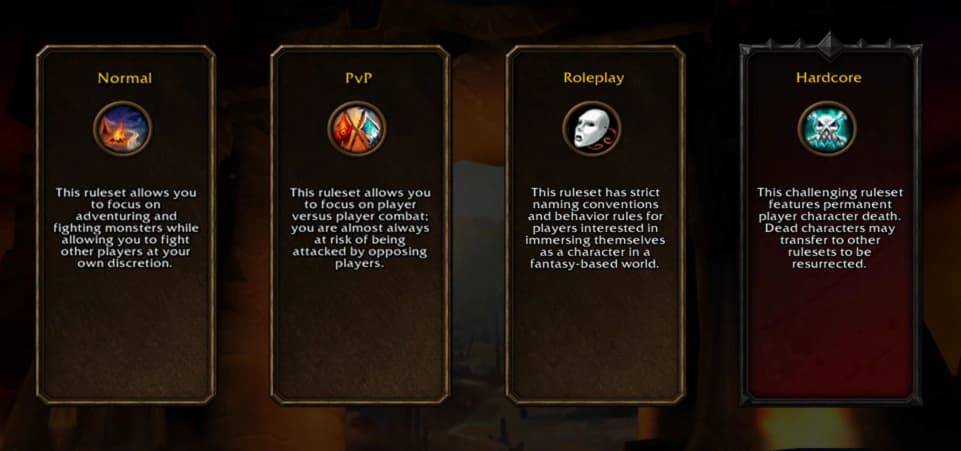
WoW Forever allows three characters total during Early Name Reservation. Two on PvP leave one for another Ruleset. The temporary limit does not mean you receive three reservations per Ruleset.
As an editorial recommendation, use the first slot for your main and allocate the others to characters you actually intend to play.
If you expect to use an alt for professions or earning gold after launch, secure your main character's name before reserving that alt. If you have not settled your group's Ruleset, resolve that before creating a placeholder elsewhere.
PvP Factions and RP-PvP
On the PvP Ruleset, your characters must belong to one faction. Population balancing can also temporarily restrict new character creation for a faction. Agree on your faction before using your first PvP slot; if friends cannot select it, discuss the restriction together before committing elsewhere.
Cross-Ruleset dungeon and raid grouping is unsupported, and characters cannot freely switch Rulesets. Different factions also cannot group together.
Blizzard's October 22 update confirms RP-PvP for launch and says it plans to offer it during reservation. That reservation availability remains a stated plan. Check the actual selection list and latest announcement. Hardcore is scheduled for sometime after launch.
Prepare Complete Two-Part Names
In World of Warcraft: Forever, the full first-name and secondary-name combination must be unique within the region. Someone sharing your first name does not automatically block it.
For example, Mira Ashbrook and Mira Dawnmere could coexist if both combinations meet the naming rules and are available. These are illustrative combinations, not availability checks. Prepare alternatives around the first name you most want to keep.
Friends or guildmates can also agree on a shared surname before opening. Mira Ashbrook and Thalen Ashbrook, for example, create a small-group naming theme while keeping distinct full names. Blizzard's naming guide supports this approach, provided each complete combination is available. Agree on a backup surname together if matching names matter to your group.
Changing Rulesets does not create another regional name pool. If your full combination is occupied, change the combination. If it is rejected, consider naming-policy restrictions as well as availability; both parts can be evaluated together.
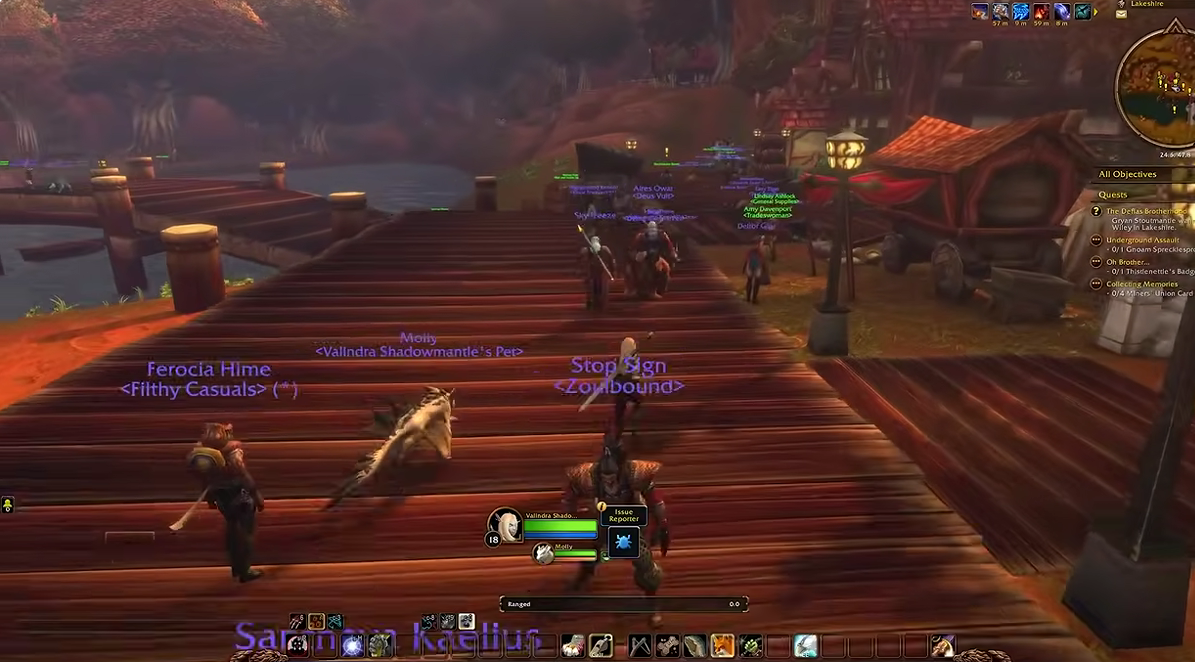
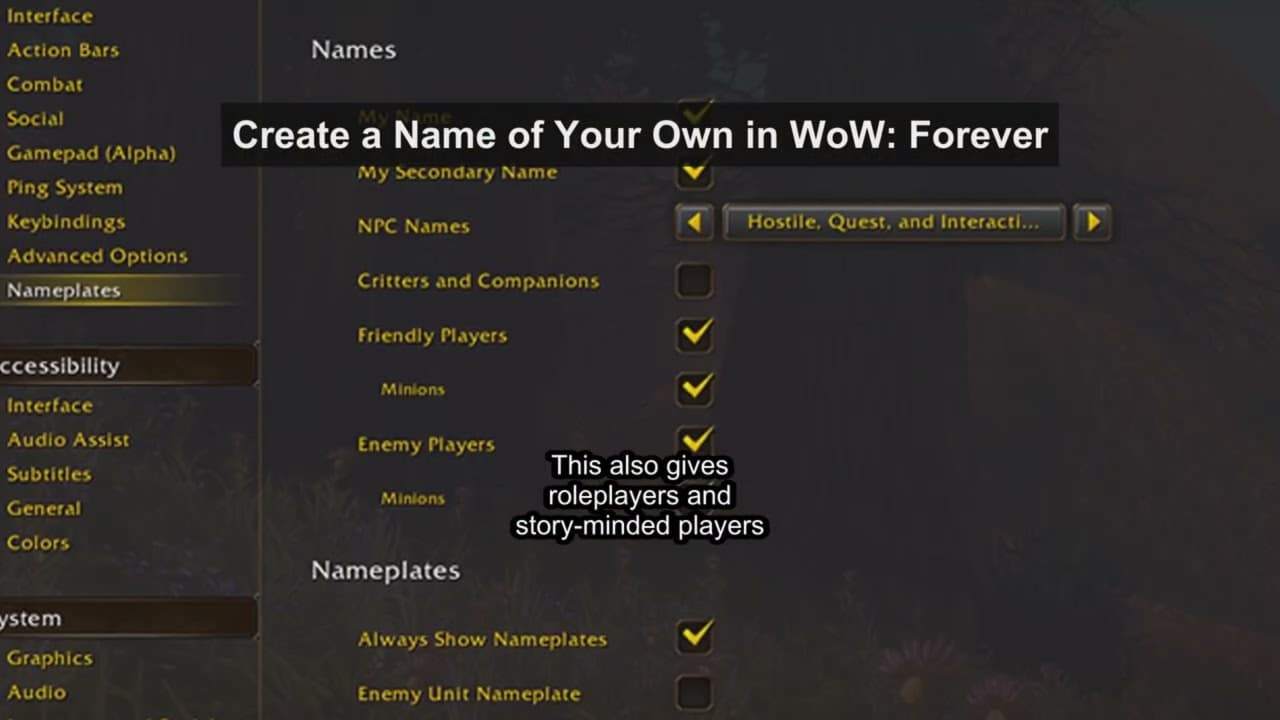
You can hide your secondary name in the game world, but it remains visible in chat. Choose one you are comfortable showing to other players. If the character will later handle guild trades or gold transactions, a recognizable full name can also help friends identify you in chat.
Reservation Problems and First Checks
Possible Problem | First Action |
Forever Not Showing in Game Version | Check the selected WoW account and Battle.net launcher updates. |
Install Button Missing | Verify the eligible edition, account entitlement, and any pending code redemption. |
Subscription Expired | Verify entitlement and your region's opening time before adding Game Time. |
Play Unavailable | Check the selected account, Game Version, opening time, and pending updates. |
Full Name Taken | Try your next complete combination. |
Name Rejected | Review both parts against the naming rules. |
RP-PvP Missing | Check Blizzard's latest availability information. |
Login Error | Check official service notices and record the exact error. |
Final Checks and Common Questions
Name Reservation Mistakes to Avoid
Do not treat a green availability indicator as a completed reservation. Decide your appearance ahead of time, finish creating your main promptly, and confirm it appears in the character list.
Create a character you intend to keep instead of relying on deletion and recreation or a friend's later name handoff. Temporary holds, deletion-related name retention, and cross-account transfers are not established by the official sources checked. Rules from other WoW versions do not confirm Forever's behavior.
Do Stress Test Names Carry Over?
No. Blizzard says characters, names, and guilds created on the Stress Test servers will be wiped. Your test name still needs to be claimed again for World of Warcraft: Forever.
Does a Physical Edition Order Establish Access?
Check whether its qualifying entitlement is attached to your WoW account. An order confirmation or beta key alone should not be your readiness check. If delivery or redemption is unresolved, consult the edition's official terms and support before assuming you can reserve at opening.