




Summary: The highly anticipated next evolution of the legendary MMORPG franchise is finally within reach. NCSoft has officially announced the global Aion 2 Launch Scale Test, inviting players worldwide to stress-test the servers ahead of the game's official release window. This massive, zero-barrier open playtest gives the community their final hands-on look at the game's spectacular Unreal Engine 5 visual overhaul, seamless open world, and soaring aerial combat mechanics.
If you are currently typing "Aion 2 global test download" or "Aion 2 server opening times" into Google, look no further. This comprehensive, step-by-step guide covers everything from client pre-loading to navigating the strict gameplay restrictions. Players also looking ahead to the full launch can start planning their future progression and resource needs, including Aion 2 Kinah.
Part 1: Scale Test Schedule & Universal Opening Times
To properly stress-test regional server nodes under extreme player concurrency, NCSoft is running the test across a strict two-day window. The servers will only be live for 6 hours each day, making precise timing crucial for players looking to maximize their gameplay progression.
Mark your calendar with the official global testing schedule:
Day 1: Thursday, September 17, 2026
United States (EDT): 9:00 AM - 3:00 PM
United Kingdom (BST): 2:00 PM - 8:00 PM
Central Europe (CEST): 3:00 PM - 9:00 PM
Asia/Beijing (CST): 9:00 PM - Friday, 3:00 AM
Day 2: Friday, September 18, 2026
United States (EDT): 3:00 PM - 9:00 PM
United Kingdom (BST): 8:00 PM - Saturday, 2:00 AM
Central Europe (CEST): 9:00 PM - Saturday, 3:00 AM
Asia/Beijing (CST): Saturday, 3:00 AM - 9:00 AM
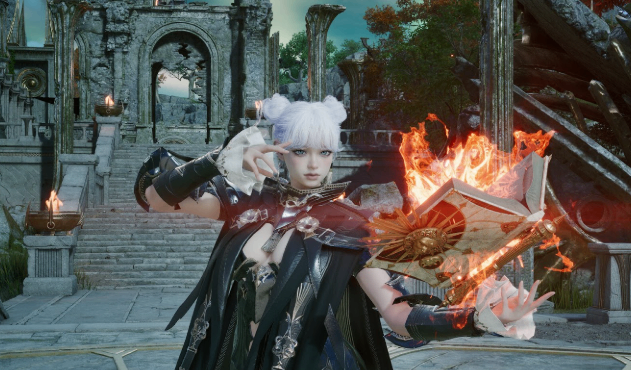
Part 2: How to Pre-Load the Aion 2 Playtest Client Right Now
The pre-load window is officially live as of Wednesday, September 16, 2026. Because there are no regional locks, no closed beta entry keys, and no pre-order sign-up requirements, anyone can participate for free.
Use either of these two official channels to download the installation files:
The Steam Method: Navigate to the official Aion 2 store page on Steam. Scroll down past the main promotional banner and click the "Request Access" button under the playtest module. The download client will unlock instantly.
The PURPLE Launcher Method: Open the official NCSoft PURPLE launcher app on your PC. Select Aion 2 from the sidebar game library, switch your regional profile setting to "Global," and click the pre-download button to start queuing your files.
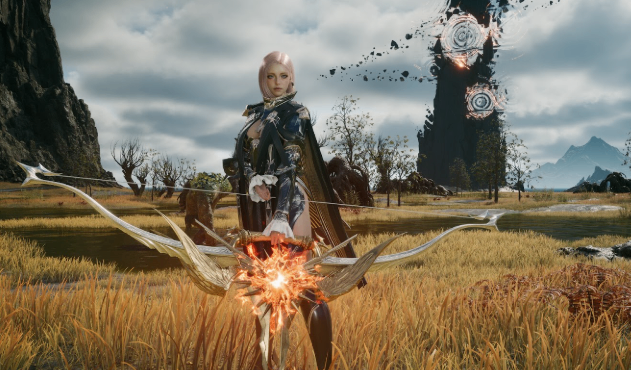
Part 3: Level 37 Cap & Critical Gameplay Restrictions
Because the singular focus of this short testing window is analyzing raw server network loads under heavy stress, the available game build features strict structural limitations:
The Level 37 Cap: Character progression is strictly locked at a maximum ceiling of Level 37. Players will have access to all baseline class choices, fundamental faction flight wings, and early-tier PvE group dungeons, but endgame raiding and high-tier zones are gated.
Economy Lockdown: The in-game real-money cash store, premium currency purchases, cosmetic microtransactions, and player-to-player auction house trading systems are entirely disabled for the duration of the test.
The Server Data Wipe: Progress will persist seamlessly between Thursday and Friday. However, a complete server wipe will occur immediately after the test concludes. None of your customized character models, levels, or looted equipment will carry over to the official launch servers.
Essential Setup Rules for Playtest Participants
The Total Uninstall Rule: Once the testing servers go dark on Friday, you must completely uninstall this specific Playtest client from your PC. This temporary testing build will not update into the final launch retail files. Leaving it on your storage drive will cause duplicate launcher path errors when the final game drops.
Unreal Engine 5 Graphics Alert: Ensure your graphics card drivers are fully updated. The game scales heavily on modern graphical features. Failing to enable DirectX 12 options prior to launching the client can result in severe framerate stuttering during high-density faction events.
Players preparing for the full game can also look ahead when planning their future equipment setup and buy Aion 2 Items.