







Summary
College Football 27 on PC is already transforming Dynasty Mode through community-made mods. From editing coach levels and NIL budgets to customizing recruiting, facilities, prestige, and bowl games, College Football 27 Coins, these tools give players complete control over their offline Dynasty experience without relying on microtransactions or unnecessary grinding.
College Football 27 PC Mods Are Changing Dynasty Mode Forever
College Football 27 has officially launched, and while many players are enjoying the return of college football gaming, others feel that Dynasty Mode still has several limitations. Features like slow coach progression, restricted recruiting resources, and limited customization have become common discussion topics.
Fortunately, the PC modding community has wasted no time stepping in. Thanks to powerful new utilities created by dedicated fans, players can already reshape nearly every aspect of their offline Dynasty saves. Whether you want a more realistic experience or simply complete creative freedom, these tools make it possible.
Here's everything you need to know.
Step 1: Why PC Is Becoming the Best Platform for College Football 27
The biggest advantage PC players currently have isn't graphics or performance—it's customization.
Community modders have already released several tools that dramatically expand Dynasty Mode beyond what the base game allows. Instead of being locked into EA's progression systems, users can modify nearly every important aspect of their save files.
Some of the biggest advantages include:
Complete Dynasty customization
Adjustable coach progression
NIL budget editing
Recruiting customization
School prestige modifications
Facility upgrades
Bowl game editing
Future roster and gameplay mods
Considering these tools became available immediately after launch, many expect the PC version to evolve rapidly over the coming weeks and months.
Step 2: Meet Pocket Scout's Dynasty Utility Tool
One of the most impressive launch-day releases comes from longtime community developer Pocket Scout, a modder known for creating utilities dating back to NCAA Football 14.
Rather than altering gameplay directly, Pocket Scout's utility edits Dynasty save files, giving players access to settings that normally remain inaccessible.
The process is surprisingly straightforward:
Open your Dynasty save folder
Load your save into the utility
Modify the desired settings
Save the changes
Continue your Dynasty
Because it works directly with offline Dynasty files, players maintain full control over their own experience.
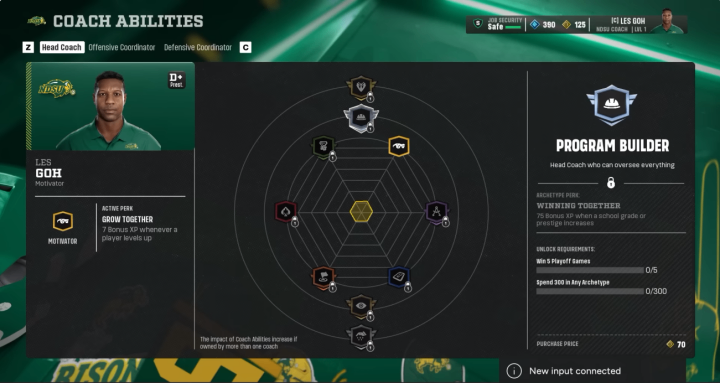
Step 3: Instantly Edit Coach Levels and Coach Points
Perhaps the most talked-about feature is coach progression.
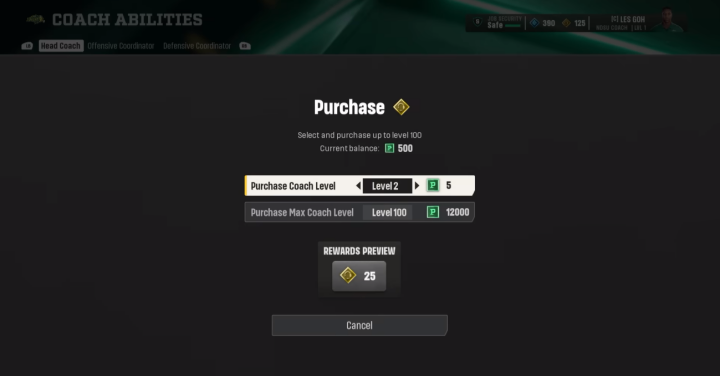
Many players have criticized how slowly coaches level up, especially after reaching higher levels. Instead of spending dozens of seasons grinding XP—or purchasing progression boosts—the utility allows users to edit coach progression manually.
With the tool, you can:
Increase coach level
Add coach points
Skip unnecessary grinding
Create custom progression paths
This doesn't simply make the game easier.
Some players may prefer beginning as an experienced legendary coach, while others might intentionally reduce their level for a more difficult rebuilding challenge.
The choice belongs entirely to the player.
Step 4: Customize Every School's NIL Budget
One of the most powerful additions is full NIL budget editing.
Every school in Dynasty has its own recruiting budget, influencing recruiting strength and roster building.
Using the utility, players can:
Increase their school's NIL budget
Reduce powerhouse programs' budgets
Create realistic competitive balance
Build custom recruiting landscapes
For example:
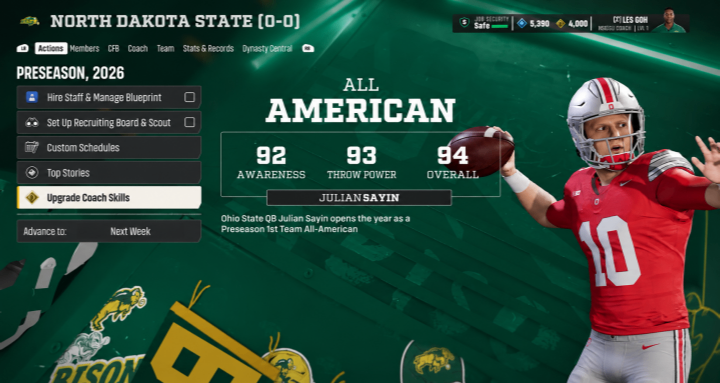
Turn North Dakota State into a financial powerhouse.
Reduce Ohio State's recruiting dominance.
Create historical or fictional recruiting scenarios.
Simulate NCAA sanctions or rebuilding restrictions.
This flexibility opens countless new Dynasty possibilities.
Step 5: Modify Prestige, Facilities, and Recruiting Pipelines
The editor also gives users control over each school's overall profile.
Players can adjust:
School Prestige
Raise or lower a program's national reputation.
Facility Levels
Upgrade or downgrade facilities for any school.
Recruiting Pipelines
Modify existing recruiting pipelines to better reflect custom storylines.
This allows players to recreate historic college football eras, alternate realities, or realistic rebuilding scenarios.
Imagine giving a struggling Group of Five school elite facilities while reducing traditional blue blood programs to average resources.
Every Dynasty can become completely unique.
Step 6: Make Recruiting Easier—or Much Harder
Recruiting customization goes far beyond simply adding more hours.
The utility allows players to modify recruit commitment behavior across the entire recruiting class.
Higher commitment values mean:
Longer recruiting battles
More competition
Harder recruiting
Lower values create:
Faster commitments
Shorter recruiting cycles
Quicker roster building
This is especially useful for players who feel recruiting is currently too easy.
Instead of making the game simpler, the utility can actually increase the overall challenge and create much more competitive recruiting seasons.
Step 7: Control Recruiting Hours Without Restrictions
Another controversial topic in College Football 27 is recruiting hours.
Different schools receive different recruiting resources based on their status.
The utility allows players to modify recruiting hours however they choose.
Possible uses include:
Increasing recruiting freedom
Creating custom challenge saves
Simulating NCAA penalties
Building realistic rebuilding scenarios
For example, players attempting a "Death Penalty" rebuild can intentionally reduce recruiting resources to mirror severe program sanctions.
On the other hand, casual players who simply want maximum recruiting freedom can dramatically increase available hours.
The tool supports both playstyles.
Step 8: Remove Historical Stats for a Fresh Dynasty
Some Dynasty players prefer beginning with a completely clean slate.
Pocket Scout's utility includes an option to clear team historical records before starting a new save.
While not everyone will use this feature, it perfectly illustrates the philosophy behind the tool:
Play Dynasty exactly how you want.
Whether realism or fantasy is your goal, the customization exists for players who want it.
Step 9: Edit Bowl Games and Conference Details
Customization extends beyond recruiting.
Players can also modify various postseason settings, including:
Bowl game names
Conference tie-ins
Conference ranking order
Bowl assignments
Whether you're creating fictional conferences or redesigning college football's postseason structure, these options greatly expand Dynasty creativity.
Step 10: Why This Is Only the Beginning
Perhaps the most exciting aspect isn't what already exists—it's what comes next.
The Madden PC modding community has spent years building advanced tools, gameplay improvements, roster editors, presentation upgrades, and franchise enhancements.
Many of those same talented creators are now turning their attention toward College Football 27.
That means players can reasonably expect future mods involving:
Gameplay tuning
Presentation improvements
Enhanced recruiting systems
Expanded Dynasty features
UI improvements
Custom uniforms
Roster editing
Realistic simulation enhancements
If launch week already offers this level of customization, the future appears extremely promising.
Final Thoughts
For players who enjoy offline Dynasty Mode, College Football 27 on PC is quickly becoming the definitive way to experience the game.
Tools like Pocket Scout's Dynasty Utility restore player freedom by allowing complete customization of coach progression, NIL budgets, recruiting systems, facilities, prestige, bowl games, and countless other features. Rather than forcing everyone into the same progression path cheap College Football 27 Coins, these mods empower players to build the exact college football universe they want.
While console users currently lack access to these community-created utilities, the rapid pace of PC mod development suggests that Dynasty Mode will continue evolving far beyond its launch version. If you're looking for the most customizable and sandbox-friendly College Football 27 experience available, the PC version is already setting the standard—and this is only the beginning.