Summary: As EA Sports rolls out the highly anticipated trailers and official pre-orders for FC 27, Ultimate Team players face a critical question: What happens to their hard-earned digital assets? If you are sitting on a stash of unspent FC Points in FC 26, panic buying packs right now might be the worst mistake you can make. Whether you plan to buy EA FC 26 Coins or save your existing FC Points for launch, understanding the transfer process is essential to making the most of your Ultimate Team resources.
EA is officially carrying over its traditional point migration policy for the transition into the next generation. This comprehensive guide outlines the exact, time-sensitive steps required to safeguard your balance and explains why holding onto your points is the smartest move you can make today.
The Golden Rule: Can You Transfer FC Points to FC 27?
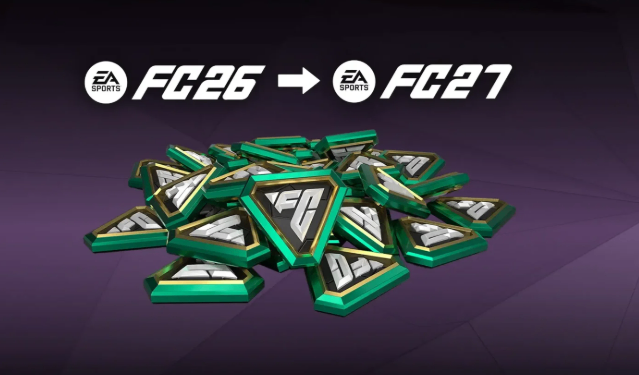
Yes, unspent FC Points can be transferred from FC 26 to FC 27, but there is a major catch.
This is a one-time, irreversible, single-platform migration that takes place strictly during the autumn launch window of the new title.
Once you initiate the transfer, your points will permanently move to the new game. They cannot be sent back to the previous generation under any circumstances.
Step-by-Step Guide: How to Carry Over Your Points Safely
The transfer process cannot be done via the Web App or the Mobile Companion App. You must complete the migration directly on your console or PC using the following steps:
1. Launch the Full Game
Open your retail or early-access copy of FC 27 on your console (PlayStation, Xbox, Switch) or PC.
2. Log into Ultimate Team
Boot up the Ultimate Team mode using the exact same EA Account associated with your current squad.
3. Accept the Prompt
A one-time pop-up notification will appear on your screen, detecting your legacy balance.
Select "Yes, I would like to transfer my remaining points" to initiate the one-way transfer.

Crucial Cross-Platform Transfer Restrictions
Your points are strictly locked to their respective platform ecosystems. The following platform transfers are supported:
PlayStation 4 → PlayStation 4
PlayStation 4 → PlayStation 5
PlayStation 5 → PlayStation 4
PlayStation 5 → PlayStation 5
Xbox One → Xbox One
Xbox One → Xbox Series X|S
Xbox Series X|S → Xbox One
Xbox Series X|S → Xbox Series X|S
PC (Steam / EA App) → PC (Steam / EA App)
The following transfers are not supported:
PlayStation → Xbox
Xbox → PlayStation
Nintendo Switch → PC
Nintendo Switch → PlayStation
Nintendo Switch → Xbox
PC → Console
Console → PC
Before confirming the transfer, make sure you are logging into FC 27 with the same EA Account and within the same platform ecosystem to avoid losing your migration opportunity.

Ultimate Team Market Alert: Why You Should Stop Buying Packs Today
With the current game cycle winding down, pouring real-world money or saved points into the current store is highly inefficient.
The Market Crash Dilemma
The value of high-tier player cards collapses daily as the community shifts focus to the upcoming release. Managing your FC 26 Coins carefully during this period is equally important, as unnecessary spending before launch can reduce your flexibility once the new game arrives.
Zero Pack Continuity
Players, club badges, kits, and match records will not carry over to the new season.
Any pack opened today yields assets that will effectively become obsolete in a matter of weeks.
The Day One Strategic Advantage
Saving your points for the opening day of the next title allows you to buy premium packs immediately at launch. This maximizes your early-market buying power and secures valuable squad-building components when market prices are at an all-time high.