Weekend Drop -











Summary: Forza Horizon 6 veteran players can claim up to six iconic cover cars for free as loyalty rewards, but many are facing missing car bugs due to specific cross-save profile synchronization errors.
Following the massive launch of the franchise's biggest open-world racing adventure set in Japan, Playground Games has rolled out the automated loyalty matrix to reward returning drivers. However, the community has seen an influx of support tickets regarding missing reward allocations, especially among players transitioning between different PC ecosystems like Steam and the Microsoft Store.
Below is the complete, official Forza Horizon 6 Loyalty Rewards list and an actionable troubleshooting guide to help you retrieve your missing vehicles.
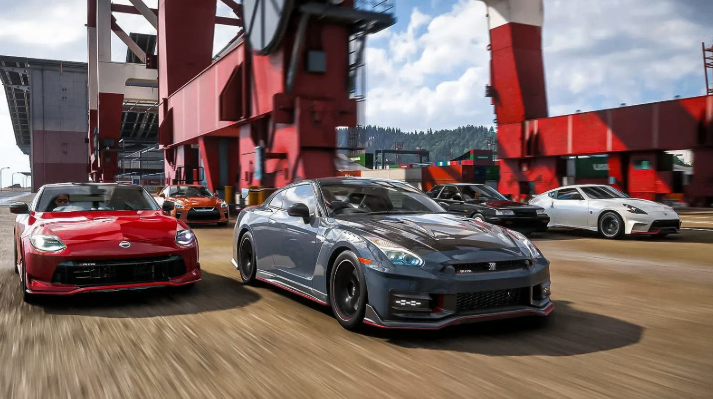
The Complete Forza Horizon 6 Loyalty Rewards List
The game reads your historical Xbox Gamertag data to instantly drop legendary vehicles into your garage right after completing the introductory race.
Unlike previous iterations, Playground Games notably swapped out Forza Horizon 4's traditional cover car (the McLaren Senna) for the track-ready Aston Martin Vulcan.
Here is every loyalty car up for grabs:
Forza Motorsport (2023)
Unlocked Loyalty Reward Car: 2024 Chevrolet Corvette E-Ray
Vehicle Category: Hybrid Sports Car
Forza Horizon 5
Unlocked Loyalty Reward Car: 2021 Mercedes-AMG ONE
Vehicle Category: Modern Hypercar
Forza Horizon 4
Unlocked Loyalty Reward Car: 2016 Aston Martin Vulcan
Vehicle Category: Extreme Track Toy
Forza Horizon 3
Unlocked Loyalty Reward Car: 2016 Lamborghini Centenario LP 770-4
Vehicle Category: Modern Hypercar
Forza Horizon 2
Unlocked Loyalty Reward Car: 2014 Lamborghini Huracán LP 610-4
Vehicle Category: Modern Supercar
Forza Horizon (Original)
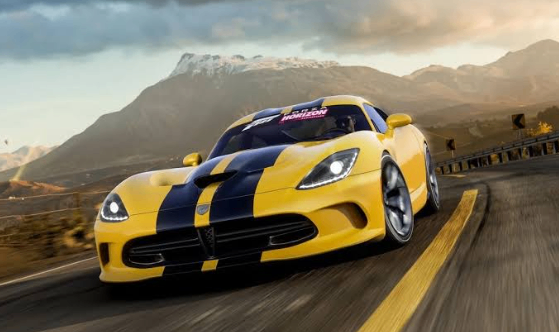
Unlocked Loyalty Reward Car: 2013 Dodge SRT Viper GTS
Vehicle Category: Retro Muscle/Sports
Troubleshooting Guide: Why Are My Loyalty Cars Missing?
If you have valid historical save data but your garage is empty, use these official methods found on the Forza Forums to fix your game profile syncing.
1. Clear the "Tokyo Intro" Race
Loyalty rewards are not deposited the second you boot up the main menu.
You must successfully complete the mandatory open-world prologue and finish the introductory race alongside Mei.
Check your In-Game Message Center under the "Gifts" tab directly after unlocking your first festival outpost to manually claim the vouchers. Once claimed, these exclusive Forza Horizon 6 Cars will be added directly to your garage.
2. Fix the Steam and Xbox App Linkage (PC Players)
This is the most common pitfall for PC racers.
If you bought Forza Horizon 6 on Steam but played Forza Horizon 5 via Xbox Game Pass or the Microsoft Store, your data lives in separate ecosystems.
Open the Xbox App on your PC and sign into your original legacy Gamertag.
Launch Forza Horizon 6 on Steam, go to Settings, and ensure the active link is explicitly tied to that identical Xbox profile.
Note: Using completely separate Steam accounts across generations breaks the cloud check.
3. Check Account Restrictions and "Delisted" Verification
Because older entries like Forza Horizon 1 through Forza Horizon 4 are officially delisted from the digital storefront, your current console must re-verify cloud save ownership rather than a local license check.
If you played these classics on a physical disc years ago, ensure that your cloud save backups are turned On in your Xbox dashboard.
You can retroactively trigger missing flags:
Boot up your older Forza title on your console.
Trigger a fresh cloud autosave by buying a cheap rim or changing a car color.
Close the game.
Reboot Forza Horizon 6 and check whether your loyalty rewards have been delivered.