






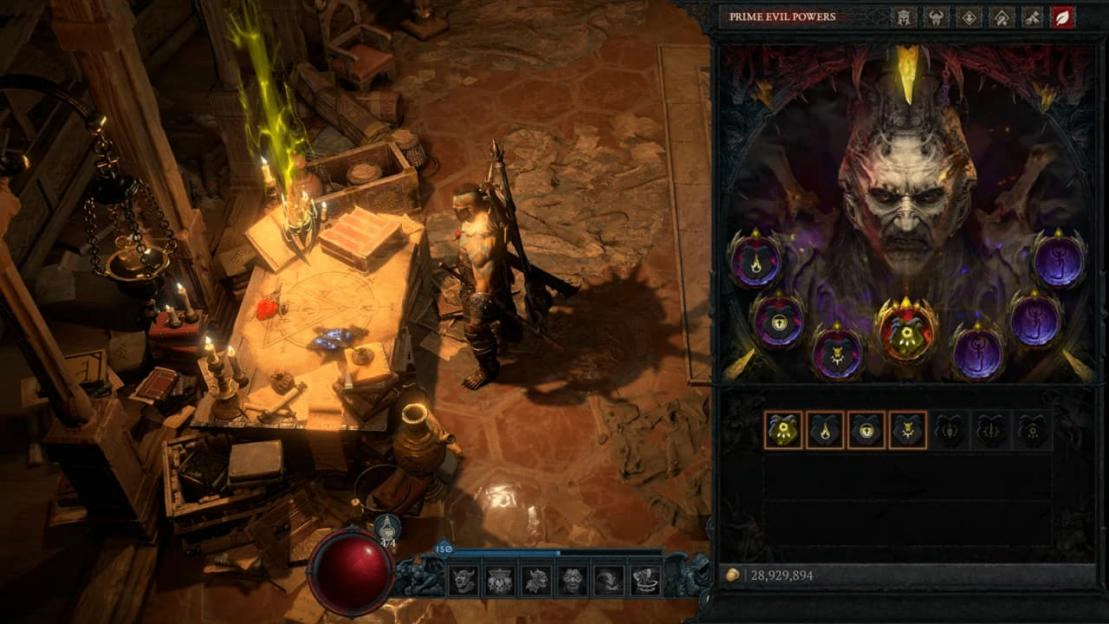
In Diablo 4 Season 15, using a Splinter of a Prime Evil too early can leave the seasonal quest stuck at the step that asks you to place it on Deckard Cain’s table. Splinter may already be active, while the quest still requires it and Prime Evil Powers page remains locked.
Patch 3.2.3 is scheduled for October 14, 2026, to prevent this problem from happening again. On October 12, the update has not yet gone live, and it will not automatically reset quest progress on characters already affected.
Blizzard’s workaround is to create a new character in the same partition and complete the seasonal questline, unlocking the powers for that partition. Check your symptoms and character settings first so the new character can help your original one. Attempts before the patch are not guaranteed to succeed.
Identify the Splinter Quest Bug
Players have reported problems submitting Splinters during these three Diablo IV quests. Check your quest log to identify the blocked objective.
Quest | Required Splinter |
The Burning Shepherd | Splinter of Destruction |
The Brother’s Keeper | Splinter of Hatred |
Legacy of Hope | Splinter of Terror |
If you used the required Splinter earlier, the quest still asks you to place it, and interacting with Deckard’s Table only opens the reputation rewards page without advancing the objective, your symptoms match this bug.
Players have also reported a missing interaction prompt, although that symptom alone does not establish the cause.
Distinguish a locked powers page from an individual locked power or an inability to switch powers.
If the page opens normally and you want to change your current Prime Evil Power, return to a large Waking Nightmare to obtain the corresponding Splinter. This is part of the normal switching system.
If the quest is complete but a specific Prime Evil Power or reward remains locked, check its unlock requirements and your reputation progress. That may be a separate problem.
Quest progress rolling back after a disconnection is also outside the trigger explicitly confirmed in this announcement.
Match Your Character Partition
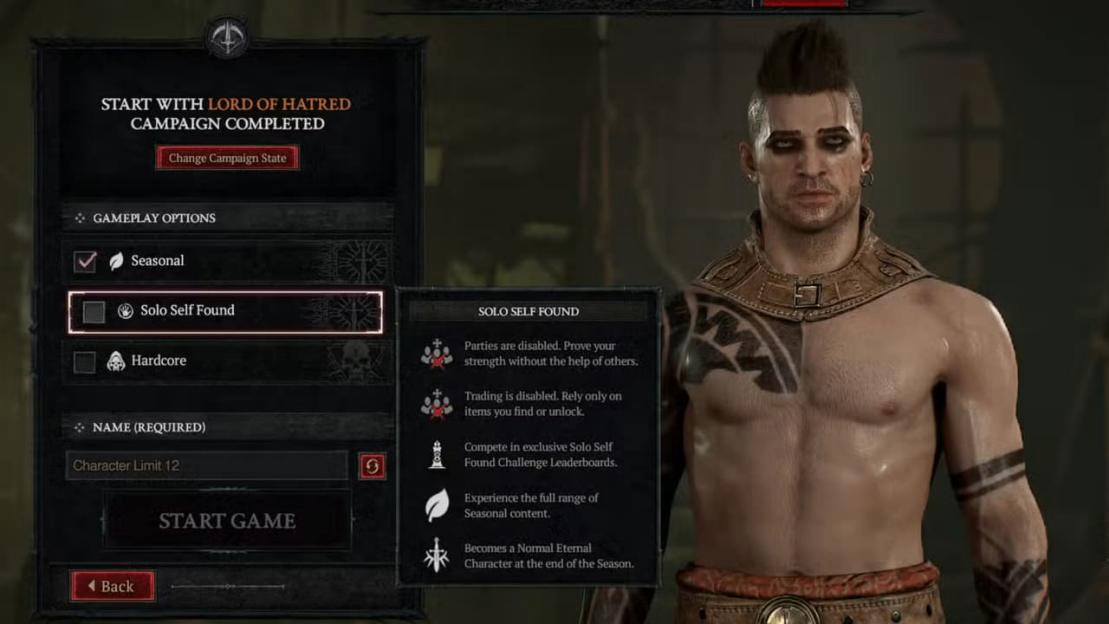
Diablo 4 announcement defines partitions through two settings that must both match: Normal/Hardcore and non-SSF/SSF. The first distinguishes Normal from Hardcore characters; the second determines whether Solo Self-Found is enabled.
Original Character | New Character for the Workaround |
Normal, non-SSF | Normal, non-SSF |
Normal, SSF | Normal, SSF |
Hardcore, non-SSF | Hardcore, non-SSF |
Hardcore, SSF | Hardcore, SSF |
Each combination has its own shared unlock scope. The same account, class, or difficulty does not replace matching both settings. The new character must also join the current season; completing other quests on an Eternal character cannot substitute for this process.
Your existing Diablo 4 items need no changes. Keep your original character and equipment. The new character handles the quest unlock, after which you can return to the original character to check the result. Transferring equipment is not required.
Unlock Powers with a New Character
Before creating another Diablo IV character, record your original character’s partition settings and blocked quest name. Then follow this sequence:
1. Create a new seasonal character with matching Hardcore and SSF settings.
2. Progress through the seasonal questline. When you obtain a required Splinter, avoid using it from your inventory before submitting it.
3. Follow the current objective in your quest log. When asked to submit a Splinter, return to the Imperial Library in Caldeum, Kehjistan, and interact with the table near Deckard Cain.
4. Check that the objective updates, then finish the entire seasonal questline. Defeating a boss or collecting a Splinter alone does not count as completion.
5. Save a screenshot showing the new character’s quest completion for a possible bug report. Return to your original character and check the powers page, quest log, and relevant Season Journey objectives separately.
The new character only needs Diablo 4 items sufficient to complete the seasonal quests; an endgame setup is unnecessary. If the table again opens only the reputation page and the objective does not update, stop using other Prime Evil Splinters.
Record the current quest, active Splinter, and interaction result. Do not assume collecting more Splinters will clear the blockage.
If Powers Are Still Locked
In Diablo 4, restored power access and completed quest progress are separate results. Choose your next step according to the current state.
Current State | Next Step | Limits |
Entire powers page locked; submission blocked | Check whether you used a Splinter early, then follow the same-partition workaround | Blizzard provides this route for the confirmed bug |
Page accessible; one power locked | Check its requirements, reputation progress, and claimed rewards | Not confirmed to be the same bug |
New character finished; original still locked | Recheck partition settings and full questline completion, then report the issue | Failures have been reported before the patch |
Powers restored; original quest incomplete | Keep the character and record quest or Journey issues | Blizzard has not promised to repair existing quest flags |
If your existing Diablo 4 items setup relies on Prime Evil Powers, check that those powers function after access is restored. If one power or reward remains locked, name it in your report rather than saying only that powers will not unlock.
Include the game version, both characters’ partition settings, quest log and powers page screenshots, and the result after completing the new character’s quests.
Relogging and changing difficulty have failed in player reports, so repeated attempts are not a reliable fix.
What Patch 3.2.3 Fixes
Diablo IV’s October 14 update is intended to prevent new quest blockages caused by using Splinters early. It will not automatically reset affected characters’ quest progress. Completing the questline on a new character in the same partition remains the announced route to power access.
The announcement does not promise fixes for every individual locked power, disconnection rollback, or Season Journey issue. It also announces no changes to Splinter drop rates, stack limits, or switching rules.
If your settings and quest completion are correct but access remains locked, report the issue and follow further official guidance. Waiting for the update alone does not guarantee recovery.
Avoid Triggering the Bug Again
For unaffected Diablo 4 characters, submit Splinters as directed by the quest before making later power selections.
Keep newly obtained Splinters unused until submission, confirm the objective has updated, then continue. Follow the same order on your workaround character.
Splinters associated with Prime Evil Powers and quests serve a different purpose from Soul Splinters socketed into jewelry. Farming or upgrading the latter is not a confirmed way to repair this quest bug.