







Winning consistently in FC 26 is never just about raw skill. Fast reflexes, sharp tactical thinking, and precise stick inputs matter, but your in-game settings define how effectively you translate talent into goals and wins. Pro players rely on optimized camera and gameplay configurations to eliminate blind spots, boost control, and stay competitive in every online and offline matchup.
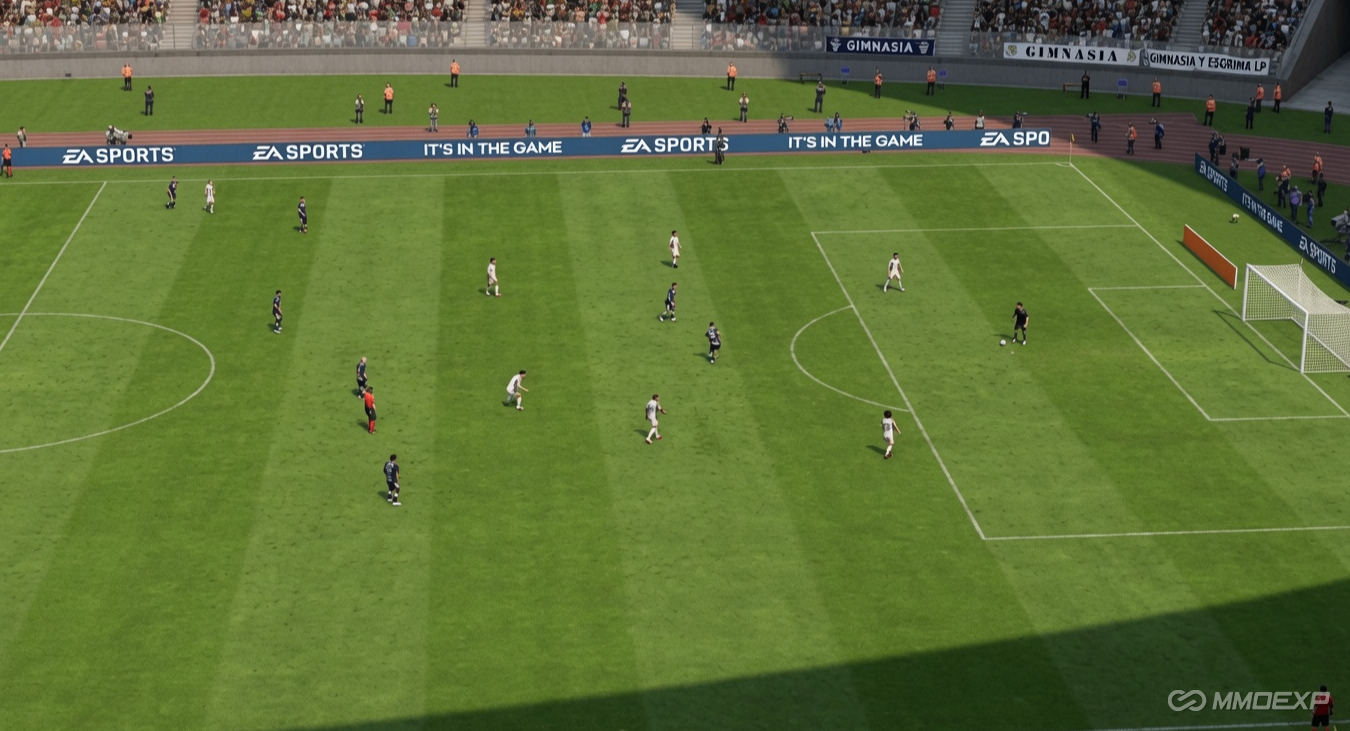
Even the most skilled players struggle with inconsistent camera angles, clunky assist mechanics, or laggy visual tweaks. Pairing pro meta settings with solid in-game resources creates a huge competitive edge. Many top players invest in affordable FC 26 Coins to unlock meta players, premium squad upgrades, and custom items that complement their optimized gameplay setup perfectly.
In this guide, we break down the best FC 26 camera, gameplay, and controller settings used by pro competitors. These configs work for Division Rivals, Weekend League, Pro Clubs, and casual matches. We also cover small critical tweaks that most casual players overlook to help you climb ranks faster than your opponents.
Pro Meta Camera Settings for All Game Modes
Camera settings are the foundation of consistent performance in FC 26. The right balance of height, zoom, and perspective gives you full pitch awareness without sacrificing close-ball control. Pros stick to two dominant meta camera setups tailored for different playstyles and game modes.
1. Tele Broadcast (Best for Aggressive Dribbling & 1v1 Play)
Tele Broadcast remains the top choice for elite offensive players and Weekend League competitors. This setup delivers a balanced, immersive view ideal for close control, skill moves, and tight-space dribbling. It keeps players large enough for precise input while retaining solid pitch visibility.
Exact Pro Settings: Camera Type: Tele Broadcast, Camera Height: 10, Camera Zoom: 10, Power Shot Zoom: Off, Ball Tracking: Default.
Turning off Power Shot Zoom is non-negotiable for competitive play. The default zoom effect distorts your view during critical attacking moments, breaking your rhythm and hiding opponent defensive movements. Disabling it ensures stable vision for quick follow-up passes and defensive transitions.
2. Co-Op Camera (Best for Tactical Play & Full Pitch Awareness)
For tactical players who prioritize passing lanes, off-ball runs, and defensive coverage, the Co-Op camera is the undisputed meta pick. It offers a wide top-down view that reveals every player's position across the entire pitch, perfect for build-up play and counter-pressing.
Exact Pro Settings: Camera Type: Co-Op, Camera Height: 20, Camera Zoom: 0, Camera Shake: Minimal.
Zero zoom and max height eliminate blind spots, letting you spot through-ball opportunities and opponent counterattacks seconds earlier than rivals using default settings. This setup is mandatory for Pro Clubs and high-rank Rivals matches where spatial awareness wins games.
Optimal Gameplay Settings for Competitive Meta Play
Camera tweaks only solve half the battle. FC 26's gameplay assist and mechanics settings directly impact shot accuracy, passing consistency, and defensive reliability. Pros use a standardized competitive preset to remove unneeded assists and create a pure skill-based playing field.
Core Assist Settings (Pro Competitive Preset)
Casual assisted settings mask your mistakes and limit skill growth. Switching to precision-based assists sharpens your muscle memory and improves consistency in high-pressure matches.
Key Settings: Shot Assistance: Precision, Pass Assistance: Semi-Assisted, Through Ball Assistance: Semi, Cross Assistance: Manual.
Precision shooting is the biggest meta upgrade in FC 26. It rewards timed shots and punishes sloppy inputs, letting you score more reliably with meta strikers. Semi-assisted passing balances accuracy and creativity, preventing lazy auto-passes while keeping build-up play smooth.
Defensive & Movement Settings
Solid defensive settings eliminate inconsistent AI behavior that costs crucial matches. These tweaks optimize jockeying, player switching, and defensive awareness for pro-level defense.
Top Defensive Configs: Defensive AI: Competitive, Player Switching: Air Balls & Loose Balls, Jockey Mode: Tactical.
Competitive defensive AI disables excessive auto-defending, letting you take full control of your backline. Tactical jockey mode slows your movement slightly for precise positioning, which is essential for blocking meta wing attacks and cutting passing lanes.
Visual & Advanced Tweaks to Boost Performance
Small visual and advanced settings often separate average players from rank climbers. These tweaks reduce distractions, eliminate input delay, and keep your gameplay consistent across every match.
Disable Motion Blur and Depth of Field to clear up visual clutter. These effects look cinematic but blur fast player movements, delaying your reaction time during transitions. Set Frame Rate Limit to Unlimited for smooth, lag-free inputs on compatible devices.
Another pro secret is disabling Replay Camera Zoom. Constant zoom adjustments during replays disrupt your focus and break match rhythm. Keeping a static camera view maintains consistent visual processing from kickoff to final whistle.
Pair Pro Settings With Meta Squad Upgrades
Perfect settings maximize your potential, but a meta squad turns consistent play into constant wins. Top competitors never settle for basic starter teams. To fully dominate FC 26 modes, you need access to high-rated meta players, upgraded chemistry styles, and premium squad items.
This is where investing in FC 26 Coins transforms your gameplay experience. With extra coins, you can instantly acquire top-tier meta forwards, defenders, and midfielders that fit your playstyle, skipping the slow grind of weekly challenges and pack openings.
If you want to fast-track your rank climb without endless grinding, it's smart to buy FC 26 Coins from trusted sources. This lets you build a fully optimized meta squad that pairs flawlessly with your pro camera and gameplay settings, creating an unbeatable match combo.
Final Tips to Dominate Every FC 26 Match
Stick to one camera setup long-term to build muscle memory. Switching between Tele Broadcast and Co-Op mid-season disrupts your spatial awareness and consistency. Master your chosen config and adjust only minor visual tweaks to suit your screen size.
Always use the Competitive gameplay preset for all online modes. It standardizes match mechanics and removes random assist inconsistencies that cause unfair losses. Combine these settings with regular practice and a meta squad to climb from low divisions to elite Weekend League ranks effortlessly.
In FC 26, victory comes from optimized settings, sharp skills, and a meta-ready squad. By adopting these pro-grade configs and upgrading your team with FC 26 Coins, you gain a massive edge over every opponent relying on default settings and basic rosters.