Meta Description:
Madden NFL 27 settings can cost you wins. Learn the best passing, defense, catching and coaching adjustments for more consistent online gameplay.
Abstract:
The default settings in Madden NFL 27 may not be suitable for competitive gameplay. This article summarizes key passes, defense, catching, and coaching adjustments, and combines them with the practical needs of Mut 27 to help players reduce basic mistakes.
Madden NFL 27 Settings You're Probably Using Wrong
Madden NFL 27 default settings could be costing you games. Adjusting passing, catching, defensive assists, and coaching adjustments can reduce costly mistakes and improve consistency, especially in online play. If you're building your Ultimate Team lineup, you can also check options to buy Mut 27 coins.
Best Madden NFL 27 Settings for Passing and Catching
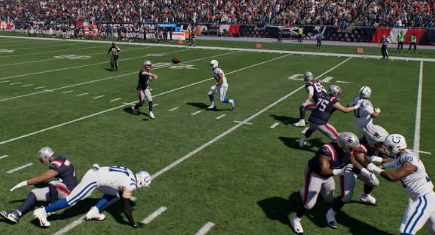
Madden 27 tips should start with the passing system. For most online players, Placement & Accuracy is the strongest option to learn. Set Pass Lead Increase to Small and start with a Reticle Speed of 7.
Revamped Passing is better suited to players who prefer a more simulation-style passing system and higher ball trajectories. If you use it, increase Reticle Speed to around 15-20 for more responsive control.
| Setting | Recommended | Best For |
| Passing Type | Placement & Accuracy | Competitive/Online |
| Pass Lead Increase | Small | Most players |
| Reticle Speed | 7 | Placement & Accuracy |
| Revamped Reticle Speed | 15–20 | Revamped Passing |
| Timing-Based Catching | 10 yards | Intermediate/Deep plays |
Timing-Based Catching is also worth enabling. Setting it around 10 yards on offense and defense gives you more opportunities to use the timing mechanic on intermediate throws, contested catches, and interceptions.
Franchise players may prefer Revamped Passing for its added control and trajectory, while Mut 27 players generally benefit more from a consistent and predictable passing setup.
Gameplay Helpers Worth Enabling
Keep Ball Hawk enabled to maximize interception opportunities. Defensive Heat Seeker Assist is also recommended for most players, with the Window Size increased to 200%.
Unless you are an elite open-field tackler, the additional assistance can make defensive user tackles more reliable. Switch Stick Delay should remain on Slight to prevent accidental player switches immediately after the snap.
Defensive Switch Assist and Controlled Player Indicator are also useful. The latter shows your defensive responsibility, including zone assignments and run fits, making it easier to stay disciplined.
Quick Tip: If accidental camera changes have ever cost you a play, turn Camera Toggle off. Set your preferred offensive and defensive cameras in the main settings instead.
Madden 27 Tips for Coaching Adjustments
Mut 27 players should also check Coaching Adjustments because these settings can now be configured from the main menu and carried across games.
A strong baseline setup is:
Auto Flip Defensive Play Call: On
Quarterback Matchups: Balanced
Defender Aggression: Aggressive
Gap Integrity: Conservative
Option Read Key: Conservative
Option Pitch Key: Aggressive
RPO Read Key: Conservative
RPO Pass Key: Conservative
Strip Ball: Balanced
Tackling: Balanced
Option Read Key is particularly important against mobile quarterbacks and read-option concepts. Conservative helps prioritize the quarterback and prevent easy explosive runs.
Set Option Pitch Key to Aggressive to focus more attention on the pitch player. Meanwhile, Conservative RPO Read and Pass Keys can provide better protection against common bubble screens and flat routes.
Defender Aggression can be set to Aggressive for additional pass-rush pressure, although it can increase fatigue. Gap Integrity should remain Conservative to reduce the number of easy rushing lanes.
Situational Adjustments
Late in a game, you can temporarily switch Strip Ball to Aggressive if you desperately need a turnover. This encourages your defense to attack the ball and look for fumbles.
However, return it to Balanced afterward. Keeping aggressive strip settings active throughout an entire game can lead to unnecessary penalties and missed tackles.
Madden NFL 27 Accessibility and Visual Settings
Some of the most useful settings are hidden away in the accessibility and visual feedback menus.
Turn Enlarge On-Field Graphics on if you struggle to identify receiver icons or timing meters. Larger indicators can make pre-snap reads and timing-based catches easier to execute.
Force Off Motion Blur is another setting worth testing. It does not necessarily improve performance, but removing motion blur can make the game feel cleaner and more responsive for some players.
Camera Setup at a Glance
Use Placement & Accuracy for competitive passing.
Set Pass Lead Increase to Small.
Start Reticle Speed at 7.
Enable Ball Hawk and Defensive Switch Assist.
Set key Option and RPO adjustments correctly.
Use Conservative Gap Integrity.
Turn Camera Toggle off.
Enable Enlarge On-Field Graphics if needed.
Final Verdict
Madden NFL 27 settings will not magically win games for you, but the right configuration can eliminate many unnecessary mistakes. For online players, consistent passing, reliable defensive assists, and disciplined Coaching Adjustments are more valuable than complicated settings. If you also need additional Ultimate Team resources, you can buy Madden 27 coins.
TL;DR
Madden NFL 27 players should prioritize passing, catching, gameplay helpers, and Coaching Adjustments before worrying about advanced strategies. Placement & Accuracy, sensible Reticle Speed, and conservative defensive adjustments provide a strong foundation for competitive play.
Which Madden NFL 27 setting has made the biggest difference in your games?